This guide focuses on account, device, save-data, and multiplayer safety. It does not provide modified files, bypasses, credential handling, or download sources for unofficial copies.
Fast answer
The answer before the background
Treat an age of darkness final stand trainer, cracked files, and hacked APK claims as high-risk and unsupported. The official release is listed for Steam, and the developer has said the game does not currently support mods or a map editor. Keep device protections active, use Steam and publisher-supported updates, and reject unverified files or credential requests. For extra challenge control, use the game’s official Campaign, Survival, co-op, difficulty, and strategy options instead of modified access.
Direct answer
What is actually supported?
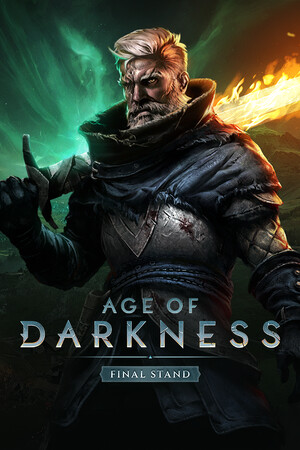
Age of Darkness: Final Stand is officially presented as a PC strategy game available through Steam. The store listing describes the full release as including Campaign, Survival, and co-operative multiplayer modes. The official game site also directs players to Steam for the current release.
That makes Steam the clearest trust path for installation, updates, ownership checks, multiplayer access, and game-file repair. An APK claim does not match the official platform information available for this title, so an Android package has no publisher-backed route established by the sources checked for this guide.
- Use the official Steam listing for installation and purchase.
- Allow Steam to deliver updates and verify local files when the client offers that option.
- Use official PlaySide announcements for patch information and service notices.
- Keep your Steam account protected with a strong unique password and Steam Guard.
| File or method | Safety status | Reason |
|---|---|---|
| Official Steam installation | Supported route | Matches the store and publisher information. |
| Third-party trainer | Unsupported and high risk | It changes game behavior outside the publisher’s supported path. |
| Cracked PC copy | Unsupported and high risk | Its files and distribution chain lack official verification. |
| Hacked APK | Unsupported and high risk | The official listing identifies Steam rather than Android as the platform. |
No official source checked for this guide advertises a trainer, cracked edition, hacked APK, or supported cheat system. That absence is important: treat claims of official endorsement as unverified unless they appear on PlaySide’s own channels or the official Steam page.
Risk check
Why unofficial files create several risks
A modified executable or installer has more access to your computer than an ordinary strategy guide or save file. It may contain malware, bundled software, credential-stealing components, or code that interferes with security tools. File names, screenshots, and comments are not reliable proof of safety.
There is also a reliability cost. PlaySide’s 2025 updates addressed crashes, multiplayer desynchronization, save handling, achievements, and other stability issues. A modified build can make those problems harder to diagnose because the game no longer matches the tested release. That can affect saves, achievements, co-op compatibility, and support conversations.
Account risk is separate from file risk. A download page or launcher may ask for a Steam login, an authentication code, a browser session, or payment details. Those requests create an opportunity for account takeover or unauthorized charges. Keep credentials inside the official Steam sign-in flow and treat unexpected requests as a security event.
- Keep Windows, Steam, browser, and security software current.
- Download only from official stores and publisher-supported pages.
- Scan unexpected files with active security protection and remove them through normal operating-system tools when they are not trusted.
- Review Steam account security and payment activity after any suspicious credential request.
- Preserve clean, current saves before troubleshooting crashes or multiplayer problems.
| Warning sign | What it can affect | Safer response |
|---|---|---|
| A promise of unlimited resources or instant unlocks | Game integrity, saves, and achievements | Use official difficulty and strategy options. |
| A request for Steam credentials or codes | Account ownership and payment security | Keep authentication inside Steam. |
| A separate launcher or disabled security prompt | Device integrity | Keep protections active and use the official client. |
| A file described as an APK | Platform compatibility and malware exposure | Rely on the official Steam release information. |
The game includes co-op, and PlaySide has published patches specifically addressing desynchronization and version mismatches. Unofficial changes can create compatibility problems for everyone in a session, even when a modified file appears to work in solo play.
Safer alternatives
Ways to change the experience without modified access
The official release already offers several ways to vary the experience. Campaign provides structured progression, Survival supplies replayable pressure, and co-op lets two players coordinate against the Nightmares. Adjusting difficulty and learning the game’s systems gives you more control without changing executable files.
For challenge relief, use legitimate planning tools: improve early resource collection, secure illuminated territory, scout before expanding, place defenses around likely approaches, and coordinate hero abilities with research and army timing. For variety, rotate factions and heroes, test different defensive layouts, and use community strategy discussions that share tactics rather than downloads.
- Choose Campaign when you want guided objectives and progression.
- Choose Survival when you want repeatable runs and escalating pressure.
- Choose co-op with a trusted friend for shared planning and recovery from mistakes.
- Use official patch notes when crashes, desyncs, or achievement tracking appear.
- Use Steam’s supported installation and file-repair features for technical problems.
| Goal | Supported option |
|---|---|
| More challenge | Raise the official difficulty and refine build orders. |
| More variety | Rotate Campaign, Survival, factions, heroes, and defensive plans. |
| Help with a hard mission | Use strategy guides, community discussions, and co-op. |
| A technical fix | Check official announcements, Steam updates, and supported troubleshooting. |
PlaySide’s FAQ and developer replies state that the game currently has no official mod support or map editor. Community files may exist elsewhere, but they are not equivalent to a publisher-supported feature and should not be treated as official.
If something went wrong
A practical account and device response
If an unofficial download or credential prompt has already been involved, prioritize account and device protection. Change the affected password from a trusted device, review Steam Guard and active sessions, inspect recent purchase activity, and contact Steam Support through its official support flow. Keep security software active while checking the computer.
For the game itself, restore the official Steam installation, apply current updates, and test a clean launch before opening multiplayer. Keep important saves backed up through normal Steam and operating-system facilities. If the problem remains, record the exact error, game version shown by Steam, and recent official patch status for a support report.
- Secure the account from a trusted device.
- Review active sessions, purchases, and security notifications.
- Return to the official Steam installation and current update path.
- Keep clean saves and useful error details available for support.
- Use official channels for any payment, ownership, or multiplayer issue.
PlaySide’s official announcements are the best source for game-specific fixes and known issues. Steam Support is the appropriate route for account, ownership, payment, and client-level problems.
FAQ
Common questions
Is there an official trainer for Age of Darkness: Final Stand?
No official trainer is identified by the game’s website, Steam listing, or PlaySide announcements checked for this guide. The supported route is the official Steam release, current patches, and the game’s built-in modes and settings.
Is a cracked download safe if it comes from a popular forum?
Popularity does not establish file integrity, publisher approval, or account safety. Use official stores and publisher-supported methods, keep device protections active, and choose the verified Steam installation instead.
Is there an official hacked APK for this game?
The official information checked identifies Steam as the available platform. An APK claim therefore lacks a publisher-backed route and should be treated as an unverified file with device and account risk.
Can I use mods or a trainer in co-op?
PlaySide has stated that the game currently has no official mod support or map editor. Because co-op depends on compatible game versions and synchronized simulation, use clean official installations for multiplayer.
What is the safest way to make the game easier?
Use official difficulty settings, Campaign objectives, Survival practice, co-op with a trusted friend, and strategy improvements such as stronger scouting, lighting, resource timing, defensive placement, and coordinated hero abilities.
Sources
What we checked
Official listings establish current availability and product facts. Community pages are used for mechanics and build history, then labeled separately.
- OfficialOfficial Age of Darkness game site
- OfficialOfficial Steam store listing
- OfficialPlaySide developer FAQ on Steam
- OfficialOfficial patch and stability announcements