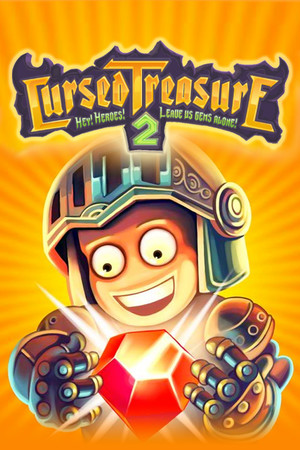
The game is rated 9+ and the listing identifies cartoon or fantasy violence, horror or fear themes, crude humor or profanity, advertising, and in-app purchases.
Fast answer
The answer before the background
Open the official App Store listing for Cursed Treasure 2: Evil TD, confirm that your iPhone runs iOS 15 or later or that your iPad runs iPadOS 15 or later, then tap Get. The app is listed for both device types and is free to download with optional in-app purchases. If the App Store says the app is unavailable, check your Apple Account region and device software before trying anything else. Do not use unofficial IPA files or random download sites.
Official route
How to install it safely on Apple devices
The official route is the App Store page for Cursed Treasure 2: Evil TD. The listing identifies Armor Games Studios Inc. as the developer or seller and presents the game as a free download with optional in-app purchases. This is preferable to downloading an IPA file from a third-party site because Apple can verify the app, deliver supported updates, and connect the installation to your Apple Account.
On an iPhone or iPad, open the App Store and search for the full title, including “Evil TD” if several results appear. Check the developer name before installing. You can also open the official listing from the source provided with this guide. Tap Get, authenticate with Face ID, Touch ID, or your Apple Account password, and wait for the installation to finish.
If you previously installed the game, the button may show a cloud-download icon instead. Tapping that icon restores the app from your purchase history when the title is still available in your storefront. A previous download does not override the current operating-system requirement, so an older device may still be unable to reinstall it.
- Use the App Store rather than an unofficial IPA or profile.
- Verify the developer name before tapping Get.
- Keep enough free storage for the download and later updates.
- Install updates from the App Store when Apple offers them.
| Check | What to verify |
|---|---|
| Listing | The title should be Cursed Treasure 2: Evil TD. |
| Developer | The App Store identifies Armor Games Studios Inc. |
| Cost | The download is listed as free, with in-app purchases. |
| Device support | The page lists iPhone and iPad compatibility. |
| Software | iPhone requires iOS 15.0 or later; iPad requires iPadOS 15.0 or later. |
Search results can include browser versions, unrelated sequels, old store references, or unofficial copies. Match the title and developer shown on Apple’s listing before installing.
Compatibility
iPhone and iPad requirements
The current App Store information lists support for iPhone and iPad. For iPhone, Apple states that the app requires iOS 15.0 or later. For iPad, it requires iPadOS 15.0 or later. In practical terms, a device on iOS 14 or an earlier release will not meet the listed requirement, even if it once ran an older build.
To check an iPhone or iPad, open Settings, choose General, and select Software Update. The version shown there should meet or exceed the requirement on the store page. You can also check the device model under Settings, General, About, then compare its supported software with Apple’s current compatibility information.
The listing also shows the app as a universal mobile title for Apple devices rather than an iPhone-only release. That means an eligible iPad can download it from the same App Store route. Screen layout, performance, and available display space can still differ between smaller iPhones and larger iPads, so compatibility does not guarantee identical presentation on every model.
The store page lists the app size as approximately 119.4 MB at the time of review. Updates may require additional temporary space, and the installed size can change. If the download fails despite meeting the software requirement, free storage, network access, Apple Account restrictions, or App Store service problems are more likely causes than the game itself.
- iPhone: iOS 15.0 or later.
- iPad: iPadOS 15.0 or later.
- The listing also mentions iPod touch and Apple Vision compatibility, but this guide focuses on iPhone and iPad.
- The displayed download size is approximately 119.4 MB and may change.
| Device | Listed minimum software | Access method |
|---|---|---|
| iPhone | iOS 15.0 or later | App Store |
| iPad | iPadOS 15.0 or later | App Store |
Apple can change the supported-device list or remove an app from a regional storefront. Treat the live App Store listing as the final check before installing.
Version details
What to know about the current listing
The visible version history on the reviewed store page lists version 1.6.44 as the latest entry, with a note about improved performance in fast-speed mode. Earlier entries mention SDK updates, bug fixes, and performance improvements. The page does not establish that every region receives the same release at the same time, so the version shown on your device may differ temporarily.
The store description presents a single-player tower-defense game with 24 levels, three basic tower types that evolve, 30 skills, 50 badges, Night Mode, an Evilopedia, and a Black Market Goblin. These are features described by the listing, not a promise that every future update will preserve the same presentation or monetization.
The page currently shows optional purchases, including items described as skull bundles and a Remove Ads purchase. Prices can vary by country and can change without notice. If you are installing for a child, review Family Sharing, Ask to Buy, Screen Time, and in-app-purchase settings before starting.
- The latest visible history entry is version 1.6.44.
- The listed notes include performance improvements and SDK or bug-fix updates.
- The app includes in-app purchases, and local prices may differ.
- The official listing does not guarantee identical availability in every country.
| Item | Verified store information |
|---|---|
| Genre | Strategy |
| Mode | Single-player |
| Language shown | English |
| Age rating | 9+ |
| Purchases | In-app purchases are listed |
Older promotional pages describe earlier pricing or distribution arrangements. Use the live App Store page in your region for the current download status and purchase information.
Troubleshooting
If the App Store download does not work
Start by opening the listing directly in the App Store rather than relying on a search result. If the page shows Open, the game is already installed. If it shows Get or a cloud icon, the app is available for download through your account. If it says the item is unavailable, the most likely explanation is regional storefront availability, an account restriction, or a listing change.
Next, confirm the operating-system requirement and available storage. Restarting the device, signing back into the App Store, and trying a reliable Wi-Fi connection can resolve ordinary download errors. Avoid deleting the app before checking whether your progress is synced or otherwise backed up, because the available save behavior is not established by the store listing.
If the listing opens but the game crashes, install any pending iOS or iPadOS update that your device supports, then update the app from the App Store. For unresolved problems, use the publisher’s official iOS support page. It provides a support contact route, while Apple Support is appropriate for billing, account, or App Store transaction problems.
- Check the live listing in your own App Store region.
- Confirm iOS 15 or later on iPhone and iPadOS 15 or later on iPad.
- Free storage and a stable connection can affect installation.
- Contact the publisher for game-specific issues and Apple for account or billing issues.
The reviewed sources verify the official listing and requirements, but they do not document a guaranteed cloud-save system or a universal offline-play policy. Do not promise either feature without checking the game’s current in-app behavior.
FAQ
Common questions
Is there an official iPhone version?
Yes. The App Store lists Cursed Treasure 2: Evil TD for iPhone. The listed minimum requirement is iOS 15.0 or later.
Can I play it on an iPad?
Yes. The same official listing includes iPad support and states that iPad requires iPadOS 15.0 or later. The interface may look different on a larger screen.
Is the download free?
The App Store lists the download as free with optional in-app purchases. Prices and availability can vary by region, so check the live page before confirming a purchase.
What if my device is too old for iOS 15?
The current listing does not meet that device’s software requirement. Do not rely on old IPA files or unofficial copies. Use a compatible Apple device or another officially supported platform instead.
Why can I not find it in the App Store?
Check the exact title and developer, then review your Apple Account region, device software, and parental or enterprise restrictions. Store availability can change by country, and the live listing is the final authority.
Sources
What we checked
Official listings establish current availability and product facts. Community pages are used for mechanics and build history, then labeled separately.
- OfficialOfficial App Store listing
- OfficialOfficial iOS support page
- OfficialDeveloper iOS update announcement
- ReferencePublisher press kit