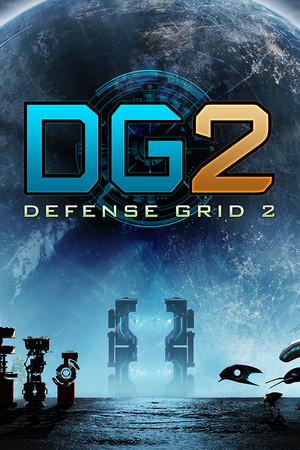
This guide discusses unofficial APK risks and platform availability. It does not provide a third-party download link or instructions for bypassing licensing, security checks, or paid access.
Fast answer
The answer before the background
You should not expect a normal Android download for Defense Grid 2. I could not verify an official Google Play listing for an Android phone or tablet release, and the official platform information I found lists PC, PlayStation 4, Xbox One, and Nintendo Switch instead. Hidden Path’s privacy policy mentions “Defense Grid 2 Mobile (GearVR),” but that is a separate virtual-reality product, not evidence of a standard Android edition. Avoid unofficial APK sites unless the developer or an authorized storefront confirms the file.
Verified route
How to check the official Google Play option
Start with the Google Play Store on the Android device, or use Google Play in a browser, and search for the exact title rather than a broad phrase such as “tower defense 2.” Check the developer and publisher information, screenshots, description, permissions, update history, and supported-device message before installing anything.
For this title, the official sources reviewed do not verify a regular Android phone or tablet release. The current publisher history lists the 2014 release on PC, PlayStation 4, and Xbox One, while Hidden Path’s own Switch announcement confirms a Nintendo Switch edition. Steam also identifies the Windows version and documents the former Mac and SteamOS/Linux support history.
If Google Play shows no listing, that is not a problem with your phone or Google account. It most likely means there is no publicly available official Play release in your region, or that the product was never released for standard Android. Because I found no authoritative Android package, I cannot confirm a minimum Android version, required RAM, chipset support, screen requirements, or current mobile patch number.
- Use the exact game name and inspect the developer identity.
- Do not confuse similarly named tower-defense apps with this game.
- Treat “Android supported” claims on download pages as unverified unless they link to an official developer or store listing.
- A GearVR reference is not the same as support for Android phones or tablets.
| Officially documented destination | What the source verifies |
|---|---|
| Steam | Windows release; Steam lists single-player, online co-op, PvP, Workshop, and other PC features. |
| PlayStation Store | PlayStation 4 edition. |
| Nintendo eShop | Nintendo Switch edition with the campaign, local two-player modes, and Aftermath content. |
| Android phone/tablet | No official Google Play listing or Android phone/tablet specification was verified in this review. |
| GearVR | Hidden Path’s privacy policy references a separate “Defense Grid 2 Mobile (GearVR)” product. |
The safest answer is not “find a newer APK.” It is that standard Android availability is unconfirmed, while other official platforms are documented. If a future Google Play listing appears, use that listing as the source of truth for device compatibility and version information.
APK safety
Why an APK download is not a safe substitute
An APK can be legitimate, but the file format alone does not prove who built it, whether it has been modified, or whether it includes malware. Android explicitly protects users from installations outside trusted stores and requires users to opt in to installing apps from an unknown source. On Android 8.0 and later, that permission is granted to a particular source, such as a browser or file manager.
For this game, the risk is higher because I could not verify an official Android phone/tablet APK, official package identifier, current mobile build, or publisher download page. A site offering a “full unlocked,” “free premium,” “mod,” or “cracked” version is not a reliable substitute for a missing official release. Such files may be repackaged, outdated, incompatible, or designed to collect data.
Keep Google Play Protect enabled. Google recommends leaving it on, and its tools can scan apps installed from outside Google Play. Google also warns that apps from unverified developers can expose users to scams and malware. Do not disable security protections simply because an installer tells you to.
- Prefer Google Play or a named official storefront over an APK mirror.
- Check that the developer name, product title, screenshots, and support details match the official publisher.
- Reject files that require unrelated permissions such as SMS, contacts, accessibility control, or device administration.
- Do not enter a Steam, Google, or payment password into an APK installer or an unfamiliar companion website.
- If Play Protect flags the file, stop rather than forcing installation.
- After testing an unverified file, uninstall it, revoke its permissions, and run a security scan.
| Claim on a download page | Recommended interpretation |
|---|---|
| “Official Android APK” with no developer page | Unverified; do not assume it is genuine. |
| “Latest version” but no changelog or build information | Unverifiable; the page may be relabeling an old or modified file. |
| “No verification,” “unlocked,” or “premium free” | High-risk piracy or malware signal; avoid. |
| Google Play listing with a mismatched developer | Likely unrelated or impersonating software; do not install. |
Because no official Android build could be confirmed, the recommended action is to skip third-party APK installation and use a documented PC or console edition instead.
Compatibility
What can and cannot be confirmed
There is no reliable Android compatibility matrix to quote for the standard mobile devices. That means you should not rely on a random site’s statements about Android 10, Android 13, Android 16, ARM64, controller support, offline play, cloud saves, or required storage. Those details belong to a specific signed build, and no such official build was verified here.
Android compatibility depends on more than the operating-system number. Official Android documentation explains that device filtering can depend on platform version, hardware features, screen configuration, and other APK-declared requirements. Even if an unofficial file installs, it may fail because of missing libraries, unsupported graphics hardware, incorrect aspect ratios, old 32-bit dependencies, or licensing services.
If you own a Play Protect-certified device, that confirms the device has passed Google’s compatibility testing for Google apps; it does not prove that this particular game has an Android version. Google says certification is separate from Play Protect and that uncertified devices may have app and update problems.
- Do not interpret successful APK installation as proof that the game is officially supported.
- Do not infer phone compatibility from the GearVR mobile reference.
- If a future official listing becomes available, use its device-specific Play Store result rather than a generic Android-version chart.
- For now, choose the platform shown by the developer or authorized storefront.
Practical alternatives
Best ways to play without an unofficial mobile build
If your goal is portable play, the Nintendo Switch edition is the clearest officially documented console option. Hidden Path’s announcement describes the campaign, Aftermath content, local two-player modes, challenges, and tower loadout items. If you already own a PC copy, Steam documents the Windows edition and its single-player and multiplayer features.
Remote-play or streaming from a computer may be possible through the platform and hardware you already use, but that is not an Android port. Availability, controls, latency, and network requirements depend on your setup, so verify those separately before buying accessories or subscriptions.
For future changes, monitor Hidden Path’s official game page and the relevant store listing. The developer’s launcher currently states that the last product update was in May 2018, so a newly advertised Android release should be checked especially carefully for a direct official announcement.
- Buy or install through the official store for the platform you actually own.
- Keep purchase receipts and account access separate from any third-party download site.
- If portability matters most, consider the documented Switch version rather than an unverified phone APK.
- Check official announcements before trusting claims of a new mobile port.
FAQ
Common questions
Is there an official Google Play download?
I could not verify one for Android phones or tablets as of August 24, 2026. The official platform information reviewed lists PC and consoles, while the only explicit mobile reference I found is a separate GearVR product.
Can I safely install a Defense Grid 2 APK from a mirror site?
There is no verified official Android APK for me to recommend. Unless Hidden Path or an authorized store provides the file and identifies its release, treat mirror-site APKs as untrusted. Keep Play Protect enabled and avoid modified, unlocked, or cracked packages.
Does the GearVR version work on any Android phone?
Not necessarily. GearVR is a distinct virtual-reality platform and its mention in Hidden Path’s privacy policy does not establish support for ordinary Android phones or tablets.
Why does an APK install but not run?
An unofficial file may target an incompatible Android API level, CPU architecture, graphics feature, screen configuration, or licensing system. Android compatibility is determined by the build’s declared requirements and the device configuration, not merely by whether installation succeeds.
What is the safest official alternative?
Use a documented edition on Steam, PlayStation 4, Xbox One, or Nintendo Switch. Steam and the official Switch announcement provide the clearest current platform evidence among the sources reviewed.
Sources
What we checked
Official listings establish current availability and product facts. Community pages are used for mechanics and build history, then labeled separately.
- OfficialHidden Path Entertainment — Defense Grid 2 launcher
- OfficialHidden Path Entertainment — Privacy Policy
- OfficialSteam — DG2: Defense Grid 2
- OfficialPlayStation Store — Defense Grid 2
- OfficialHidden Path Entertainment — Nintendo Switch announcement
- ReferenceAndroid Developers — Alternative distribution options
- ReferenceGoogle Android Help — Google Play Protect and app safety