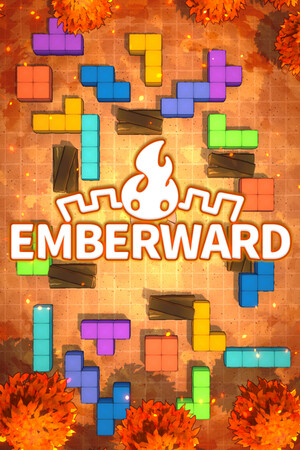
No special content warning is needed for this access guide.
Fast answer
The answer before the background
Emberward is not currently available as a native iPhone or iPad game through the official App Store. The official release is sold through Steam for Windows, and the developer has not confirmed an iOS or iPadOS build. If you already own the PC version and have a computer that can run Steam, you can use Valve’s Steam Link app to stream it to an iPhone or iPad. That gives you remote access to the PC game, not a separate mobile installation.
Availability
There is no native App Store download to follow
The current official platform information does not provide an Apple App Store route for the game. The Steam store page identifies Emberward as a Windows PC release, and its available demo and full version are delivered through Steam rather than Apple’s storefront.
The developer’s published FAQ says a mobile version was not yet decided and would need additional interface and performance adjustments. Later official update information discusses continued PC updates and console ports, but does not announce an iPhone or iPad release. That means the safe answer is not “search harder” or “use another region”; it is that no verified native mobile build is available in the current official record.
- Do not treat a similarly named App Store game as an official port.
- Do not enter payment details into third-party download pages claiming to provide an iOS build.
- A future listing should show the developer or publisher identity clearly and be linked from an official game announcement.
| Device | Native release status | Verified way to play |
|---|---|---|
| iPhone | No official native listing found | Stream the PC edition with Steam Link, if your setup supports it |
| iPad | No official native listing found | Stream the PC edition with Steam Link, if your setup supports it |
| Windows PC | Official platform | Install through Steam |
| Mac or Linux | Not listed as supported on the official Steam page | Do not assume compatibility without checking current platform information |
This guide distinguishes a native app from streaming. A native release is installed and runs on the phone or tablet. Steam Link only displays and controls a game running on another computer.
Official route
How to verify the real release
For a genuine purchase or download, start with the developer’s official Steam store page. Confirm that the listing is Emberward from Refic Games, then check the platform information before buying. The current official listing provides the Windows version and a separate demo through Steam.
There is no official App Store page to install at the time of this check. If Apple Search shows a result with the same or a similar name, compare its developer, screenshots, description, and publisher details rather than assuming it is the same game. The absence of a matching official listing is important here because third-party pages can make an unannounced mobile port appear real.
- Open the official Steam listing from the developer’s game channels or Steam search.
- Check that the platform is Windows before purchasing.
- Use the Steam demo if you want to test the game on a supported PC first.
- Do not buy an App Store substitute expecting the same saves, content, or updates.
Workaround
How to play on iPhone or iPad with Steam Link
If you own or plan to buy the Windows version, Valve’s Steam Link app is the practical iOS workaround. It streams the game from a computer running Steam to an iPhone or iPad. The computer does the actual rendering, so installing Steam Link does not turn the game into an offline mobile app.
For the most reliable results, connect the host computer to your router with Ethernet and use a strong Wi-Fi connection for the Apple device. A controller is also worth considering because a PC game may not be designed around touch controls. Performance depends on the computer, network, input device, and distance from the router.
- Install Steam Link from Apple’s App Store listing.
- Run Steam on the Windows computer that has the game installed.
- Pair the iPhone or iPad with that computer from inside Steam Link.
- Start the game from the streamed Steam library.
- Use a compatible controller when touch controls are awkward or incomplete.
- Keep the computer awake and Steam running while you play.
Steam Link is a streaming solution. It normally requires the host computer to be powered on, logged into Steam, and reachable over the network. It does not provide an independent iPhone or iPad build, and it is not the same as downloading the game directly from Apple’s App Store.
Decision guide
Which option makes sense?
Choose the official Windows release if you want the intended platform, local installation, and the normal Steam update path. Choose Steam Link only if you already have a computer capable of running the game and are comfortable with streamed controls and network requirements.
Wait for an official mobile announcement if you specifically need offline play, direct touch controls, or an app that runs without a PC. The developer has acknowledged interest in playing on a phone and iPad, but interest is not a release commitment. Until an official announcement and store listing appear, do not rely on rumored dates or unofficial app pages.
- Best for native access: wait for a confirmed App Store release.
- Best for playing now: use the official Windows version on Steam.
- Best for portable access with existing hardware: stream through Steam Link.
- Best for avoiding scams: use only official Steam, Apple, and developer channels.
FAQ
Common questions
Is there an official Emberward iOS version?
No verified native iPhone or iPad version is currently listed. The official release information points to Windows through Steam, while the developer has not announced an iOS or iPadOS build.
Can I download it from the App Store?
Not as a native game from the current official record. The App Store route available to iPhone and iPad owners is Valve’s Steam Link app, which streams the PC version from a computer running Steam.
Does it work on iPhone and iPad?
The native game is not confirmed for either device. The PC edition can be streamed to both through Steam Link, provided you have a suitable computer, Steam installed, and a stable network connection.
Is Steam Link the same as an iOS port?
No. Steam Link is a remote-play app. The game runs on the host computer and the iPhone or iPad receives the video and sends back controls.
Should I install an App Store game with a similar name?
Only if you independently confirm that it is made by the official developer and is linked from an official announcement. A similar title is not proof that it is the same game, and unofficial listings may not contain the PC release or its saved data.
Sources
What we checked
Official listings establish current availability and product facts. Community pages are used for mechanics and build history, then labeled separately.