This is a safety explainer. It does not provide modified files, cracks, payment workarounds, credential requests, piracy links, or instructions for bypassing platform protections.
Fast answer
The answer before the background
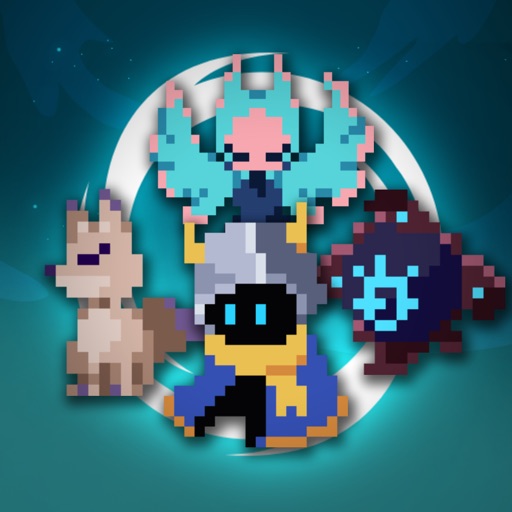
Do not install an Endless Wander mod apk or use a modified client to obtain free purchases. The official game is available through recognized mobile stores from First Pick Studios, and its Android listing describes offline play with optional in-app purchases. A modified file can contain unwanted or harmful code, expose personal information, break updates or cloud saves, and put your progress or store account at risk. Keep Google Play Protect or Apple device protections active, install only through the official listing, and reject any file or website that asks for credentials, payment details, unusual permissions, or weakened security settings.
The short answer
Why a modified client is a poor trade
A modified client changes the game package supplied by the publisher or store. Claims about unlimited currency, unlocked characters, or a free purchase may sound attractive, but the file is no longer something you can evaluate through the normal store review and update process. The person or site distributing it may not be the original developer, and the advertised feature does not prove that the package is safe.
Google states that apps from unknown sources can put a device and personal information at risk. Its malware guidance also identifies spyware, phishing, trojans, billing fraud, and data theft as examples of potentially harmful behavior. That does not mean every file outside a store is malicious, but it does mean an unverified modified package deserves rejection rather than trust.
- Keep device protections active instead of disabling warnings or security checks.
- Use the official publisher listing and confirm that the developer is First Pick Studios.
- Treat requests for passwords, verification codes, payment details, accessibility access, or unrelated permissions as a stop signal.
- Remember that an offline game can still include unsafe code; offline play is a gameplay feature, not a security guarantee.
| Claim | What it can actually mean | Safer response |
|---|---|---|
| Free purchase | The package may alter local checks, fail after an update, or be used to deliver unwanted code. | Use the official free download and choose only purchases shown in the store or game. |
| Unlimited currency | The value may be cosmetic, temporary, or incompatible with saved data. | Progress through the supported game systems and keep the official client updated. |
| No root required | The installer can still request risky permissions or include hidden components. | Keep Play Protect or equivalent device protections enabled and reject the file. |
| Offline mode | The game may work without a connection, but the installer still runs on your device. | Install through the recognized store and review the publisher and privacy details. |
A community guide, wiki, or video can help explain gameplay, but it is not automatically an authorized software distributor. Use community information for tips and the official store or publisher-supported channel for the application itself.
What can go wrong
Device, account, and progress risks
The first risk is security. A modified package can include code that reads data, displays deceptive screens, downloads additional components, or abuses permissions. Google explains that harmful apps may compromise device integrity, access personal data, or defraud users. The practical danger is not limited to the game: the same phone may hold email, payment, photos, messaging apps, and authentication codes.
The second risk is reliability. An altered package may be signed differently from the official installation, so normal updates can fail or require removing the app. It can also interfere with cloud saves, local data, purchases, or support investigations. If the game changes its data format or server checks, an unofficial build may stop working without a supported recovery path.
The third risk is account exposure. A page promising free purchases may ask you to sign in outside the store, enter a one-time code, or provide payment information. Those requests are unrelated to safely installing the game. Never submit credentials to an unverified distributor, and do not reuse a password that was entered into a suspicious page.
- Security exposure can affect the whole device, not only the game.
- Unofficial builds can lose compatibility when the official app updates.
- Altered purchases or progress may not be recognized or recoverable.
- Credential requests can lead to account takeover even if the game itself appears to launch.
| Warning sign | Why it matters | Safe action |
|---|---|---|
| A download page asks you to disable protection | The file is asking you to remove an important safety barrier. | Leave protection enabled and close the page. |
| A login or verification form appears before installation | The distributor may be collecting credentials rather than installing a game. | Do not enter information; use the official store instead. |
| The package promises impossible or unexplained benefits | Marketing claims do not verify the file’s contents or legitimacy. | Reject the offer and choose supported progression. |
| The installer requests unrelated access | Extra permissions can expand what the app can do on the device. | Cancel installation and use the recognized listing. |
The official store pages identify First Pick Studios as the developer and describe the game as an offline roguelike with optional ads and in-app purchases. They do not make third-party modified packages official or safe.
Safer alternatives
How to play without an altered installer
Start with the official store listing. On Android, search the store for the game published by First Pick Studios and check the developer name, ratings, update information, data-safety details, and support contact before installing. On iPhone or iPad, use the App Store listing and review the seller, privacy information, compatibility, and in-app purchase details.
The official Android description says that no internet connection is required for normal play and that cloud saves can be used across devices. That gives you a legitimate way to play offline without relying on a modified package. Keep the supported client current so bug fixes and compatibility improvements arrive through the normal update path.
If cost is the concern, use the free official download and treat optional purchases as optional. The store listings show that the game contains ads and in-app purchases, but a payment prompt is not a reason to install an unknown replacement. You can continue with the supported free experience, review the game’s own progression systems, and decide whether a listed purchase fits your budget.
- Install from Google Play or the App Store using the publisher-supported listing.
- Use offline play where supported rather than searching for altered currency or unlocks.
- Keep purchases inside the platform’s normal billing flow.
- Use official support for billing, missing progress, or technical problems.
- Use player wikis and communities for gameplay advice, not for unverified installers.
| Need | Supported option |
|---|---|
| Play without internet | Use the official client’s advertised offline mode. |
| Protect progress | Use supported local or cloud-save features and avoid changing the app package. |
| Spend less | Play the official free version and skip optional purchases. |
| Solve a technical issue | Use the store support contact or publisher-supported help channel. |
Official distribution gives you a clearer update path, recognized billing, publisher support, and platform safety checks. It cannot remove every risk, but it is substantially safer than an unknown modified package.
If you already installed one
Contain the problem safely
If an unverified copy is already on your device, stop using it and do not sign in again through that installation. Remove the altered app, then run the device’s built-in security scan with protections still enabled. Reinstall the official version only from the recognized store listing.
If you entered a password, payment detail, or verification code into a distributor’s page, change that password from a trusted device or trusted official account page. Use a unique password, review recent account activity, and contact the relevant platform or payment provider if you see an unfamiliar charge. If the device shows continuing warnings, pop-ups, unusual battery use, or unknown apps, seek help from the device manufacturer or a qualified security professional.
Do not try to repair a modified installation by downloading another package from a different site. Preserve useful evidence such as the website address, app name, and warning message without reopening the file, then report the suspicious listing through the relevant platform or security channel.
- Remove the unverified client.
- Run the built-in device security check.
- Secure any account whose credentials were entered.
- Review purchases and account activity.
- Restore the official client from the recognized store.
- Contact official support if progress or billing remains unresolved.
Escalate promptly if you see unauthorized charges, account recovery notices, repeated security warnings, or signs that another app is controlling the device.
FAQ
Common questions
Is an offline game safe to modify because it does not need a connection?
No. Offline play describes how the game operates after installation. The installer still runs code on your device and may access data, request permissions, or include unwanted components. Use the official store version and keep device protections active.
Can I get the game without paying for optional content?
Yes. The official mobile listings describe a free game with optional ads and in-app purchases. Use the supported free version, skip optional purchases, and reject offers that promise free purchases through an altered client.
Can a modified client damage my save or cloud progress?
It can create compatibility and support problems. Different signing, altered data, failed updates, or unsupported changes may interfere with local or cloud data. Protect progress by using the official client and supported save features.
What should I do if a site asks for my game password or verification code?
Do not provide it. Close the page, use the official store or publisher-supported account process, and secure the account if you already entered information. A download distributor does not need your credentials to provide a safe store installation.
Are community wikis and Discord groups safe sources for downloads?
They can be useful for gameplay information, but community status alone does not authorize software distribution. Follow links only to the publisher’s recognized store or support channels, and reject unverified files, credential forms, and requests to weaken protection.
Sources
What we checked
Official listings establish current availability and product facts. Community pages are used for mechanics and build history, then labeled separately.
- OfficialOfficial Google Play listing for Endless Wander
- OfficialOfficial Apple App Store listing for Endless Wander
- OfficialGoogle Android guidance on apps from unknown sources
- OfficialGoogle Play malware policy and harmful-app definitions
- OfficialApple guidance on using the App Store for safer app distribution