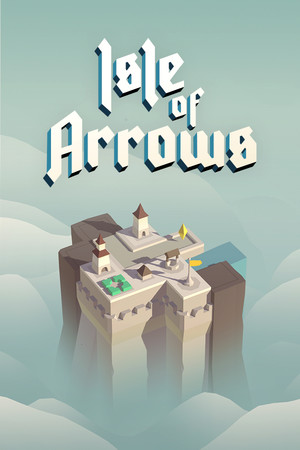
The game has an age rating of 9+ with infrequent cartoon or fantasy violence, according to the US App Store listing.
Fast answer
The answer before the background
For isle of arrows ios access, open the official App Store listing for Isle of Arrows – Tower Defense, confirm that your iPhone or iPad runs iOS or iPadOS 12.0 or later, then buy and install the app through Apple. The listing supports both device types and currently presents the game as a paid download. Do not expect cross-device cloud saves: the store description specifically says that cloud save functionality is not available for the time being.
Official route
How to download it safely
The safest route is Apple’s App Store listing for Isle of Arrows – Tower Defense, published by Studio Gridpop Inc. Search for the full title in the App Store, or open the developer’s official store listing from a trusted device. Check the seller name before purchasing so you do not confuse it with an unrelated game using a similar title.
The US listing identifies the app as a paid download and shows a price of $5.99 at the time of checking. Apple uses local pricing, taxes, and currency conversion, so the amount displayed on your device may differ. The game is not presented as a free-to-play download with an optional install; you should expect to complete the purchase before installation.
- Open the App Store on your iPhone or iPad.
- Search for “Isle of Arrows – Tower Defense.”
- Confirm that the seller is Studio Gridpop Inc.
- Review the displayed price and compatibility notice.
- Tap the purchase button, authenticate with Apple, and wait for the installation to finish.
- Launch the game from the App Store page or your Home Screen.
| Check | Verified detail |
|---|---|
| Official seller | Studio Gridpop Inc |
| Store route | Apple App Store |
| US listing price | $5.99 when checked |
| App size | About 125.9 MB on the US listing |
| Age rating | 9+ with infrequent cartoon or fantasy violence |
There is no need to use an IPA mirror, third-party installer, or sideloading service. Those routes are not the official distribution method and can create account, security, or compatibility problems.
Compatibility
iPhone and iPad requirements
The App Store lists the game for both iPhone and iPad. Apple specifies iOS 12.0 or later for iPhone and iPadOS 12.0 or later for iPad. If your device cannot update to the required operating-system version, the current listing may refuse installation even if the hardware appears powerful enough.
The page labels the app as designed for iPad, while also listing iPhone compatibility. That makes a larger iPad screen the more natural fit for tile placement and defensive planning, but an eligible iPhone can install the same store app. Apple’s compatibility section also mentions iPod touch, Mac, and Apple Vision support, but this guide focuses on the required iPhone and iPad access route.
- On iPhone, open Settings, then General, then About to check the installed iOS version.
- On iPad, open Settings, then General, then About to check the installed iPadOS version.
- If the device is below version 12.0, check Settings, General, and Software Update before trying to buy the game.
- Keep at least the app’s listed download size free, with additional room available for installation and future updates.
- Use the same Apple Account that you intend to use for later redownloads.
| Device | Minimum operating system | Store status |
|---|---|---|
| iPhone | iOS 12.0 or later | Supported |
| iPad | iPadOS 12.0 or later | Supported and designed for iPad |
| Older device below the requirement | Not verified as compatible | Update the operating system or use a newer device |
The store page provides the operating-system threshold rather than a complete list of every compatible iPhone and iPad model. Apple’s compatibility result for your own device is the final check.
Version and saves
What to check before installing
Apple’s listing currently displays version-history information through version 1.1.4, dated July 6, 2023. That is the latest version-history entry visible in the source checked for this guide, not a guarantee that no later internal build exists in every region. Store pages can show different rollout or metadata details depending on country and device.
The listing description also states that cloud save functionality is not available for the time being. Treat each device as having its own local progress unless the developer adds a later synchronization feature. This matters if you plan to switch between an iPhone and iPad or delete and reinstall the app.
- Check the App Store page immediately before installation for any newer version-history entry.
- Do not assume Game Center means campaign saves will synchronize between devices.
- Before changing devices, verify whether your progress can be transferred; the current store description does not promise cloud saves.
- Keep the app installed if preserving local progress is important, especially before a device migration or reset.
| Question | Evidence-based answer |
|---|---|
| Is there an iPhone version? | Yes. The App Store lists iPhone compatibility. |
| Is there an iPad version? | Yes. The app is listed for iPad and is designed for iPad. |
| Is cloud saving available? | The store description says it is not available for the time being. |
| Is the displayed version guaranteed to be the newest everywhere? | No. Store metadata and rollout details can vary, so check your regional listing. |
Do not buy a second copy solely to obtain cloud synchronization. The current App Store description does not verify cross-device save support.
Practical recommendation
Is the mobile version worth considering?
The mobile edition is a good fit if you want a compact, turn-based-feeling strategy game built around placing randomly drawn tiles, extending roads, and positioning defenses against enemy waves. The official description presents it as a mix of tile placement, tower defense, and roguelike systems, with Campaign, Gauntlet, and Daily Defense modes.
For most players, an iPad is the better choice because the larger display gives more room to inspect the growing island and plan tile placement. An iPhone is still a legitimate option for shorter sessions or portable play, provided it meets the operating-system requirement. This is a recommendation based on the game’s board-like interface rather than a separate technical requirement.
Connectivity details should be treated carefully. The App Store page confirms the download route and the lack of cloud saves, but it does not clearly guarantee offline play in the material checked here. Download and installation require an internet connection through the App Store; do not assume every feature works without connectivity unless the developer confirms it.
- Choose iPad if screen size and board visibility matter most.
- Choose iPhone if portability is more important than workspace.
- Check your regional price before purchase.
- Read the current App Store version notes before installing.
- Avoid relying on the game for automatic progress transfer between devices.
FAQ
Common questions
Can I install the game on an iPhone?
Yes. Apple’s App Store listing includes iPhone compatibility and requires iOS 12.0 or later.
Can I play it on an iPad?
Yes. The app is listed for iPad, is designed for iPad, and requires iPadOS 12.0 or later.
Is the App Store version free?
No. The US listing shows a paid price of $5.99 when checked. Regional prices may differ.
Will progress sync between my iPhone and iPad?
The current store description says the game does not offer cloud save functionality for the time being, so automatic cross-device progress should not be expected.
What if my device cannot run iOS 12 or iPadOS 12?
The current listing does not verify compatibility below those operating-system versions. Update the device if Apple offers a supported update; otherwise, use a newer compatible iPhone or iPad.
Sources
What we checked
Official listings establish current availability and product facts. Community pages are used for mechanics and build history, then labeled separately.