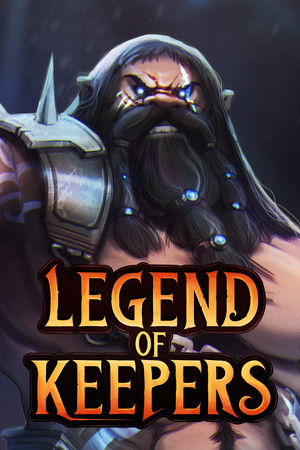
The store lists the game as Mature 17+ for blood and gore and violence. Check the rating and purchase details before installing it on a shared or family-managed device.
Fast answer
The answer before the background
Install the game from Google Play, not from a random APK mirror. Open the Play Store, search for the title, and confirm that the publisher is Playdigious and the package is com.playdigious.legendofkeepers. The United States listing currently shows a paid download, with Play Pass availability also displayed. If Google Play says the app is unavailable or incompatible, do not force-install an APK unless you can verify its origin, signature, architecture, and version. The official pages do not publish a single universal Android minimum requirement, so the Play Store result for your own device is the most useful compatibility check.
Official route
How to install the Android version from Google Play
The official mobile publisher is Playdigious, while the original game was developed by Goblinz Studio. Playdigious lists the game as released for Android on May 23, 2023, and links the mobile version through its own game catalog. The Google Play listing uses the shorter title “Legend of Keepers” rather than the full desktop-style subtitle.
To install it, open Google Play on the Android device, search for “Legend of Keepers,” and select the result published by Playdigious. Confirm the package identifier shown in the listing is com.playdigious.legendofkeepers. Then review the price, age rating, data-safety panel, and device availability before selecting the price or Install button.
The current United States listing describes a premium purchase rather than a free-to-play download. It also shows Play Pass availability, although that offer can depend on your account and region. The listing includes optional DLC, so check each purchase screen carefully if you only want the base game.
- Use Google Play on the device whenever possible.
- Verify Playdigious as the publisher before paying or installing.
- Check the displayed price in your own country rather than relying on a screenshot or old deal.
- Keep Google Play and Google Play Services updated if the install button is missing or the download fails.
| Check | What to verify | Why it matters |
|---|---|---|
| Publisher | Playdigious | A matching publisher helps distinguish the official listing from imitators. |
| Package | com.playdigious.legendofkeepers | This is the identifier shown by the official listing and helps avoid similarly named apps. |
| Store status | Install or purchase button is available | Google Play has already evaluated whether the device is supported for that listing. |
| Payment | Base-game price and any DLC | The mobile release is premium, while extra content is sold separately or through a bundle. |
The title, publisher, package identifier, rating, features, and listed update date are store or publisher details. Price, regional availability, Play Pass access, and the compatibility result can change without notice.
Compatibility
What to check before downloading
The official pages confirm Android availability, but they do not state one universal minimum Android version, RAM requirement, chipset requirement, screen resolution, or storage size. That means a generic “works on every Android phone” claim would be unreliable. Use the Play Store page while signed into the account and device that will run the game.
If the listing shows Install, Google Play considers the device eligible for that release under its current catalog rules. If it displays a compatibility warning, first check for system updates, available storage, Play Protect certification, and whether the device uses Google Mobile Services. A non-certified device may lack reliable compatibility information and may not receive normal app or system updates.
The mobile version supports controllers, Google Play Games achievements, and cloud-save functionality according to the listing and Playdigious page. These features do not prove that every controller, account configuration, or cross-device transfer will work identically. Treat them as supported features, not a guarantee for every accessory or device combination.
- Check Android system updates and free storage before installation.
- Use the Play Store’s own compatibility message as the primary device check.
- Confirm that the device is Play Protect certified in Play Store settings.
- If you are moving between devices, sign into the same relevant account before expecting cloud-save data to appear.
- Do not infer a minimum Android version from another Playdigious game; requirements can differ by title and update.
| Situation | Recommended action | Confidence |
|---|---|---|
| Install button is available | Install through Google Play. | High; this is the official route. |
| Listing says incompatible | Update the device and recheck, then contact Playdigious support if the result seems wrong. | High for the warning; the cause may vary. |
| No Google Play or uncertified device | Do not assume a downloaded APK will solve the problem. | High; compatibility and security are less predictable. |
| Cloud save not appearing | Check account, connection, and the game’s support channel before reinstalling. | Moderate; the official feature exists, but the cause of a sync issue is device-specific. |
The official game page confirms cloud save but does not clearly promise that the entire Android release works offline. Download, updates, account checks, and cloud synchronization can require connectivity, so do not rely on an offline mode unless the game or publisher confirms it.
APK safety
Why an unofficial APK is a poor first choice
An APK is the installable Android package format, but the existence of an APK file does not establish that it is genuine. A mirror may redistribute an old build, alter the package, add unwanted code, omit required split files, or provide a file for the wrong processor architecture. Google Play normally generates optimized APKs for the requesting device, which is one reason a copied file may not transfer cleanly between phones.
Google Play also supplies a stronger trust chain: the store listing identifies the publisher, the store handles delivery and updates, and Play Protect checks apps installed from Google Play. Play Protect can also scan apps obtained elsewhere, but scanning is a safety layer, not proof that an unknown distributor is legitimate.
If you have a legitimate reason to sideload, use only a source that can demonstrate it received the build directly from the publisher or an authorized store. Compare the package name, version, signing certificate, file hash, requested permissions, and architecture. If any of those cannot be verified, stop. Do not install a “mod,” “unlocked,” “free premium,” or patched copy, and never disable Play Protect merely to bypass a warning.
- Prefer the official Play Store listing over APK websites.
- Keep Play Protect enabled and scan any externally obtained package before opening it.
- Avoid files that request unrelated permissions, promise free paid content, or require a second installer.
- Remember that split APK packages may need several matching files rather than one universal APK.
- After testing a sideloaded app, remove permission to install unknown apps from the file manager or browser that used it.
| APK check | Acceptable evidence | Stop if |
|---|---|---|
| Publisher identity | The source is clearly authorized and matches Playdigious. | The uploader is anonymous or claims to be a modder. |
| Package identity | The package matches com.playdigious.legendofkeepers. | The package name is different or disguised. |
| Integrity | The signing certificate and hash can be independently checked. | The site provides no verification data. |
| Compatibility | The package matches the phone’s Android architecture and required split files. | The installer fails, crashes, or asks for unrelated files or permissions. |
For ordinary players, there is no practical advantage to sideloading this game when the official Google Play listing is available. A third-party APK should be considered an unsupported troubleshooting option, not the normal download method.
Troubleshooting
If the Android download does not work
First, reopen the official listing and confirm that the publisher, title, and package match. If the page is unavailable, the cause may be regional catalog rules, account restrictions, device compatibility, Play Store cache problems, or a temporary store issue. A missing listing does not prove that an APK mirror is safe.
For a stuck download, check the network connection, free space, automatic date and time, Google Play updates, and the device’s Play Protect certification. Restarting the phone and retrying from the listing can resolve ordinary store errors. If the game installs but fails to launch, update Android and the game, remove aggressive battery restrictions, and avoid restoring data from a modified copy.
For account, purchase, save, or game-specific problems, use the support contact shown on the Play listing or Playdigious support. Keep the receipt, device model, Android version, and exact error message available. Do not uninstall immediately if cloud-save data is important unless you have confirmed that the save is synced.
- Record the exact error instead of relying on a generic APK fix.
- Check the official listing again after updating the device.
- Use the publisher’s support route for purchase or save problems.
- Do not assume an older APK is a safe downgrade; it may be unsigned, incompatible, or missing current fixes.
The Play listing reported a Unity security update on October 9, 2025. Because mobile builds can change, an old APK may not behave like the current store release even if its title and screenshots look identical.
FAQ
Common questions
Is the Android release available through Google Play?
Yes. Playdigious publishes the Android version on Google Play under the shorter title “Legend of Keepers.” Confirm the publisher and package identifier before installing.
Is it free to download?
The United States listing currently shows a paid premium purchase, with Play Pass availability also displayed. Regional prices and subscription access can differ, and optional DLC is listed separately.
What is the safest APK source?
The safest option is not a mirror; it is Google Play. If sideloading is unavoidable, use only a demonstrably authorized source and verify the package, signature, hash, architecture, and version. Avoid modified or “free premium” copies.
Why does Google Play say my phone is incompatible?
The official pages do not publish a complete universal hardware or Android-version requirement. Update the phone, Play Store, and Play Services, check Play Protect certification and storage, and retry. If the warning remains, contact Playdigious support rather than forcing an APK.
Does the game support offline play?
The publisher confirms cloud save, but the official pages do not clearly guarantee a complete offline mode. Expect connectivity for downloading, updating, account checks, and cloud synchronization, and treat offline availability as unverified.
Sources
What we checked
Official listings establish current availability and product facts. Community pages are used for mechanics and build history, then labeled separately.