Manual APK installation reduces the safeguards and update convenience of Google Play. Never use a cracked, repacked, or “mod menu” package as a substitute for the developer’s APK.
Fast answer
The answer before the background
Install through Google Play if it is available for your device: open the listing published by Anuken, confirm the package is io.anuke.mindustry, and tap Install. If Play is unavailable or you need the standalone build, use the official APK on Anuke’s itch.io page rather than a random APK site. Download the file, allow installation only for the browser or file manager you used, install it, then disable that permission again. Back up exported saves, maps, and schematics before changing versions. The official release notes identify Android 5.0+ as the minimum for v8; no separate Android 15 guarantee is published, so let Play Store compatibility or a test installation decide.
Recommended route
Install from Google Play
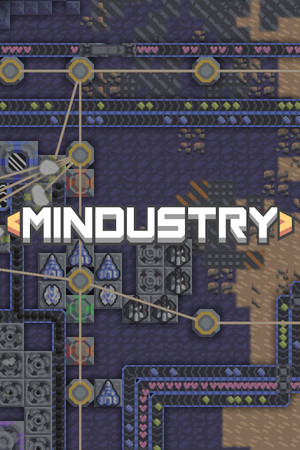
For most phones and tablets, Google Play is the correct starting point. Search for Mindustry and check that the developer is Anuken and the package is io.anuke.mindustry. The listing describes the same factory-building, tower-defense, and RTS game, including campaign content, custom maps, multiplayer, a map editor, and built-in mod support.
Tap Install, allow the store to finish downloading, and launch the game from the Play Store or your app drawer. This route is preferable because the store handles updates, reports whether the app is compatible with your device, and avoids the extra permission required for sideloading.
If the listing says the app is unavailable or incompatible, do not immediately download an APK from a search result. First check free storage, Android system updates, Play Protect certification, and whether your device uses a restricted work or parental-control profile.
- Verify the publisher: Anuken.
- Verify the package name: io.anuke.mindustry.
- Use the Play Store’s compatibility result as the practical answer for your exact device.
- Keep automatic updates enabled unless you deliberately need an older build.
| Route | Best for | Main trade-off |
|---|---|---|
| Google Play | Most players and routine updates | May not offer every experimental or older build |
| Official itch.io APK | Devices without Play or manual version testing | Requires sideloading and manual updates |
| Random APK mirror | No legitimate advantage | Unknown tampering, malware, or mismatched signing risk |
The Play listing identifies Anuken as the developer, supports Android, and was updated July 19, 2026 when checked. Store ratings, download counts, and availability can vary by country and device.
Manual installation
Use the official APK carefully
Anuke’s itch.io page provides an Android file labelled Mindustry.apk and lists version 159.7. This is the appropriate alternative when Google Play is unavailable, when you are testing a particular release, or when you are using a device without Google Mobile Services.
Open the developer’s itch.io page in your browser and download the Android file, not the Windows, macOS, Linux, or server download. When the download completes, open it from your Downloads folder. Android may ask you to grant the browser or file manager permission to install unknown apps. Allow it only for that source, complete the installation, and return to Settings to turn the permission off.
Keep Google Play Protect enabled. Android can scan apps installed outside the Play Store, but a scan is not proof that an APK is authentic or suitable for your device. Treat a warning, unexpected permission request, different package name, or a request to uninstall the Play version as a reason to stop and recheck the source.
Do not install a second APK over the Play version unless you understand signing and version behavior. A differently signed package may fail to update, replace the existing installation, or require removal of the current copy. Export important saves first because uninstalling can remove local data.
- Download only from the developer’s itch.io page or a release asset you can verify as official.
- Check that the file is the Android APK and that the displayed version is the one you intend to use.
- Do not disable Play Protect just to force an installation.
- Turn off “Allow from this source” after installation.
- Export saves, maps, and schematics before uninstalling or downgrading.
An official APK can still be the wrong build for your device. If Android reports that the package is incompatible, the file is corrupt, or the signature conflicts with an installed copy, stop rather than trying several mirror downloads.
Compatibility and versions
What to know about Android 15 and older builds
The official v8 release notes raised the minimum Android SDK to 21, which corresponds to Android 5.0 or newer. That is a verified minimum requirement for the v8 line, not a promise that every old phone, custom ROM, Chromebook, or emulator will run the current release smoothly.
For a device running Android 15, there is no separate developer statement in the sources checked here that guarantees every build or mod will work. In practice, Google Play is the best compatibility check because it evaluates the app against the device profile. If you sideload, install the official current APK first and test launching, saving, loading, and joining a server before importing a large mod collection.
Version matching matters for multiplayer and mods. A server, map, save, or mod may expect a different game build. If a server reports that the client is incompatible, compare the displayed game versions before changing files. Do not assume that the newest build can open every older save or that a newer mod will work with an older client.
The official release page currently shows v8 Build 159.7 as the latest listed release, and the developer’s itch.io page also lists version 159.7. Because releases can change, use the displayed version number on the download page rather than relying on an APK filename copied from a forum.
- Verified minimum noted in the v8 release notes: Android 5.0+.
- No separately verified Android 15 guarantee was found.
- Match client, server, mod, map, and save versions when troubleshooting.
- Test a new build with a backup before replacing a stable installation.
The available official sources do not publish a complete device-by-device compatibility chart or a dedicated Android 15 support statement. Play Store availability is therefore more reliable than a generic claim that every Android 15 device will work.
Mobile play
Controls, gameplay, maps, and mods
The mobile build is designed for touch input, but factory layouts become easier to manage on a larger phone, tablet, or Chromebook screen. Use the in-game settings to adjust touch behavior, display scaling, sound, and performance options available in your build. A Bluetooth keyboard or controller may work on some devices, but support can vary; test it in a safe custom game before relying on it for multiplayer.
For Android gameplay, start with the tutorial and campaign before importing community content. The Play listing confirms campaign planets, custom games, multiplayer, a map editor, and built-in mod support. Maps and schematics should be imported through the game’s own file browser or import controls whenever possible.
The built-in mod browser is safer and simpler than downloading random ZIP files from social posts. If you use a manually downloaded mod or map, keep a backup, inspect the file source, and confirm that it targets your installed build. Reddit can be useful for troubleshooting, but treat posts as community advice rather than proof of an official download or compatibility claim.
- Use the built-in mod browser when the required content is available there.
- Export maps and schematics before experimenting with versions.
- Test controller or keyboard input before starting a serious campaign.
- Use community discussions for tips, not as the final authority on APK authenticity.
FAQ
Common questions
Is the official Android APK safe?
The APK published on Anuke’s itch.io page is the developer’s official Android download. It is safer than an APK from an unknown mirror, but sideloading still carries more risk and provides fewer automatic update safeguards than Google Play. Keep Play Protect enabled and verify the source before installing.
Does it work on Android 15?
No separate Android 15 guarantee was found in the official sources checked. The v8 release notes state Android 5.0+ as the minimum. On Android 15, use the Play Store compatibility result where possible, or test the current official APK with backed-up saves and no mods first.
Why will an APK not install over my current copy?
Common causes include a conflicting signature, an older version being installed, insufficient storage, an incompatible Android version, or a damaged download. Export your saves, remove only the copy you intend to replace, and reinstall from Google Play or the official developer page.
Can I download maps and mods on Android?
Yes. The official listing confirms a built-in map editor and mod support. Prefer the in-game mod browser, and use the game’s import tools for maps and schematics. Check version requirements before adding community content.
Should I use a Reddit APK link?
No. Reddit may help explain a problem, but a post is not a reliable authenticity check. Use Google Play or the developer’s official itch.io download, and avoid cracked, repacked, or modified packages.
Sources
What we checked
Official listings establish current availability and product facts. Community pages are used for mechanics and build history, then labeled separately.
- OfficialMindustry official website
- OfficialMindustry on Google Play
- OfficialAnuke’s official itch.io downloads
- OfficialMindustry official GitHub repository and Android build notes
- OfficialMindustry official release history
- ReferenceAndroid Developers: alternative APK distribution and unknown-app installation
- ReferenceGoogle Play Protect guidance