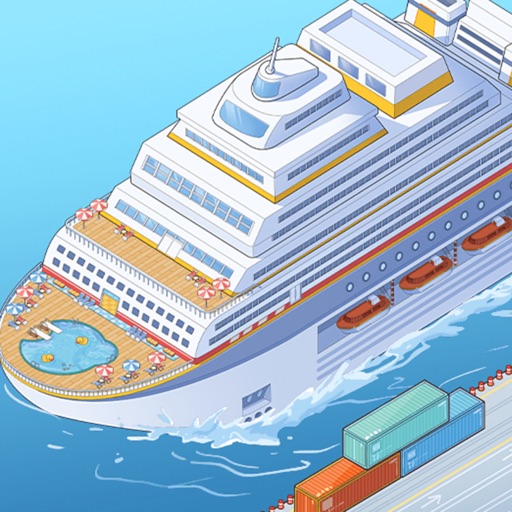
The game is free to download but includes advertisements and optional in-app purchases. Offline play may reduce access to ad rewards, live events, account services, and other connected features.
Fast answer
The answer before the background
This is mainly an offline, single-player game rather than a multiplayer online title. The current Google Play listing explicitly labels it “Offline” and “Single player,” while the Apple listing also describes offline puzzle-solving. You can build, upgrade, and manage the ship without a constant connection, but ads, purchases, updates, cloud-related services, and some event or reward features may need internet access. No verified browser edition or player-versus-player mode is listed by EYEWIND or the official stores.
Verdict
Online or offline: the short answer
The safest answer is offline single-player with optional online functions. The current Google Play entry labels the title both “Single player” and “Offline.” That is the clearest official indication that the main gameplay loop does not require a permanent internet connection.
The Apple App Store description also mentions an offline puzzle-solving experience. Together, these listings support playing the core management gameplay without Wi-Fi or mobile data. You can generally work on the ship, improve facilities, serve passengers, and continue the simulation while disconnected.
That does not mean every feature works without a connection. A game can support offline play while still using the internet for advertisements, store transactions, account services, content delivery, analytics, events, or reward videos. Treat offline mode as support for the main game, not a promise that every menu is available.
- Best description: offline-capable and single-player.
- Not presented as a persistent online world.
- Internet access is useful for ads, purchases, updates, and connected services.
| Feature | Verified position | Practical meaning |
|---|---|---|
| Core management | Offline and single player | Build and manage the ship without a constant connection. |
| Ads | Included | Rewarded ads and advertisements may not appear while disconnected. |
| In-app purchases | Included | Purchases normally require an internet connection and store access. |
| Multiplayer | Not listed | Do not expect co-op, PvP, or shared ships. |
| Browser version | Not verified | Use the official app or supported PC route instead of an unofficial website. |
The store label confirms offline support, but it does not publish a feature-by-feature offline checklist. If a particular button fails while disconnected, reconnect briefly and try again rather than assuming the entire game requires internet.
Access
Where you can play it
The official Google Play listing presents the game for Android and also shows Windows availability through Intel-powered compatibility. Google Play Games on PC lists the title as playable on a Windows PC, subject to the current service, hardware, region, and account requirements.
The Apple App Store listing identifies the game as an iPhone and iPad app. It is listed as free with in-app purchases. The developer’s own games page also lists the title, confirming EYEWIND as the publisher or developer associated with these official releases.
No official browser edition was found in the developer page or the store listings checked for this guide. That means a web page claiming to host the full game should not automatically be treated as an official version. Avoid entering account, payment, or device information into an unverified browser mirror.
- Android: available through the official Google Play listing.
- Windows PC: listed through Google Play Games on compatible systems.
- iPhone and iPad: available through the official Apple App Store listing.
- Browser: no verified official release found.
| Platform or access method | Status | What to do |
|---|---|---|
| Android | Official store listing | Install from Google Play and test offline after the first download. |
| iPhone or iPad | Official store listing | Install from the Apple App Store and keep the app updated. |
| Windows PC | Shown through Google Play Games | Check PC compatibility and Google Play Games availability in your region. |
| Web browser | Unverified | Do not assume third-party browser pages are official. |
The Google Play listing describes Windows support through Intel technology or Google Play Games rather than presenting a separate traditional PC storefront release. Check the current store page before assuming that every Windows computer is supported.
Connectivity
What works offline and what may need internet
For a reliable offline session, download the game and complete its first launch while connected. This gives the app a chance to install required files, initialize platform services, and load any current content. After that, switch on airplane mode or disable Wi-Fi and mobile data, then test the ordinary ship-management screens.
Offline play should be most useful for the core loop: checking the ship, placing or upgrading facilities, serving passengers, and progressing through locally available activities. The official listings do not provide a complete list of systems that remain available without a connection, so exact behavior can differ by device and version.
Expect connected limitations. Advertising cannot be fetched without a network, so optional ad-based boosts or rewards may disappear. Store purchases also need the relevant Apple or Google billing service. New events, patches, account synchronization, customer support links, and some remote rewards may also be unavailable until you reconnect.
- Install and open the game once while online.
- Test the main ship screen before travelling or playing without service.
- Reconnect for updates, purchases, ad rewards, and live content.
- Do not uninstall or clear app data while offline if local progress has not been backed up.
| Situation | Likely result |
|---|---|
| No Wi-Fi or mobile data | Core offline gameplay may continue. |
| Watching a reward ad | Usually unavailable or unable to load. |
| Buying an item | Requires an app-store connection. |
| Downloading an update | Requires internet access. |
| Live event or remote reward | May be hidden, delayed, or unavailable. |
| Switching devices | Account or cloud transfer behavior is not fully documented in the listings. |
If you are travelling, launch and test the game before leaving. Keep enough free storage for updates, and reconnect periodically so the app can receive fixes and refresh any time-limited content.
Multiplayer
Does it have multiplayer or online co-op?
The official Google Play metadata classifies the title as single player. The Apple listing focuses on managing one cruise ship, passengers, facilities, routes, and puzzles; it does not advertise co-op, competitive matches, visits to another player’s ship, or a shared online world.
Based on the official information checked, there is no verified multiplayer mode. Online access should therefore be understood as service connectivity rather than multiplayer gameplay. You may need a connection for ads or account-related functions, but that does not make the management simulation an online multiplayer game.
Community comments or screenshots may mention social features, usernames, or events. Those details should not be treated as proof of real-time multiplayer unless EYEWIND documents a mode that allows players to interact directly. No such mode was confirmed for this guide.
- No confirmed co-op mode.
- No confirmed PvP mode.
- No confirmed player-to-player ship visits or trading.
- The single-player label is the strongest current official classification.
| Question | Answer |
|---|---|
| Can two people manage one ship together? | No official support was found. |
| Can you compete in real-time races? | No official mode is listed. |
| Can you visit another player’s ship? | Not verified. |
| Is an internet connection the same as multiplayer? | No. Ads and services can be online even in a single-player game. |
This conclusion is based on official store metadata and descriptions. If a future patch adds social or multiplayer features, the store page or developer announcement should be treated as the authority.
FAQ
Common questions
Is my cruise game offline?
Yes, the current Google Play listing explicitly marks it as Offline and Single player. The Apple description also mentions offline puzzle-solving. The core experience should work without constant internet, although connected features may not.
Is it online or offline?
It is best described as an offline-capable single-player game with optional online services. You can play the main management loop offline, while ads, purchases, updates, events, and some rewards may require a connection.
Can I play it in a browser?
No official browser version was verified in the developer or store pages checked. Use the official Android, iPhone, iPad, or supported Windows route instead of an unverified web mirror.
Does it support multiplayer?
No confirmed multiplayer feature was found. Official Google Play metadata labels it single player, and the store descriptions do not list co-op, PvP, shared ships, or player visits.
Is the free download completely free to use?
The game is free to download, but official store listings show advertisements and in-app purchases. You can play without buying items, but optional purchases and ad-based rewards are part of the current release model.
Sources
What we checked
Official listings establish current availability and product facts. Community pages are used for mechanics and build history, then labeled separately.