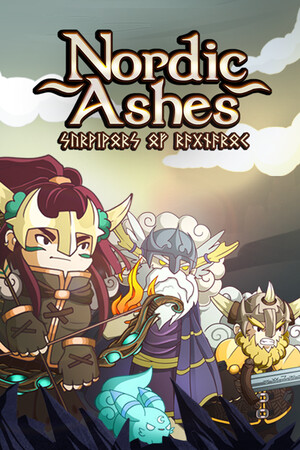
Avoid unofficial APK downloads. An APK can be modified, bundled with malware, signed by an unknown party, or designed to imitate the game and collect account or payment information.
Fast answer
The answer before the background
Nordic Ashes is not currently verified as an official Android release. Noxfall Studios lists the game for Steam, GOG, Nintendo Switch, and PlayStation 5, while its Google Play developer page lists other mobile games but not this one. You can search Google Play, but do not treat an unrelated result or a third-party APK as the game. There is no verified Android version number, minimum device specification, or official APK download to recommend. For now, use an officially listed platform or wait for a publisher announcement.
Verified status
Is there an official Android version?
At the time of checking, no official Android edition could be verified. The publisher’s Nordic Ashes page presents the game as a PC and console release, and the studio’s platform list names Steam, GOG, Nintendo Switch, and PlayStation 5. Android is not included in that list.
The developer does have an official Google Play presence, but its published apps are different mobile games. The studio page does not show Nordic Ashes among those Android listings. That distinction matters: a developer having other games on Google Play does not confirm an Android port of this title.
Some search results may use the longer name, Nordic Ashes: Survivors of Ragnarok, or advertise a downloadable APK. A matching title alone is not proof of authenticity. Until Noxfall Studios links to a Google Play product page or announces an Android build through an official channel, the Android release status should be treated as unverified.
- Verified publisher platforms: Steam, GOG, Nintendo Switch, and PlayStation 5.
- Not verified: an official Android app, Android APK, Android version number, or minimum device specification.
- The game’s older demo pages are PC-focused and should not be mistaken for a mobile release.
| Question | Verified answer |
|---|---|
| Is there an official Google Play listing? | No listing for the game was verified on the developer’s official Google Play page. |
| Is an APK available from the publisher? | No official APK download was verified. |
| Can Android compatibility be confirmed? | No, because an official Android build and requirements are not published. |
| What platforms are officially listed? | Steam, GOG, Nintendo Switch, and PlayStation 5. |
A missing store listing is different from a temporary regional restriction. The available official pages do not provide evidence of an Android launch or a region-limited Android app, so this guide does not claim that a mobile version is planned or impossible.
Official route
How to check Google Play safely
If you want to recheck availability later, use Google Play directly rather than an APK mirror. Open the Play Store app on the Android device, search for the full title, and inspect the developer name before installing anything. The expected developer would be Noxfall Studios, but a name or icon copied by another publisher is not sufficient on its own.
Open the developer details and compare the result with the publisher’s official website. A genuine listing should have a consistent title, developer identity, support information, privacy policy, screenshots, and a normal Play Store install flow. If the result sends you to a separate download page, asks you to disable Android security protections, or requests payment outside Google Play, stop.
If no listing appears, check the publisher’s official news or social channels for an announcement rather than downloading a substitute. Google Play availability can vary by country, device, and account, so a missing result is worth checking again through the official developer page. It still does not justify installing an APK from an unknown source.
- Search the exact title in the Play Store app.
- Verify that the developer is Noxfall Studios.
- Check the publisher’s official site for a matching store link.
- Review the listing’s update history, support details, and privacy information.
- Install only through Google Play if the publisher confirms the listing.
If the official developer page does not show the game, do not use search-engine advertisements or download portals as a workaround. Wait for a confirmed listing or choose one of the officially supported platforms.
Security check
Why unofficial APK files are risky
An APK obtained outside Google Play can be legitimate in some circumstances, but there is no verified publisher APK for this game to compare against. That makes claims such as “full mobile version,” “latest Android port,” or “free unlocked edition” especially difficult to authenticate.
A modified package may contain malware, aggressive advertising, credential theft, hidden background activity, or altered purchase screens. It may also be an old PC build repackaged as an Android app, a fake game with a similar name, or a file that fails after installation. Even if it opens, that does not prove that it is official or safe.
Do not enable installation from unknown sources merely to test a download. If you already installed a questionable file, uninstall it, run Google Play Protect, review recently granted permissions, check for unfamiliar accessibility or device-administrator access, and change important passwords from a trusted device if you entered them into the app. Contact your payment provider if the file requested card details outside Google Play.
- Do not trust APK filenames, download counts, ratings, or copied screenshots.
- Never disable Play Protect because a download site tells you to do so.
- Avoid packages that request SMS, contacts, accessibility, device-administrator, or unrelated storage access.
- Do not sign into a game or payment account through an unofficial build.
- Treat “mod,” “cracked,” and “premium unlocked” claims as major warning signs.
The safe recommendation is based on what can be verified from the publisher and official store pages. It is not a claim that every third-party file is malicious; it is a warning that no authentic Android package has been established for comparison.
Compatibility
What Android users should expect
Because no official Android build is verified, there is no reliable minimum Android version, processor requirement, RAM target, storage size, controller support statement, or save-transfer policy to provide. Any site listing exact requirements without a publisher or Google Play source should be treated as unconfirmed.
The game is officially documented on other platforms instead. If you own an Android phone or tablet, purchasing a PC or console copy does not automatically create a native Android license. Check the store page for the platform you intend to use, and do not assume that a Windows, Switch, or PlayStation purchase includes a mobile version.
If Noxfall Studios launches an Android edition later, the Play Store listing should supply the practical compatibility details: supported devices, Android version, download size, age rating, pricing, in-app purchases if any, and the developer’s support contact. Those details should be checked at release rather than inferred from the PC version.
- No verified Android requirements are available.
- No Android save synchronization or cross-buy support is confirmed.
- Do not install a PC build repackaged as an Android file.
- Use the official listing’s compatibility section as the final authority after launch.
The publisher may announce a mobile version in the future, but no release date, pre-registration page, technical specification, or official APK was found during this check.
FAQ
Common questions
Can I download Nordic Ashes from Google Play today?
No official Google Play listing for the game was verified. Search the store directly and confirm Noxfall Studios as the developer before installing anything. If the game is absent from the official developer page, do not use a third-party APK as a replacement.
Is Nordic Ashes: Survivors of Ragnarok available as an Android APK?
No publisher-confirmed Android APK was found. Files using that name may be unofficial, modified, outdated, or unrelated. The longer title is associated with the game, but it does not authenticate a download.
Why can I find APK pages if the game is not on Google Play?
Third-party sites can upload files, rename packages, mirror old builds, or create pages for games that are not officially available on Android. Search visibility is not evidence of publisher approval, safety, or compatibility.
What Android version does the game require?
No reliable Android requirement is published because an official Android build was not verified. Do not rely on specifications shown by APK mirrors or download blogs.
What should I do if I already installed an unofficial APK?
Uninstall it, run Google Play Protect, review permissions and device-administrator settings, and change passwords if you entered account details. If payment information was provided, contact the payment provider and monitor the account.
Sources
What we checked
Official listings establish current availability and product facts. Community pages are used for mechanics and build history, then labeled separately.
- OfficialNoxfall Studios official studio page and listed platforms
- OfficialNoxfall Studios official Nordic Ashes page
- OfficialNoxfall Studios official Google Play developer page
- OfficialOfficial Steam community announcements for the game
- OfficialOfficial Nintendo store listing for the console edition