APK files from unknown sources can contain malware, request excessive permissions, or provide an altered copy of the game.
Fast answer
The answer before the background
There is no verified native Android release or official Google Play download for this game as of September 10, 2026. Do not install APK files from mirror sites or use modified packages claiming to unlock it. The official Stadia version cannot be used because Stadia servers closed on January 18, 2023. For a supported experience, buy or access the PC or console version through an official store. You may be able to stream a copy you already own to an Android device with a compatible remote-play or cloud-streaming service, but that is streaming rather than an Android port and depends on the service, device, network, and controller.
Verified status
Is there an official Android version?
No official Android version was verified in the current sources checked for this guide. Robot Entertainment’s official support and game information identify the title, but they do not provide an Android package or Google Play installation route. The official Steam store page lists Windows system requirements and PC features rather than Android support.
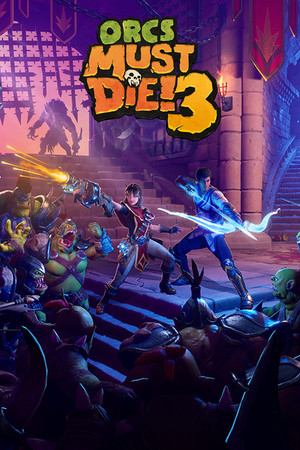
This distinction matters because a game may appear in search results under a similar name without being an official port. A genuine listing should identify Robot Entertainment as the developer or publisher, show the expected title and artwork, and provide a normal Google Play installation button. If those details are absent, treat the result as unverified.
- Verified: The Steam edition is a Windows PC release from Robot Entertainment.
- Verified: Google Stadia is no longer an available platform.
- Not verified: A native Android app, Android system requirements, or an official APK.
- Recommendation: Do not pay a third-party site for an Android download unless the publisher announces an official mobile release.
| Route | Current status | What it provides |
|---|---|---|
| Google Play native app | No verified listing found | No confirmed Android installation or mobile build |
| Unofficial APK site | Not recommended | Unverified files with compatibility and security risks |
| Google Stadia | Unavailable | Servers shut down on January 18, 2023 |
| PC or console store | Verified platform route | The supported game edition, subject to store and device requirements |
A future mobile release could change this status. Until Robot Entertainment or an official store page confirms one, the absence of a verified listing means you should not treat APK listings as legitimate.
Official route
How to check Google Play safely
You can check the official store yourself without downloading anything. Open the Google Play Store on the Android device, search for the complete game title, and inspect the developer name, screenshots, permissions, update history, and purchase details. Do not rely on an icon or title alone because unofficial uploads can copy branding.
As of this guide’s review date, the official route could not be verified. If no listing appears, or if the result belongs to another developer, stop there. Do not enable installation from unknown sources merely because a website says the app is unavailable in your region.
- Open Google Play rather than a browser APK catalogue.
- Search the complete title and inspect the developer or publisher identity.
- Check whether the page has a normal install or purchase button and current support information.
- If the listing is missing, leave the store and use an official PC or console route instead.
- If you already paid an unofficial seller, avoid entering account credentials into its installer and scan the device with Google Play Protect.
A legitimate mobile release should have a publisher-controlled store page, transparent device compatibility, a clear pricing model, a privacy policy, and normal update support. The absence of those details is a reason to stop, not a reason to find a newer APK.
APK safety
Why unofficial APK downloads are a poor substitute
An APK can be technically installable while still being unsafe or unusable. Third-party packages may be repacked with malware, altered to bypass payment, bundled with aggressive advertising, or built for a different architecture or Android version. They may also fail when the game expects PC graphics hardware, controller input, platform authentication, or online services.
Compatibility claims on download pages are not proof of support. An installer may complete and then crash, show a blank screen, reject sign-in, or lack the files needed to start. Modified packages can also expose saved data or account credentials.
The practical recommendation is simple: do not sideload a copy of this game from an unofficial source. If a future official Android release appears, obtain it from Google Play or a publisher-linked store page and compare the developer identity before installing.
- Avoid APK, XAPK, cracked, modded, and unlimited-money downloads.
- Do not disable Play Protect or Android security settings to force installation.
- Never enter a Steam, Google, console, or email password into an unofficial launcher.
- Do not assume a file is safe because comments or download counts look convincing.
- Remove suspicious installers and review recently granted permissions if you already tried one.
The security risks above are general APK risks, not a claim that every third-party file contains malware. Because no official mobile package was verified, there is no reliable basis for judging an unofficial file as authentic or supported.
Alternatives
Ways to play from an Android device
The supported editions are intended for PC and consoles. The Steam listing identifies Windows requirements, including a 64-bit operating system, at least 6 GB of RAM, a supported graphics card, and 12 GB of available storage. Those requirements describe the host computer, not an Android phone or tablet.
If you own the PC edition, you can investigate remote-play or cloud-streaming options that support your Android device. In that setup, the game runs on a PC or supported cloud machine and the Android device receives a video stream and sends controls. It does not install the game natively, and performance depends on latency, bandwidth, controller support, and the service’s current catalogue.
Google Stadia is not an alternative. Google confirmed that Stadia servers remained available only until January 18, 2023, after which the platform was shut down.
- For a native installation, use the official PC or console store route.
- For Android play, consider streaming an owned PC copy only through a reputable, currently supported service.
- Use a stable Wi-Fi connection and a compatible controller for streamed play.
- Check the service’s current device and game support before buying hardware or a subscription.
- Do not buy a Stadia copy or search for a Stadia APK; that platform is closed.
If your priority is safety and reliable updates, use the official PC or console release. If your priority is playing on a phone, treat Android as a streaming screen rather than as a confirmed native platform.
FAQ
Common questions
Can I download the game from Google Play?
No official Google Play listing was verified as of September 10, 2026. Search the store directly, check the developer identity, and do not substitute an APK from an unrelated publisher.
Is there a safe APK for Android?
No official APK was verified. Avoid cracked, modded, and mirror-hosted packages because their authenticity, permissions, compatibility, and update support cannot be confirmed.
Can I play it on Android through Stadia?
No. Google shut down Stadia servers on January 18, 2023, so the former cloud-streaming route is unavailable.
Can I stream the PC version to my Android phone?
Possibly, but this is not a native Android release. You need a supported streaming or remote-play setup, a host PC or currently supported cloud service, a compatible controller, and a sufficiently stable network.
Why does an APK page say the game works on Android?
The page may be using an unofficial port, a repackaged file, an emulator claim, or outdated information. A download page is not evidence of publisher approval. Confirm support through Robot Entertainment or an official store before installing anything.
Sources
What we checked
Official listings establish current availability and product facts. Community pages are used for mechanics and build history, then labeled separately.