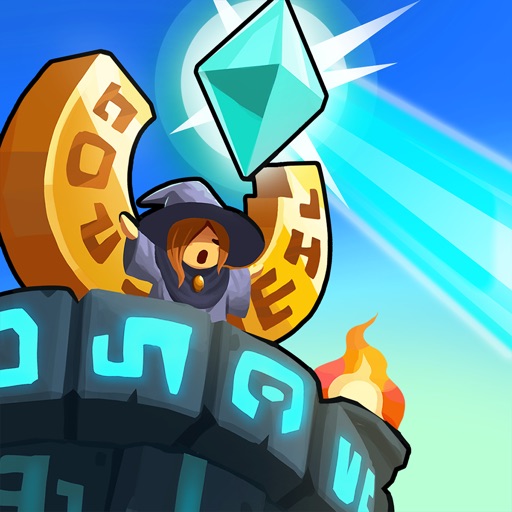
This guide covers installation safety and compatibility. It does not verify or recommend unofficial APK files.
Fast answer
The answer before the background
Install the game through Google Play by searching for “Realm Defense: Hero Legends TD” and checking that the developer is Babeltime US. This is the safest and most reliable route for updates, device filtering, billing, and integrity checks. I could not verify a publisher-provided standalone APK download. If a mirror advertises a realm defense apk download, treat it as unofficial unless Babeltime links to it directly. Avoid modified APKs, “unlimited gems” packages, and bundles that require disabling Play Protect.
Verified route
Install through Google Play
Open the Google Play Store on your Android phone or tablet and search for “Realm Defense: Hero Legends TD.” Confirm that the developer shown on the listing is Babeltime US before installing. The official listing identifies the app package as com.babeltimeus.legendstd and describes the game as free to play, with ads and optional in-app purchases.
Tap Install, wait for the download to finish, and launch the game from the Play Store or your app drawer. Google Play normally supplies the app components intended for your device rather than asking you to choose an APK architecture manually. This reduces the chance of installing an incomplete package or the wrong build.
For a remote install, you can open Google Play in a browser, choose the listing, and select a compatible Android device connected to your Google Account. If no device is offered, check that the phone is signed in to the intended account and that Google Play recognizes it as compatible.
- Verify the title, icon, developer, and package identity before installing.
- Use Wi-Fi if your mobile data plan is limited; the game may download additional content after installation.
- Keep Google Play Store, Google Play services, and Android system updates current.
- Use the same Google Account associated with your intended game progress when applicable.
| Check | What to confirm |
|---|---|
| Developer | Babeltime US |
| Store title | Realm Defense: Hero Legends TD |
| Distribution | Google Play listing |
| Cost | Free to install; ads and optional in-app purchases are listed |
| Connection | The listing describes the game as online |
Google Play handles device filtering, app signing, update delivery, and installation of device-specific components. That is safer than downloading a file whose source, signature, age, or included components cannot be confirmed.
APK guidance
What to know before using an APK
An APK is an Android application package, but a modern Play-distributed app may be delivered as several device-specific components generated from an Android App Bundle. A single file downloaded from a mirror may therefore be incomplete, mismatched to your processor or screen configuration, or unable to update cleanly.
I did not verify an official Babeltime page offering a standalone APK for this title. That does not prove that every mirror is malicious, but it does mean there is no verified publisher route to recommend for a direct file download. Search results also include older or unrelated apps using similar names, so matching the title alone is not enough.
Avoid any package described as modded, cracked, preloaded, unlimited, or unlocked. These files can alter game data, expose account information, interfere with purchases, or contain malware. They can also create version conflicts when the official game later tries to update.
- Do not disable Play Protect merely to force an installation.
- Do not grant an APK access to SMS, contacts, accessibility controls, device administration, or unrelated files unless the developer has clearly documented a legitimate need.
- Do not enter your Google password into an APK installer or a mirror website.
- If a file asks you to install several unknown companion apps, cancel the process.
- If you already installed a suspicious package, uninstall it, run Play Protect, change important passwords from a trusted device, and review recent account activity.
| APK claim | Recommended response |
|---|---|
| “Official APK” with no Babeltime link | Treat it as unverified. |
| “Unlimited gems” or “free purchases” | Avoid; it is modified software and may risk the account or device. |
| Old version offered as a fix | Use Google Play first; old builds may lack server compatibility. |
| One APK that promises to work on every device | Be skeptical because Android builds can require device-specific components. |
| Installation requires Play Protect to be disabled | Stop and use the official store route. |
Google Play availability is evidence that the store has a recognized listing; it is not a guarantee that every later file copied elsewhere is authentic. Verify the distribution channel, not just the filename.
Compatibility
Check whether your device can run it
The strongest practical compatibility check is the Install button in Google Play. Android filters apps using information supplied by the app package and the developer’s store settings, including platform version, hardware features, screen configuration, region, and other restrictions. If the listing says the app is unavailable for your device, installing a random older APK is unlikely to provide a stable solution.
The reviewed store page confirms Android availability and also lists Windows availability through Intel technology, but this guide covers Android phones and tablets. Do not interpret the Windows note as evidence that an Android APK is intended for ordinary Windows PCs.
The listing reviewed on September 13, 2026 showed an update date of September 4, 2026. It did not provide a confirmed minimum Android version in the information available, so claims from APK sites about a precise minimum version should not be treated as verified. The required storage space may also grow as the app and its downloadable content change.
- Check Settings, System, and Android version before troubleshooting installation.
- Keep several gigabytes of free storage rather than relying on the size of the initial store download.
- Install system and Google Play system updates before retrying a compatibility error.
- If Google Play offers Install, prefer that build over a mirror version.
- If Google Play says the app is unavailable, record the exact message; region, account, certification, or hardware filtering may be involved.
| Symptom | Likely next step |
|---|---|
| Install button is available | Install normally through Google Play. |
| Device is not compatible | Update Android, free storage, and check for system updates; do not jump straight to a mirror. |
| Download stops or loops | Check Wi-Fi, storage, Play Store cache, and Google Play services. |
| Game installs but will not load | Confirm internet access, restart the device, and check whether the service is undergoing an issue. |
| APK installs but fails to update | Remove the unofficial build and reinstall from the official listing, after confirming account or progress recovery options. |
The official listing confirms Android distribution but does not establish a universal minimum Android version, universal device support, or a guaranteed offline mode. Those points should be checked on the individual device rather than assumed.
After installation
First-launch and update checklist
Launch the game while connected to a reliable internet connection because the store listing describes it as an online tower-defense game. Allow the initial content download to finish before judging performance or storage use.
Before changing phones, clearing app data, or uninstalling, confirm that the game’s available account or cloud-save options are connected to the correct profile. A store reinstall can restore the application, but it does not automatically guarantee recovery of progress that was never linked or backed up.
For future updates, return to the same Google Play listing or enable automatic updates. If a new release is not visible, open the listing directly rather than relying only on the general updates screen. Never use an APK mirror to bypass a normal staged rollout unless the publisher has explicitly provided that file and instructions.
- Keep Play Protect enabled.
- Use the official support contact shown on the store listing for purchase, install, or account problems.
- Take a screenshot of your player ID or account details if the game provides them before troubleshooting.
- Do not uninstall first when progress is at risk; seek account-support guidance before removing the app.
FAQ
Common questions
Where should I download the Android game?
Use the Google Play listing for Realm Defense: Hero Legends TD and verify that Babeltime US is the developer. That is the verified route found for Android.
Is there an official realm defense apk available?
No publisher-provided standalone APK link was verified during this check. Third-party files may be old, modified, incomplete, or unrelated, so the safer recommendation is Google Play.
Why does an APK install but fail to open or update?
It may be the wrong architecture, a partial split-app package, an old build, an altered signature, or a release that no longer matches the game’s online services. Reinstall the store version after protecting your account progress.
What Android version is required?
The reviewed official listing did not state a confirmed minimum Android version. Let Google Play determine compatibility for the specific phone or tablet instead of relying on an APK site’s claimed requirement.
Can I play without internet access?
The store listing describes the title as an online game, so you should expect internet access to be needed for at least some functions. A fully offline mode was not verified.
Sources
What we checked
Official listings establish current availability and product facts. Community pages are used for mechanics and build history, then labeled separately.
- OfficialOfficial Google Play listing for Realm Defense: Hero Legends TD
- OfficialGoogle Play Help: Get Android apps and digital content
- OfficialGoogle Play Help: Play Protect and harmful software
- ReferenceAndroid Developers: Android App Bundles and split APK installation
- ReferenceAndroid Developers: Device compatibility overview