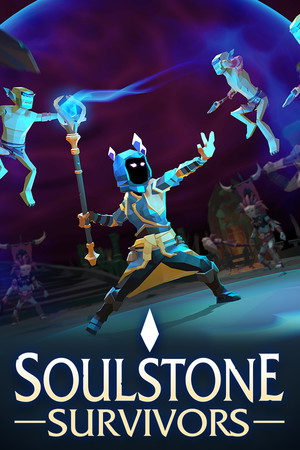
This guide discusses unofficial APK files and sideloading risks. It does not recommend installing an unverified mobile build.
Fast answer
The answer before the background
There is currently no verified official Android download for Soulstone Survivors. Search Google Play for the exact title and confirm the developer before installing anything, but do not proceed if no official listing appears. The developer’s current official website and store information identify PC and console releases rather than an Android version. APK sites list an older app with a different developer identity, so those files should be treated as unofficial and potentially unsafe. For a supported copy, use the official PC or console storefronts linked by the developer.
Verified status
There is no official Android route to follow right now
The safest way to obtain a mobile release would be through a Google Play listing controlled by the game’s actual developer or through a download link on the official game website. As of September 15, 2026, neither route could be verified for this title.
The official website describes the game and provides purchase information, while the official Steam listing identifies Game Smithing Limited as the developer and publisher. That store page lists Windows, macOS, and SteamOS plus Linux requirements. It does not list Android support.
This means a Google Play search that returns no matching official listing is not an installation problem to solve with a random mirror. It is a sign that an official Android version has not been confirmed.
- Open Google Play and search for the exact game title.
- Check the developer name, screenshots, privacy details, and store description.
- Do not install a similarly named survivor game or a listing that uses unrelated branding.
- If the listing is absent, use the official PC or console options instead.
| Route | Current assessment | What to do |
|---|---|---|
| Google Play | No official listing verified | Do not substitute a look-alike app. |
| Official game website | No Android download verified | Use it for confirmed game and store information. |
| Steam | Official supported PC release | Use the listed desktop or SteamOS requirements. |
| APK mirrors | Old, unofficial records found | Avoid unless the publisher confirms the file directly. |
A page called “Soulstone Survivors” on an APK site is not proof that Game Smithing released an Android port. The developer, package identity, signing information, and official support channel must all match.
Google Play steps
How to check the official store route safely
If you want to recheck availability later, use the Play Store app rather than an advertisement or search result that immediately offers an APK. Google Play gives you the clearest opportunity to compare the developer identity, update history, data-safety information, reviews, and supported-device status.
A genuine listing should connect logically to the developer’s official identity. Be cautious if the publisher name is unfamiliar, the description calls the app an unrelated clone, the screenshots do not match the official game, or the page asks you to download an additional installer from another site.
If an official listing eventually appears, read the device-compatibility message on your own phone. Google Play can restrict apps by Android version, processor architecture, country, device certification, or available storage. Those checks are more useful than a generic APK page claiming that every phone is supported.
- Search inside Google Play, not through a pop-up download button.
- Compare the developer with the official game and publisher pages.
- Review the last update date, permissions, data-safety section, and user feedback.
- Install only through the Play Store if an official listing is confirmed.
- Keep Play Protect enabled after installation.
| Store-page check | Why it matters |
|---|---|
| Developer identity | Helps distinguish the official release from a clone. |
| Update history | Shows whether the listing is maintained. |
| Device compatibility | Reflects your phone’s Android and hardware support. |
| Data safety and permissions | Reveals requested access and stated data handling. |
| Official support link | Provides a route for reporting installation problems. |
If a future listing appears but its developer identity cannot be reconciled with the official publisher, wait for confirmation from the game’s own website or social channels instead of relying on the store page alone.
APK safety
Why the available APK records are not a safe substitute
Third-party databases contain older records for an app using the same or a similar title. The records identify Xingfan Global rather than Game Smithing Limited, show old 2022 or 2023 releases, and are not publisher-hosted announcements. One reference also indicates that the app is no longer available on Google Play. That combination is not enough to establish an official port, current support, or a safe relationship with the commercial PC and console game.
An APK can be repackaged, modified, outdated, incorrectly labeled, or bundled with unwanted software. Even when a mirror reports that it scanned a file, that does not prove the file was published by the game’s developer or that it will work correctly on a modern phone. It also does not guarantee cloud saves, updates, controller support, or compatibility with the current game.
Google’s guidance says Play Protect scans apps, including apps installed from outside Google Play, and can warn about or block harmful software. That protection is valuable, but it is a safety check rather than an authenticity certificate.
- Do not disable Play Protect to force an installation.
- Do not grant an APK access to contacts, messages, accessibility controls, or device administration without a verified reason.
- Do not enter payment details or your main gaming account into an unofficial mobile build.
- Delete the installer after use and remove the app if Play Protect raises a warning.
- If you already installed an unknown APK, run a Play Protect scan and review its permissions.
| Claim from an APK page | What it actually proves |
|---|---|
| “Latest version” | Only that the mirror labels a file as latest. |
| “Verified APK” | At most, a claim about that site’s scan or signature check. |
| Android version number | A stated requirement, not proof of official support. |
| Same title and icon | Not proof that the developer is the same. |
An APK may install on Android 6.0 or newer and still be unrelated to the official game. Installation success does not confirm authenticity, current content, or safe operation.
Compatibility and alternatives
What to use instead on supported platforms
The official Steam page lists minimum requirements for Windows, macOS, and SteamOS plus Linux. Its Windows requirements include a 2.5 GHz-or-better processor, 4 GB of memory, and 2 GB of available storage. The macOS and Linux entries also require 4 GB of memory, with their own operating-system requirements.
The developer’s official material and current store information also document console availability. If you want to play away from a desktop, a supported console is a safer option than installing an unverified Android package. Remote-play or streaming from a computer may be possible through separate platform features, but that is not the same as having a native Android edition and depends on your network and hardware.
Do not assume that the PC build can be copied to a phone. Desktop files are not Android packages, and an emulator or compatibility layer may introduce performance, control, licensing, or support problems. Use only a mobile method that the developer explicitly documents.
- For PC, follow the official Steam system requirements.
- For consoles, use the platform store reached from official developer announcements.
- For mobile play, wait for a publisher-confirmed Android release.
- If using remote play, treat it as streaming the supported PC copy rather than downloading an Android port.
| Need | Safest option |
|---|---|
| Native Android installation | Wait for an official Google Play release. |
| Desktop play | Use the official Steam version on a compatible system. |
| Console play | Use the official PlayStation or Xbox storefront route. |
| Phone access today | Use supported remote-play or streaming from your own compatible system, if available. |
The absence of a verified listing today does not prove that an Android version will never exist. It only means there is no reliable current release route to recommend.
Troubleshooting
If you found a supposed mobile download
First, stop before opening the file and identify where it came from. If the page is not an official store or does not link back to a verifiable publisher announcement, treat the download as untrusted. Do not sign in, pay, or follow instructions to turn off security features.
If the file is already installed, uninstall it, run a Play Protect scan, check recently granted permissions, and change any account password entered into that app. If the phone behaves unusually after installation, disconnect it from sensitive accounts and use your device manufacturer’s security guidance or a trusted security professional.
For a genuine future release, compatibility problems should be handled through the official store’s support link or the developer’s support channel. APK mirrors generally cannot provide authoritative fixes for save transfer, crashes, updates, or account issues.
- Check the installer’s source and developer identity.
- Keep the file unopened if its origin is unclear.
- Remove unverified software and scan the device.
- Use official support for confirmed releases only.
There is no verified official Android download to recommend at this time. The safest decision is to avoid the old third-party APK records and use a confirmed PC or console version.
FAQ
Common questions
Is there an official Android version available?
No official Android version or Google Play listing could be verified as of September 15, 2026. The current official game information points to PC and console releases.
Can I install the APK listed on a third-party site?
You may find old files, but they are linked to a different developer identity and are not confirmed as an official port. Installation is therefore not recommended.
What Android version does the APK require?
Third-party records state Android 6.0 or newer for an old app, but that is not a verified requirement for the official game and should not be treated as current compatibility information.
What should I do if Google Play does not show the game?
Do not work around the missing listing with a random APK. Check the official website and publisher announcements, then use a supported PC or console release until an official Android route is confirmed.
Does Play Protect make sideloading safe?
Play Protect can scan sideloaded apps and warn about harmful software, but it cannot prove that an APK is the genuine build from the game’s developer. Source authenticity still matters.
Sources
What we checked
Official listings establish current availability and product facts. Community pages are used for mechanics and build history, then labeled separately.
- OfficialOfficial game website
- OfficialOfficial Steam store page and system requirements
- OfficialGoogle Play Protect safety guidance
- OfficialAndroid guidance for apps from outside Google Play
- ReferenceThird-party availability record for the old similarly named app
- ReferenceThird-party APK record and stated requirements