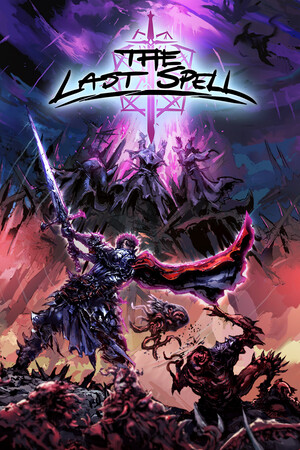
This page discusses modified access only for safety comparison. Trainers, developer-console tools, save editors, and unverified downloads can break saves or disable expected progression. Back up saves before experimenting, and prefer the built-in appearance editor for cosmetic changes.
Fast answer
The answer before the background
No verified promotional reward codes are active for The Last Spell. Searches of the developer’s official site, Steam announcements, patch notes, and community hubs found no confirmed codes for currency, weapons, DLC, heroes, or portraits. What does exist is a character-customization code system: open a hero’s appearance editor, save or load the shareable code, and use it to recreate a name and visual design. These codes are cosmetic and should not be confused with cheat codes or store keys.
Status
No verified reward-code list exists
As of October 25, 2026, there is no reliable evidence of an official redemption system for free gold, weapons, materials, heroes, DLC, or permanent progression. The developer’s official announcements focus on patches, DLC, balance changes, and bug fixes rather than time-limited reward codes. Searches also found no developer post confirming a code list or a web-based redemption page.
That means many pages labelled as code lists are likely mixing together three different things: promotional store keys, community-shared portrait strings, and modified-access tools. A store key grants ownership through a platform and is not entered inside the game. A portrait string changes a hero’s appearance. A trainer or console changes gameplay or save data. Only the second category is a verified built-in feature for ordinary players.
- Verified: shareable character-customization codes exist.
- Not verified: active promo codes for items, currency, heroes, or DLC.
- Not the same thing: Steam or GOG game keys, trainers, developer tools, and save editors.
| Claim type | What it does | Status |
|---|---|---|
| Reward code | Would grant items, currency, DLC, or progression | No official active list found |
| Hero or portrait code | Recreates appearance and possibly the saved name | Verified in the customization feature |
| Store key | Adds the game or DLC to a platform account | Platform-specific; not an in-game code |
| Trainer or save edit | Changes gameplay or stored progression | Modified access; use caution |
The search phrase often used for this page can imply a conventional cheat-code menu. The evidence instead points to a cosmetic sharing system. Treat any claimed reward string as unverified unless it comes from an official developer announcement with a clear date and redemption method.
How to use them
Redeem a character or portrait code safely
The exact button labels can vary slightly by platform, language, controller layout, or later interface revisions. The dependable workflow is to use the hero appearance editor rather than a website or launcher. Community reports describe opening the character editor, saving a customization code, and loading that code on a later hero. The official customization update confirms that the game supports shareable codes and that color palettes became part of the code data.
Use these steps as a practical checklist:
- Start a run or open a screen where you can inspect one of your heroes.
- Open the hero’s character sheet, then choose the appearance or customization control. Community reports identify this as a paintbrush-style button in the upper-right area of the character panel.
- In the customization window, look for the controls to load, import, save, or share a customization code. The wording may differ by platform.
- Paste or type the complete string exactly as provided. Do not add spaces, quotation marks, or line breaks unless the interface adds them automatically.
- Confirm the preview before applying it. Check the name, face, hair, beard, clothing, colors, and portrait background if those options are available.
- Apply or confirm the appearance, then save the run normally. Keep a private copy of any design you want to reuse.
| If you want to… | Use… | Do not expect… |
|---|---|---|
| Reuse a favorite hero’s look | The built-in customization code | The original hero’s level, traits, gear, or statistics |
| Share a portrait design | A complete community customization string | A gameplay advantage or unlocked content |
| Get DLC or the full game | The relevant platform store or account key | An in-game text box to accept a store key |
| Change progression | Normal play and meta systems | A portrait code to bypass progression |
A July 8, 2021 patch note states that shareable codes were expanded to include color palettes and that old codes continued to work with the new system. If an older design imports without its colors, update the game first and verify the preview before saving.
What carries over
Character codes are cosmetic, not hero transfers
A loaded customization code is best understood as an appearance preset. Community discussions describe using one to bring back a favourite hero’s look and name in a new run, while explicitly noting that traits do not carry over. The same limitation is consistent with the game’s roguelite structure: heroes are generated for runs, while equipment, traits, levels, and campaign progress are separate systems.
Do not use a code expecting to recreate a fully developed build. It should not be treated as a way to import a level-five weapon, preserve a dead hero’s statistics, or transfer a completed run. If a site promises all of those outcomes from a short portrait string, its claim is not supported by the available evidence.
- Appearance may include portrait parts, model-facing cosmetics, colors, and the chosen name.
- Traits, perks, equipment, levels, lifetime statistics, and meta progression are not confirmed to transfer.
- A code that fails after a patch may be malformed, incomplete, or based on a different customization version.
| Data | Expected result when loading a portrait code |
|---|---|
| Name | May be included, according to community use |
| Face and portrait parts | Designed to be shared |
| Color palette | Supported by the updated code format |
| Equipment and weapons | Not transferred |
| Traits and perks | Not transferred |
| Level and run history | Not transferred |
The existence of shareable appearance codes and color-palette support is documented. The precise list of every field carried by every current code format is not fully documented by the developer, so treat name and appearance as expected rather than guaranteed across every platform and version.
Safety
Avoid risky cheats and modified-access downloads
The game has official modding support, and the developer has published a Steam Workshop modding guide. That is different from downloading an executable trainer or replacing save files from an unknown source. Mods can become incompatible after updates, and the official guidance explains that mod versions and game changes can affect compatibility.
For a cosmetic result, the built-in editor is the lowest-risk option. If you still test a trainer, developer tool, or save modification, make a separate backup first and disable cloud synchronization only when a trusted recovery guide specifically requires it. Never enter account credentials into a supposed code generator, and do not download a file just because a page promises unlimited currency or instant hero unlocks.
- Prefer the in-game editor and official Steam Workshop tools.
- Back up the save folder before changing files or installing a third-party utility.
- Keep the game updated, especially after a major DLC or patch.
- Remove unknown tools before troubleshooting crashes, missing saves, or broken mods.
- Do not assume a community code works on every platform or build.
| Safer choice | Higher-risk choice |
|---|---|
| Load a cosmetic string in the character editor | Run an unknown executable trainer |
| Use the official Workshop workflow | Replace save files from a download |
| Keep a manual backup | Rely only on cloud synchronization |
| Check official patch notes | Trust an undated code-list page |
This guide does not recommend bypassing ownership checks, altering paid DLC entitlement, or using tools that corrupt or manipulate saves. Those methods are unnecessary for importing a portrait design and can create avoidable recovery problems.
FAQ
Common questions
Are there any active reward codes right now?
No active reward codes are verified from official developer or publisher sources as of October 25, 2026. Do not treat an undated list of strings as proof that free currency, weapons, DLC, or heroes can be redeemed.
Are the hero codes really cheat codes?
They are better described as character-customization or portrait codes. They recreate appearance data and may include a name, but they are not confirmed to unlock stronger heroes, preserve traits, or change the difficulty.
Why does a portrait code fail to load?
Check that the entire string was copied, remove accidental spaces, update the game, and try it in the appearance editor rather than a store or launcher. An older or incomplete code may also lack newer color data. If the game still rejects it, the format may not be compatible with your build or platform.
Can I import a favourite hero into a new run?
You can recreate the hero’s appearance with a saved customization code. Available evidence does not support transferring the hero’s level, equipment, traits, perks, or previous run statistics.
Is a trainer safer than a portrait code?
No. A built-in appearance code is the lower-risk option. Trainers and save editors can conflict with patches, mods, cloud saves, or campaign data, so use them only if you understand the recovery process and have a backup.
Sources
What we checked
Official listings establish current availability and product facts. Community pages are used for mechanics and build history, then labeled separately.
- OfficialOfficial game site
- OfficialOfficial Steam announcement: Version 1.3 and final DLC
- OfficialOfficial Steam patch history and customization references
- ReferenceSteamDB mirror of the customization update notes
- CommunitySteam Community discussion on reusing customization codes
- OfficialOfficial Steam Workshop modding guide
- ReferenceCurrent GOG build record