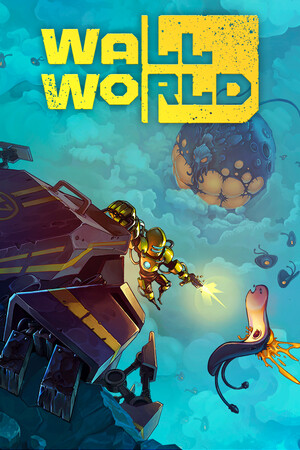
Third-party APK files can be repackaged, modified, outdated, or bundled with unwanted software. Do not disable Android security protections merely to install an unverified copy.
Fast answer
The answer before the background
For a safe wall world android download, open Google Play and search for Wall World, then verify that the developer is UniqueGames Publishing and that the package is info.uniquegames.wallworld. Install through the store rather than downloading a modified APK. I found no official APK file hosted by Alawar. A community listing reports Android 6.0 or newer, but that requirement is not confirmed by an official support page, so Google Play’s device-compatibility result should be treated as the final check for your phone.
Official route
How to get the Android version
The recommended route is Google Play. Search for Wall World directly in the Play Store, or use the listing associated with the package name info.uniquegames.wallworld. Before paying or installing, check the developer name, screenshots, description, rating, and requested permissions. The listing should identify UniqueGames Publishing rather than an unrelated uploader.
The PC developer’s official site identifies Alawar as the developer and describes the game as a mining roguelite with tower-defense elements. It currently links to the Steam release, not to a direct Android APK. That means the store listing should be treated as the practical mobile distribution point, while the publisher identity and game description should be checked against the official game information.
If the result does not appear, the page says the app is unavailable in your country, or the store reports that your device is incompatible, do not replace it immediately with a random mirror. Availability can depend on region, device certification, Android version, and the publisher’s current distribution settings.
- Open Google Play on the Android device you intend to use.
- Search for Wall World and inspect the developer field before selecting Install or Buy.
- Confirm the package name when possible: info.uniquegames.wallworld.
- Read the current store page for supported devices, price, update date, permissions, and in-app purchases.
- Install from Play and allow it to manage updates automatically.
| Route | Recommendation | Reason |
|---|---|---|
| Google Play | Use this first | The store handles signing, updates, compatibility checks, and purchase verification. |
| Official publisher website | Use for confirmation | Alawar confirms the game’s identity, but I found no direct Android download there. |
| Random APK mirror | Avoid | The file may be altered, obsolete, region-locked, or unsafe. |
| Community APK archive | Only for research | A listing can identify package details, but it does not prove that a downloaded file is safe. |
The existence of an Android package is supported by a community reference and the package-specific Play URL. I could not independently retrieve the live Google Play page during checking, so current price, country availability, install count, and the latest Play build should be verified in the store itself.
Safety check
What to do if you find an APK
An APK is the installable Android package, but the file extension alone does not prove authenticity. Android’s own documentation explains that installations from outside a trusted app store require explicit permission. That warning is useful, but permission to install is not evidence that the game is genuine.
For this title, I found no publisher-hosted APK download from Alawar. A third-party page may display the correct title, icon, package name, or version while still serving a modified file. Do not assume that a matching filename means the file has been signed by the original developer.
If you already downloaded a file, the safest choice is to delete it and install through Google Play. If you must investigate a sideloaded copy, scan it with a reputable mobile security tool, compare its package name and signing certificate with a trusted store installation, and avoid granting permissions that do not fit a single-player game. Never install a cracked build that promises free DLC or unlimited currency.
- Prefer the Play Store listing over an APK website.
- Do not disable Play Protect or other security checks to force installation.
- Reject files that ask for unusual access, such as SMS, contacts, accessibility control, or device administration.
- Do not mix saves or purchases between unrelated package names.
- Uninstall suspicious copies before installing the store version.
| Warning sign | What it can indicate | Safer action |
|---|---|---|
| The uploader is not UniqueGames Publishing | Impersonation or a redistribution build | Stop and return to the store listing. |
| The file promises unlocked DLC or premium content | A modified or pirated package | Do not install it. |
| The page offers several conflicting versions | Poor provenance or repackaging | Use the official store instead. |
| The installer requests unrelated permissions | Potentially invasive behavior | Cancel the installation. |
Google has announced a staged developer-verification system for Android. Initial regional enforcement is scheduled for September 30, 2026, with broader expansion planned for 2027. This does not make every APK safe, but it is another reason to prefer a recognized store or a download clearly controlled by the developer.
Compatibility
Will it run on your phone?
The clearest compatibility signal is the Google Play page for your specific device. If Play offers the Install button, the store considers the device eligible under the publisher’s current configuration. If it says the app is unavailable, installing an APK manually may still fail because of processor architecture, graphics support, Android version, storage, or licensing checks.
A community release thread reports Android 6.0 or newer and identifies version 1.1.1.0. That is useful as a lead, not a guaranteed minimum specification. I did not find an official developer page confirming the minimum Android version, RAM, GPU, screen resolution, controller support, or tablet behavior.
A separate authorized TapTap mobile page lists a 352 MB download and version 1.0.4 (5), updated December 18, 2025. Its publisher and regional distribution details differ from the community Play reference. Because the records may describe different mobile storefront builds, do not treat one version number as universal. Leave additional free storage for installation, temporary update files, and save data.
- Check the store page from the target phone, not only from a desktop browser.
- Keep more free space than the displayed download size.
- Update Android and Google Play services before troubleshooting.
- Test touch controls and graphics performance before buying mobile DLC.
- If the game crashes, record the phone model, Android version, store build, and exact error message.
| Information | What is currently supported by evidence | Confidence |
|---|---|---|
| Android minimum | Android 6.0 or newer is reported by a community reference | Medium to low |
| Package name | info.uniquegames.wallworld is reported for the Play release | Medium |
| Mobile download size | 352 MB is shown on the TapTap listing | Medium, store-specific |
| Latest mobile version | TapTap shows 1.0.4 (5); another reference shows 1.1.1.0 | Uncertain across stores |
| Official PC identity | Alawar develops the game; its official page lists the Steam release | High |
The available evidence appears to cover more than one mobile distribution channel. Version numbers, prices, DLC names, and minimum requirements can differ by storefront or region. Use the version and compatibility information displayed by the store from which you plan to install.
DLC and purchases
Does the mobile version include the expansion?
A TapTap listing documents two mobile purchase entries: a complete edition and a separate Deep Threat DLC. It also records a December 2025 update that addressed occasional DLC data loss and paid-content unlocking problems. This confirms that at least one authorized mobile storefront has mobile DLC support.
That information should not be assumed to apply identically to every country or to the Google Play listing. Storefront names, prices, bundles, refund rules, and purchase restoration can differ. Check the in-game shop or the current store page before buying. Do not download a separate DLC APK; legitimate mobile add-ons are normally delivered through the same store account and game installation.
If you change devices, sign into the same store account used for the purchase and look for a restore-purchases option inside the game. If the purchase remains locked, keep the transaction receipt and contact the store or publisher support rather than reinstalling an unofficial build.
- Confirm whether the store sells the base game, a complete edition, or Deep Threat separately.
- Check the currency and region before approving payment.
- Use the same store account when restoring a purchase.
- Back up important saves before changing versions or moving between storefronts.
- Treat claims of free or unlocked DLC as a security warning.
I found evidence for mobile DLC on TapTap, but I could not verify the current Google Play catalog or whether the same bundle is offered in every region.
Troubleshooting
If the store version will not install
First, confirm that the phone has enough storage and that Android is fully updated. Restart the device, update Google Play Store and Google Play services, then retry over a stable connection. If Play says the app is unavailable, changing the country setting or sideloading a mirror is not a reliable fix and can affect other purchases.
If installation completes but the game will not start, check whether the device is using a work profile, restricted account, emulator, or unsupported graphics configuration. Remove unofficial copies and avoid restoring files from a different package name. For a paid game, keep the order number available when contacting support.
Because public compatibility information is incomplete, a clean failure report is more useful than repeatedly trying random APK builds. Record the exact store version, device model, Android release, available storage, and whether the crash occurs before or after the first menu.
- Clear enough storage for both the download and temporary installation files.
- Install pending system and Play Store updates.
- Remove modified or duplicate copies before retrying.
- Do not downgrade by installing an older APK over a newer store build.
- Contact the seller or publisher with your receipt and device details if a verified install still fails.
FAQ
Common questions
Is there an official Android release?
There is evidence of an authorized mobile release associated with UniqueGames Publishing, and a regional TapTap page identifies the game as an official port licensed from Alawar. I did not find a direct Android download hosted on Alawar’s own website, so Google Play is the preferred route.
Where can I find the wall world android store listing?
Search Google Play for Wall World and verify UniqueGames Publishing plus the package name info.uniquegames.wallworld. If the listing is unavailable in your country or for your device, do not assume that a third-party APK is an equivalent replacement.
Is Android 6.0 enough to run it?
Android 6.0 or newer is reported by a community reference, but I could not confirm it through an official developer specification. The compatibility result shown by Google Play for your exact phone is more reliable than a generic minimum version.
Can I install a free APK instead of buying the game?
That is not recommended. A free or cracked APK can be modified, unsafe, outdated, or unable to validate purchases and updates. It may also contain malware or unwanted permissions. Use the official store listing and its normal purchase process.
Is Deep Threat available on mobile?
A TapTap mobile listing documents Deep Threat as a separate DLC purchase, along with a complete-edition entry. Availability on Google Play may differ by country, store build, and date, so check the current in-game shop before purchasing.
Sources
What we checked
Official listings establish current availability and product facts. Community pages are used for mechanics and build history, then labeled separately.
- OfficialAlawar official Wall World page
- OfficialGoogle Play package route
- CommunityTapTap official-authorized mobile listing and update history
- OfficialAndroid Developers: publishing and unknown-source installation
- OfficialGoogle Android developer verification guidance
- CommunityCommunity Android release reference