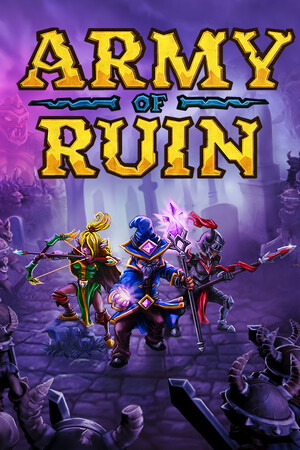
This is a safety explainer. It describes warning signs and legitimate alternatives without providing modified files, cheat instructions, piracy links, or credential-handling guidance.
Fast answer
The answer before the background
Treat any trainer, cracked download, or hacked APK advertised for Army of Ruin as an unverified file. Keep device protections active, use the official Steam or GOG release, and reject files or pages that request credentials, payment workarounds, security changes, or unusual permissions. Unofficial builds can carry malware, damage saves, break updates, and expose Steam or email accounts. The safest alternatives are the supported game release, normal in-game unlocks, difficulty and control settings, cloud or local save backups, and publisher or store support when a problem needs fixing.
Direct answer
Why unofficial access is a safety risk
The legitimate release is distributed through established storefronts. Steam lists Army of Ruin as a single-player title from Milkstone Studios for Windows and macOS, while GOG also lists official Windows and Mac versions. A file promoted as a trainer, cracked download, or hacked APK sits outside those verified distribution routes.
That matters because the file itself becomes the trust boundary. An installer or archive can include unwanted software, altered game files, or a fake launcher. A page can also use the promise of instant unlocks to collect email addresses, store credentials, payment details, or device permissions. Keep your operating system, antivirus, browser, and store protections active while handling game files.
- Use official storefront pages and the publisher-supported release.
- Reject unverified files, credential requests, and installers that demand unusual permissions.
- Keep original saves backed up before troubleshooting or changing installations.
The main risks are malware, account exposure, corrupted saves, broken updates, lost cloud synchronization, and wasted money on a fake offer. These risks exist even when the game is single-player, because the surrounding device, store account, email account, and saved data still have value.
Risk comparison
Trainers, cracked files, and hacked APK claims
These labels describe different delivery methods, but the safety concern is similar: the software has been changed or repackaged by someone outside the official release chain. A trainer may alter the running game or ask for broad permissions. A cracked download may replace the normal launcher or bypass the store. A hacked APK claim is especially important to treat carefully because the official store information checked for this guide lists Windows and macOS versions rather than an official Android release.
Modified software can also become incompatible after a game update. That may prevent launches, interfere with cloud synchronization, or leave a save that the official build cannot read correctly. There is no reliable safety signal in a file name, download counter, user comment, or virus-scan screenshot alone.
- A clean-looking archive can still contain a harmful executable or script.
- A working modification can still damage progress or stop future updates.
- A request for a store password, email password, recovery code, or payment information is a strong account-safety warning.
- An offer requiring security tools to be disabled removes an important layer of protection.
| Offer type | Primary concern | Safer decision |
|---|---|---|
| Trainer | Unverified executable, save changes, or account exposure | Use the official build and supported game settings |
| Cracked download | Tampered launcher, malware, broken updates, or lost support | Obtain the game from an official storefront |
| Hacked APK claim | Unverified mobile package and uncertain platform support | Use a platform listed by the official store pages |
| Credential-based offer | Phishing or account takeover risk | Reject the request and use the store’s normal sign-in flow |
If you already encountered one
A safe response checklist
If a file has only been viewed, close the page and continue using official sources. If an archive or installer was saved, remove it through your operating system’s normal file-management tools and run the security checks already provided by your device. Keep protections active rather than changing them to accommodate the file.
If it was opened, pause before launching the game again. Review recent downloads and installed applications, run a full security scan, and update the operating system and browser. From a separate trusted device, change the password for any account whose credentials may have been entered, enable multi-factor authentication where available, and review recent sign-in activity. Use the store’s official account-recovery process for any suspicious access.
For save problems, preserve the affected files before experimenting. Use the platform’s repair or verification feature, restore a known-good backup when available, and contact the store or publisher through its official support channel. This approach gives support staff useful information without adding more unverified software.
- Keep device protections active and install system updates.
- Use official account-recovery and support pages.
- Preserve saves before repair, reinstall, or restore actions.
- Review email, store, and payment activity after any credential exposure.
Single-player status reduces the chance of multiplayer enforcement issues, but it does not remove phishing, malware, cloud-save, email, or payment risks. Protect the account that owns the game and the device that stores its saves.
Legitimate alternatives
Ways to make progress safely
The official release already provides the intended progression loop: complete runs, improve equipment, unlock content, and combine weapons, skills, charms, or other available upgrades. Steam’s listing describes hundreds of challenges and single-player progression, while the GOG page lists achievements and cloud saves. Those supported systems are safer than changing executable files or importing unknown saves.
For accessibility or convenience, start with the game’s own control, display, difficulty, and performance settings. Use a controller if the platform supports one, adjust the display for readability, and choose a comfortable run length. When progress is lost, official platform repair tools, cloud-save recovery, local backups, and publisher support are the appropriate escalation path.
- Buy or launch the game through an official store.
- Use built-in settings and normal unlock paths for convenience.
- Back up saves through supported cloud or local methods.
- Check official announcements and support before applying any unofficial patch.
Choose the verified release, keep protections active, and preserve a clean save path. Convenience is worth pursuing through settings, backups, and support rather than through files whose origin and behavior cannot be verified.
FAQ
Common questions
Is an Army of Ruin trainer safe if antivirus software reports no issue?
A scan result is not a guarantee of safety. Keep protections active, consider the file unverified unless it comes from an official source, and use the supported release and in-game settings instead.
Does Army of Ruin have an official hacked APK?
The official store information checked for this guide lists Windows and macOS versions. Treat APK claims outside the official distribution pages as unverified and use a platform and storefront supported by the publisher.
Can a cracked copy affect my Steam or GOG account?
Yes, account exposure can occur when an unofficial page or installer requests credentials, recovery codes, payment details, or unusual permissions. Use the storefront’s normal sign-in process and reject credential requests from file offers.
What should I do if an unofficial file changed my save?
Stop using the modified file, preserve the affected save, run your device’s security checks, and use the platform’s repair, restore, or cloud-save options. Contact official support if the problem remains.
Are there safe cheats built into the game?
Use only settings, progression systems, accessibility options, and features documented by the official release. Unverified trainers and modified files are not a safe substitute for supported game options.
Sources
What we checked
Official listings establish current availability and product facts. Community pages are used for mechanics and build history, then labeled separately.
- OfficialSteam store listing for Army of Ruin
- OfficialGOG store listing for Army of Ruin
- OfficialMilkstone Studios announcement
- ReferencePCGamingWiki reference page