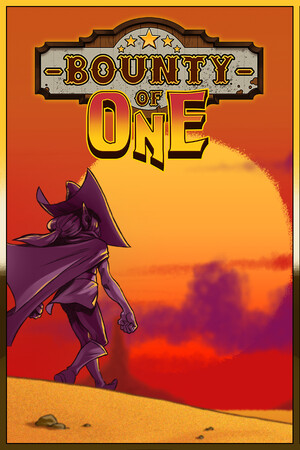
Some sections reveal unlock conditions, debug-style effects, and post-release content. The article excludes modified files, trainers, cracks, credential requests, payment workarounds, and piracy links.
Fast answer
The answer before the background
There are no verified official redemption codes for Bounty of One. The community wiki lists several keyboard inputs that reportedly trigger debug-style effects during play, but the developer’s official pages do not confirm them as supported cheats. Treat those entries as unverified community information rather than guaranteed features. The safest route is to use official stores, current game updates, achievements, unlockable characters, DLC, and developer-supported community channels. Keep device protections active, reject unverified files or credential requests, and preserve your save data before experimenting with any undocumented behavior.
Direct answer
Are there official codes?
No publisher-maintained code sheet or official redemption menu is identified on the Steam store page, the developer’s Steam announcements, or the available support information. Bounty of One is presented as a roguelite built around runs, upgrades, bosses, characters, achievements, and optional downloadable content rather than a promotional-code system.
A community-maintained wiki records keyboard sequences that reportedly activate debug-style effects while a run is active. Because the developer has not documented those inputs in the official store or announcement material, their behavior should be treated as build-dependent and unsupported. They may be absent, changed, or limited to particular desktop versions.
- Use the community list as a reference for reported behavior, not as an official guarantee.
- Expect different results across Steam, mobile, and future builds.
- Keep a normal save and a separate experimental profile when the game supports that choice.
| Claim type | Evidence status | Practical reading |
|---|---|---|
| Official redeemable code | Not verified | No confirmed code-entry system was found in official sources. |
| Community debug input | Reported by the wiki | May work on some desktop builds; support is unconfirmed. |
| Official unlock or secret | Documented by developer announcements | Use the stated in-game condition or content update. |
| Trainer or memory editor | Third-party tool | Version and save risks require extra caution; official support is absent. |
A code appears in this guide only when its existence is supported by a named source. The community list is labeled clearly because it is not a publisher-maintained reference.
Community reference
Reported in-game inputs
The Bounty of One Wiki lists these keyboard sequences as active during play: KILL followed by Backspace, F8 twice followed by Backspace, F8 three times followed by Backspace, F10 twice followed by Backspace, COL followed by Backspace, ROLL followed by Backspace, TOWER followed by Space, and HALLOWEEN followed by Backspace.
The page associates these inputs with effects such as clearing visible enemies, opening chest or upgrade interfaces, collecting ground items, granting rerolls, spawning a tower, or enabling a Halloween mode. The page does not establish that the developer currently supports every entry, that each input works on every platform, or that achievements and leaderboards remain valid after use.
- Use the exact spelling and key order shown by the source if you are researching an input on a compatible desktop build.
- Record your game version and platform before testing undocumented behavior.
- Use official support channels for crashes, missing unlocks, sync problems, or corrupted progress.
| Reported input | Reported effect | Verification note |
|---|---|---|
| KILL + Backspace | Clears enemies on screen | Community-reported and not officially documented. |
| F8, F8 + Backspace | Opens a common-object chest | Community-reported and build-dependent. |
| F8, F8, F8 + Backspace | Opens a rare-object chest | Community-reported and build-dependent. |
| F10, F10 + Backspace | Opens the upgrades window | Community-reported and build-dependent. |
| COL + Backspace | Collects ground items | Community-reported and build-dependent. |
| ROLL + Backspace | Adds ten rerolls | Community-reported and build-dependent. |
| TOWER + Space | Spawns a shooting tower | Community-reported and build-dependent. |
| HALLOWEEN + Backspace | Activates Halloween mode | Community-reported and build-dependent. |
These entries come from a community wiki, not an official manual or patch note. Their inclusion documents the claim without presenting it as a supported feature.
Verified secrets
Legitimate ways to unlock more content
The developer’s official announcements provide several genuine alternatives to undocumented inputs. The base game includes multiple characters with different starting weapons and play styles, while later updates added characters, objects, achievements, balance changes, and performance improvements.
The Panic in the Mines DLC is an official content route. Its store listing describes new mine-themed areas, three characters, thirty objects, and seventeen achievements. Developer announcements also describe later additions such as Mitchel, Richard, and Sisyphe, along with their starting weapons and additional unlock conditions.
Achievements are another reliable discovery path. The official announcements describe conditions such as defeating the Undertaker without taking damage at a specified infamy level for the Bury the Dead achievement. Conditions can change after patches, so use the current in-game description and the latest developer announcement as the deciding reference.
- Complete runs and boss objectives to reveal character and weapon progression.
- Check the in-game encyclopedia and achievement descriptions after updates.
- Use the official DLC listing when you want new characters, objects, achievements, and mine content.
- Follow the developer’s Steam announcements for newly added characters, items, fixes, and balance changes.
- Use the official Discord listing for community discussion and developer-facing support routes.
| Safe route | What it provides | Why it is reliable |
|---|---|---|
| Normal progression | Characters, weapons, objects, and achievements | It uses the game’s designed systems. |
| Official DLC | Additional characters, objects, areas, and achievements | It is distributed through the game’s store platform. |
| Patch announcements | New content and corrected unlock conditions | It comes from the developer’s publication channel. |
| Official community server | Questions, reports, and discussion | It is listed as the official Discord server. |
For faster experimentation, use a fresh run, lower-pressure difficulty options when available, and co-op practice through the official game features. These methods preserve the intended installation and keep progress easier to troubleshoot.
False claims and safety
How to assess suspicious offers
Claims about a universal generator, a secret payment workaround, a guaranteed all-character unlock, or a file that bypasses platform checks have no support in the official sources reviewed for this guide. They also conflict with the game’s documented progression model, where characters, objects, achievements, bosses, and DLC are introduced through normal play and official updates.
Third-party trainers and memory-editing utilities may be advertised under the search phrase bounty of one cheat engine. Their reported features, compatibility, and maintenance are outside the developer’s support scope. A tool can stop working after an update, interfere with cloud saves, produce invalid scores, or cause crashes. Community reports can also become stale as the game changes.
Keep device protections active and use official stores and publisher-supported methods. Reject unverified files, credential requests, payment workarounds, and claims that require disabling security features. For a suspicious download or account message, use the store’s reporting tools and contact the publisher through the support route listed by Steam.
- Check whether the claim appears in an official store page, developer announcement, patch note, or support article.
- Treat anonymous downloads and urgent account requests as unverified.
- Keep Steam Cloud or other backup features configured carefully, and retain a manual backup when possible.
- Separate legitimate mod discussions from unsupported executable changes.
- Report suspicious pages through the platform hosting them.
| Claim | What the evidence shows | Safe conclusion |
|---|---|---|
| Official universal cheat menu | Not documented in reviewed official sources | Use normal progression and official content. |
| Permanent all-unlock promise | Not supported by the store or announcements | Treat the claim as unverified. |
| Guaranteed compatibility across platforms | No evidence supports it | Assume behavior varies by build and platform. |
| Third-party trainer guarantee | Community listings are not developer support | Keep protections active and use supported methods. |
When a game or tool behaves unexpectedly, stop the experiment, preserve the save, verify the installation through the official store, and contact publisher support with the platform and game version.
Quick checklist
A safe research routine
Start with the official Steam store page and developer announcements. Confirm whether a claimed character, item, achievement, DLC feature, or mode appears there. Next, compare the claim with the current in-game encyclopedia and achievement text. Finally, use the official Discord or Steam support route for unresolved questions.
For community-only inputs, label the result as unverified, record the platform and build, and keep normal progress separate. This approach makes it easier to distinguish an actual secret from a stale guide, a joke, a bug, or a claim copied from another game.
- Confirm the game title and platform.
- Check the developer’s latest announcement before relying on an old guide.
- Use only official stores and publisher-supported methods for downloads and purchases.
- Keep device protections active throughout testing.
- Reject unverified files or credential requests.
- Report crashes, lost progress, and suspicious offers through official channels.
The dependable secrets are the ones attached to normal progression, official achievements, developer announcements, and store-distributed content. Community debug inputs can be recorded as claims, but they are not equivalent to official codes.
FAQ
Common questions
Does Bounty of One have official cheat codes?
No verified official redeemable-code list was found in the reviewed developer and store sources. A community wiki lists debug-style keyboard inputs, but the developer has not confirmed them as supported features.
Will the reported inputs work on mobile?
There is no evidence that the keyboard inputs are supported on mobile. They are documented by a community source in a way that appears aimed at desktop play, so platform compatibility remains unverified.
Is using a trainer safe for saves and achievements?
Third-party trainers are outside the developer’s support scope and can become incompatible after updates. They may affect crashes, cloud synchronization, scores, achievements, or save data. Keep device protections active and use official progression instead.
What are the real secrets worth pursuing?
Focus on character and weapon unlocks, Undertaker objectives, achievements, encyclopedia discoveries, official update content, and the Panic in the Mines DLC. Developer announcements provide the strongest evidence for newly added content and conditions.
Where should I report a broken unlock or suspicious offer?
Use the publisher support route shown through Steam for technical problems, and use the official Bounty of One Discord for community discussion. Include your platform, game version, and a concise description of the issue.
Sources
What we checked
Official listings establish current availability and product facts. Community pages are used for mechanics and build history, then labeled separately.