Fast answer
The answer before the background
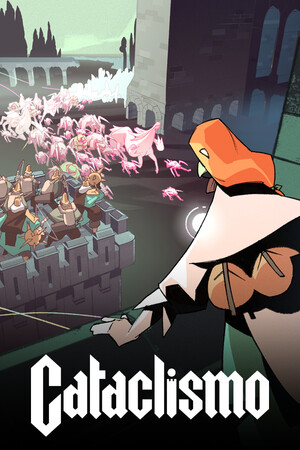
There is currently no verified Cataclismo Android version to download from Google Play. Cataclismo is officially supported on Windows, with legitimate PC versions listed through Steam and GOG. Because the developers have not provided a verifiable Android package, any website advertising a Cataclismo APK should be treated as unofficial and potentially dangerous. If you own the PC game, the practical Android option is Steam Link streaming from a computer running Steam—not a native Android installation.
Verified status
Is Cataclismo available on Android?
No official Android release is currently verified. The Steam store page lists Cataclismo as a Digital Sun and Hooded Horse game released for PC, while the GOG listing explicitly says it works on Windows and is officially supported on Windows. Neither official listing provides an Android build, Android system requirements, or an APK download.
Searching Google Play can be confusing because it returns Cataclysm: Dark Days Ahead, a different survival game by CleverRaven. That title has a genuine Android listing, but it is not Cataclismo, the fortress-building real-time strategy game covered here. Do not assume a similarly named Google Play result is the same product.
- Officially verified native platform: Windows.
- Official Google Play route for Cataclismo: not found.
- Verified Cataclismo Android APK: not found.
- Different game to avoid confusing with it: Cataclysm: Dark Days Ahead.
| Route | What it provides | Status |
|---|---|---|
| Steam | PC version of Cataclismo | Official |
| GOG | Windows PC version, including an offline installer option | Official |
| Google Play | No verified Cataclismo listing | Unavailable |
| Third-party APK site | Unverified file claiming to be Cataclismo | Avoid |
This guide reflects the listings checked on August 22, 2026. Since no official Android package is listed, there is no trustworthy Android version number, minimum Android version, device compatibility list, or update channel to report.
Official download
The safe route is a PC store
If you want to play Cataclismo legitimately, use an official store listing rather than an APK mirror. On Steam, open the Cataclismo store page, check the displayed system requirements for your Windows computer, purchase or redeem the game, and install it through the Steam client. On GOG, the listing identifies Windows as the supported operating system and offers a DRM-free version that can be installed without GOG Galaxy.
The listed PC requirements are important when considering Android claims. GOG specifies Windows 10 64-bit, 8 GB RAM, a GTX 760 or Radeon R9 270X-class minimum GPU, and 10 GB of storage; its recommended configuration is also a Windows PC with a dedicated graphics card. These requirements do not prove that every modern phone cannot run the game, but they do show that the official build was packaged and tested as a desktop Windows title rather than an Android app.
- Open Steam or GOG directly and search for Cataclismo by Digital Sun.
- Confirm that the listing names Digital Sun and Hooded Horse.
- Install the Windows build through the store client or GOG’s official installer.
- Do not download an Android file simply because its filename contains “Cataclismo”.
| What to check | Why it matters |
|---|---|
| Developer and publisher | Helps distinguish the game from similarly named apps. |
| Supported operating system | Official listings currently identify Windows, not Android. |
| Store account and purchase record | Provides updates, refunds, and a traceable download source. |
| Version and update information | A real release should have an official changelog or store-managed update path. |
For a native Android game, wait for a direct announcement from Digital Sun or Hooded Horse and a listing from Google Play or another recognized official storefront. Do not rely on a download page’s claim that a port is “coming soon” or “fully compatible.”
Security check
Why a Cataclismo APK is a risk
An APK is an Android application package, but the file extension alone does not establish authenticity. For Cataclismo, there is no verified developer-provided APK or official Android update channel to compare against. That means a third-party file cannot be confirmed as a genuine port simply from its name, screenshots, file size, or claims about a current version.
Unofficial APK pages commonly use familiar game names to encourage sideloading. The file may be modified, bundled with unwanted software, protected by a fake login screen, or simply be a different game. Installing it can expose account credentials, personal data, notifications, files, or payment information. It may also fail because it was built for a different processor architecture or Android release.
The safest recommendation is not to install a Cataclismo APK unless the developers first publish it through an official channel and identify the package, supported Android versions, update process, and developer account. Play Protect can detect some threats, but it is not a guarantee that an unofficial game file is legitimate.
- Do not disable Play Protect to install the file.
- Do not grant an unknown game access to SMS, accessibility services, contacts, or all files.
- Do not sign in with a Steam, Google, or payment account inside an APK from an unverified site.
- If already installed, uninstall it, run a device security scan, and change passwords if you entered credentials.
| Claim on an APK page | What it actually proves |
|---|---|
| “Latest version” | Nothing without an official release note or store listing. |
| “No virus” | Not an independently verified guarantee. |
| “Works on all Android phones” | Implausible without device and Android-version testing details. |
| “Free full version” | May indicate piracy, tampering, or malware risk. |
It is possible that a future Android port could be announced. What cannot be verified now is the authenticity or compatibility of any currently circulating Cataclismo APK.
Workaround
How to play Cataclismo on an Android device
If you own the Steam version and have a capable computer, Steam Link is the legitimate way to use an Android phone, tablet, or Android TV as a streaming screen. Steam’s official Remote Play instructions say to install Steam Link, connect it to a computer running Steam, and stream games from that computer to the Android device. The game remains installed and running on the PC; Android receives the video and sends your controls back.
For the most reliable setup, install Cataclismo on the host PC, sign in to the same Steam account in Steam Link, and pair the devices on the same local network first. A 5 GHz Wi-Fi connection and a controller are practical recommendations for an interface-heavy strategy game, although exact performance depends on the host computer, network, and phone. Steam Link does not make Cataclismo an Android app and will not allow offline native installation on the phone.
- Install Cataclismo on the Windows PC that will act as the host.
- Install the official Steam Link app from Google Play.
- Connect the Android device and host PC, then launch Cataclismo through Steam Link.
- Use a controller or external keyboard and mouse if touch controls are inconvenient.
- For remote play away from home, test the connection locally before relying on it elsewhere.
| Method | Native Android install? | Needs a PC running Cataclismo? | Recommendation |
|---|---|---|---|
| Google Play Cataclismo listing | No verified listing | No | Not available |
| Third-party Cataclismo APK | Unverified | No | Avoid |
| Steam Link Remote Play | No | Yes | Best current Android workaround |
| Steam or GOG on Windows | No | Yes, Windows PC | Official purchase and play route |
Streaming quality depends on the host PC and network latency. It is an access workaround, not evidence of Android compatibility.
FAQ
Common questions
Can I download Cataclismo from Google Play?
Not through a verified official Cataclismo listing as of August 22, 2026. Google Play does list Cataclysm: Dark Days Ahead, but that is a separate game by CleverRaven, not Digital Sun’s Cataclismo.
Is there a safe Cataclismo APK?
No official Cataclismo APK has been verified. Until Digital Sun or Hooded Horse publishes an Android build through a recognized official channel, treat every Cataclismo APK download as untrusted and avoid sideloading it.
Can my Android phone run the PC version directly?
There is no official Android compatibility information, native package, or supported Android version to test. The official store requirements describe a Windows PC build, so direct phone installation is not supported by the verified listings.
Can I play Cataclismo on Android with Steam Link?
Yes, as a streamed PC game if you own the Steam version and have a computer running Steam. Install Steam Link on Android, pair it with the host PC, and launch Cataclismo there. Steam Link streams the game; it does not download or convert it into a native Android app.
What should I do if I already installed a Cataclismo APK?
Uninstall it if it came from an unofficial site, run Google Play Protect or your device’s security scan, and review permissions. If you entered Steam, Google, email, or payment details, change those passwords from a trusted device and enable two-factor authentication where available.
Sources
What we checked
Official listings establish current availability and product facts. Community pages are used for mechanics and build history, then labeled separately.
- OfficialCataclismo on Steam
- OfficialCataclismo on GOG
- OfficialSteam Remote Play and Steam Link
- ReferenceCataclysm: Dark Days Ahead on Google Play — separate game