This is a safety explainer. It does not provide modified files, cheats, cracks, generators, credential requests, payment workarounds, piracy links, or instructions for weakening device protection.
Fast answer
The answer before the background
Do not install a modified client to force multiplayer in Cataclismo. The official Steam listing describes the game as single-player, while its supported community features focus on Steam Workshop content such as blueprints and custom levels. Unverified files marketed as a multiplayer mod, mod APK, or unlocked build can contain malware, damage saves, break after updates, or seek Steam credentials. Keep device protections active, use official stores and publisher-supported methods, and choose the game’s built-in modes or verified Workshop content instead.
What is verified
The official multiplayer position is limited
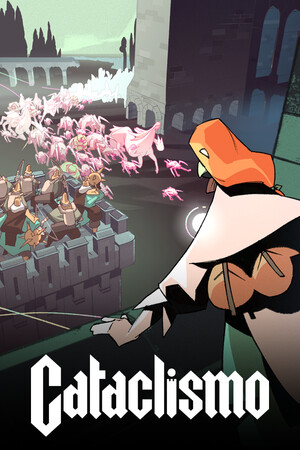
Cataclismo is distributed as a PC strategy game through official storefronts, and the current Steam listing identifies its feature set as single-player with Steam Workshop, Steam Cloud, and Family Sharing. That means a download advertised as an official multiplayer client should be treated as unverified unless it appears in a direct announcement from Digital Sun or Hooded Horse.
A developer response on Steam said that traditional co-op was not planned at that point, although the team was listening to requests. The statement is useful context, but it is not a permanent promise about every future update. The safe rule is simple: check the official store page and publisher channels for a real announcement rather than trusting a file host, video description, or social-media claim.
The Workshop is a legitimate extension of the game, but it should not be confused with network code. The official Workshop currently includes community blueprints and custom levels. Those items change playable content inside the supported game; they do not prove that an unofficial multiplayer executable is safe or supported.
- Verified: official store installation, game patches, Steam Workshop items, and publisher announcements.
- Unverified: modified executables, third-party launchers, patched DLLs, APK downloads, account unlockers, and files promising online access.
- Not established by the available sources: an officially supported multiplayer mod or cross-platform co-op client.
| Offer type | What it usually changes | Safety position |
|---|---|---|
| Official update | Adds or fixes content through the store client | Use when delivered by the official storefront |
| Workshop blueprint or custom level | Adds community-created in-game content | Use the built-in Workshop workflow and review the item carefully |
| Modified client | Replaces or patches game files | Reject unless directly released and supported by the publisher |
| Mod APK claim | Offers an Android package for a PC-listed game | Reject; it is not an official delivery format shown by the Steam listing |
A game can have Workshop content without having official co-op, and a file can be labeled a multiplayer mod without containing reliable multiplayer support. Treat those as separate claims that each require direct official confirmation.
Why modified clients are risky
The main risks affect more than the game
A modified client has to replace, inject, or alter files that the normal store installation would not change. That creates a larger trust boundary: the file may include unwanted software, hidden scripts, credential-stealing components, or changes that are difficult to inspect. A convincing title, screenshot, download count, or comment section does not verify what the package actually does.
Account and privacy exposure is another concern. A supposed multiplayer patch may ask for a Steam password, session token, email address, remote-access permission, or a payment. Those requests are not needed to install an ordinary Workshop item. Never share credentials or authentication codes with a file host, mod author, or unofficial launcher.
Modified files can also damage local progress. They may corrupt saves, produce crashes, cause version mismatches, disable cloud synchronization, or make troubleshooting harder after a normal patch. Even when a file is not malicious, unsupported changes can leave you with an unstable installation and no dependable publisher support.
There is also a fairness and access issue. A modified multiplayer client may fail to connect, desynchronize, or expose other players to unsafe content. If an offer promises unlimited resources, paid-content bypasses, or an instant unlock, it is presenting a cheat or payment workaround rather than a supported feature.
- Keep operating-system, browser, antivirus, and platform protections active.
- Use official stores and the game’s built-in Workshop or update controls.
- Reject files that demand credentials, disable security tools, or require remote access.
- Stop if a download redirects repeatedly, uses a password-protected archive, or asks for payment outside the store.
- If you already downloaded a suspicious file, do not run it; remove it and use your platform’s security scan and account-security tools.
Safe ways to get more from the game
Use supported content instead of a patched client
The maintained Cataclismo Wiki lists Campaign, Skirmish, Survival, and Sandbox as the game’s core modes. Campaign provides the main progression, Skirmish offers focused scenarios, Survival supports configurable waves and objectives, and Sandbox gives a lower-pressure space for building and experimentation. These options address many reasons players look for cheats or multiplayer substitutes, such as testing designs, practicing defenses, or creating unusual fortress layouts.
For community content, open the Steam Workshop from the game’s supported store ecosystem. Review the item type before subscribing, prefer blueprints or custom levels that clearly match Cataclismo, and keep the game updated through Steam. If an item requires an external executable, a patched launcher, or a request for your account details, leave it and return to the in-game or official Workshop route.
If the goal is to share the experience with friends, exchange screenshots, fortress designs, build ideas, or legitimate Workshop items rather than trying to force network play. You can also watch for official announcements about new content. The publisher has continued to support the game beyond its 1.0 release, but future content should be confirmed through official channels rather than inferred from an unofficial download.
- Try Sandbox for experimentation without normal resource pressure.
- Use Survival for replayable challenges and configurable defenses.
- Use Workshop blueprints and custom levels through Steam’s normal subscription process.
- Check official announcements before believing that co-op or multiplayer has been added.
- Back up important saves through normal platform features before installing any legitimate community content.
Quick decision guide
How to judge a download before opening it
Start with the source. A store page, official publisher post, or maintained official wiki is stronger evidence than a search-result snippet or a creator’s promise. Next, identify what the file is supposed to do. A blueprint or custom level is a content item; a replacement executable, DLL, launcher, or APK is a modified client and carries substantially greater risk.
Then check the request. Safe community content should not need your Steam password, two-factor code, payment details, or permission to turn off security software. It should not tell you to bypass warnings, run as administrator without a clear reason, or exclude a folder from scanning. Keep protections active and use the platform’s normal install and unsubscribe controls.
Finally, check the claim against the game’s official feature list. If the store says single-player and no official announcement confirms a new mode, assume that an advertised multiplayer build is unsupported. Waiting for a verified update is safer than testing an unknown package on your main device.
- Source: Is it an official store, publisher, developer, or maintained game wiki?
- File: Is it a normal Workshop item, or does it replace executable game files?
- Request: Does it ask for credentials, payment, remote access, or disabled security?
- Claim: Does the official feature list confirm the advertised mode?
- Recovery: Do you have normal cloud or local backups before using community content?
No multiplayer promise is worth risking your account or device. Use official distribution, verified Workshop content, and built-in modes until the publisher confirms a supported alternative.
FAQ
Common questions
Is there a safe multiplayer mod for Cataclismo?
No officially supported multiplayer mod could be verified in the sources checked for this guide. The safest approach is to treat third-party clients as unsupported and wait for a direct announcement from Digital Sun or Hooded Horse.
Is a Cataclismo mod APK legitimate?
The official Steam listing presents the game as a PC title, not as an Android APK. An APK claiming to unlock the game or add multiplayer is therefore unverified in this context. Do not install it or provide credentials, payment details, or security exceptions.
Are Steam Workshop items the same as mods?
Workshop blueprints and custom levels are supported community content, but they are not the same as a modified executable. Use the built-in Workshop workflow, review the item type, and avoid any download that requires an external launcher or patched game files.
Can Sandbox replace co-op?
It cannot create network multiplayer, but Sandbox provides instant access to buildings, units, and other experimentation tools according to the official Wiki. It is a safe alternative for testing fortress ideas without using an unofficial client.
What should I do if I already ran a suspicious file?
Disconnect the device from unnecessary networks, run your platform’s security scan, remove the untrusted software, and change important passwords from a clean device. Review account sessions and enable multi-factor authentication where available. Contact the relevant storefront or publisher support if your account or purchases may be affected.
Sources
What we checked
Official listings establish current availability and product facts. Community pages are used for mechanics and build history, then labeled separately.