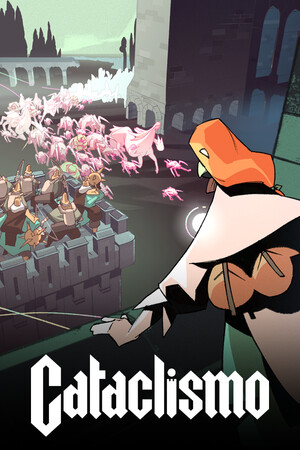
Some App Store results use similar names, including Cataclysm or Cataclismo, but they are not verified ports of this game.
Fast answer
The answer before the background
Cataclismo is not currently available as an official iPhone or iPad download. Digital Sun’s game page points players to the Steam version, while the Steam listing identifies Windows as the supported platform. Searching the App Store may return similarly named games, but no verified Cataclismo app from Digital Sun or Hooded Horse was found. Use the official PC store route instead, and avoid unofficial downloads or lookalike listings.
Verified status
Is there an official iPhone or iPad version?
No. The available official information does not show a native iOS or iPadOS version of the fortress-building strategy game made by Digital Sun. The developer’s Cataclismo page directs users to the Steam page, and the Steam product page lists Windows as the supported operating system.
The game’s current official store presence is therefore PC-focused. Its release information, purchase flow, achievements, workshop features, and system requirements are presented through Steam rather than the Apple App Store. There is no verified App Store product page from Digital Sun or publisher Hooded Horse to use for an iPhone or iPad installation.
- iPhone compatibility: Not supported by a verified native release.
- iPad compatibility: Not supported by a verified native release.
- Official developer: Digital Sun.
- Official publisher: Hooded Horse.
- Verified platform in the current listing: Windows PC.
| Device or platform | Official availability | What this means |
|---|---|---|
| iPhone | No verified release | There is no official iOS download to install. |
| iPad | No verified release | There is no official iPadOS version listed. |
| Windows PC | Available | Use the official PC store listing to buy and install the game. |
The title is easy to confuse with other games using Cataclysm or Cataclismo in their names. A result appearing in Apple’s search does not prove that it is the Digital Sun game.
Official route
How to check the App Store safely
If you want to confirm the status from your own device, use Apple’s normal App Store search rather than a third-party download page. Apple supports searching directly from the App Store on both iPhone and iPad. Search for the full title, then inspect the developer name and product details before taking any action.
- Open the App Store on the iPhone or iPad.
- Tap the Search tab and enter the full game title.
- Check whether the result names Digital Sun as the developer and matches the official game description.
- Look for a genuine App Store product page with a Get button or a listed price.
- If no matching result appears, do not install a similarly named title as a substitute.
- Use the developer’s official game page to cross-check any claimed mobile release.
| What to check | Safe result | Warning sign |
|---|---|---|
| Developer | Digital Sun is named clearly. | The developer is unrelated or missing. |
| Publisher or support details | The listing connects to the known game or publisher. | The page has no credible support information. |
| Platform description | The listing describes an iPhone or iPad game from the same studio. | The description refers to a different genre or franchise. |
| Store route | The page is hosted in Apple’s App Store. | The download requires an external installer or profile. |
At the time of this check, the official route does not lead to an iPhone or iPad version. If Apple search shows no matching product page, that is consistent with the verified PC-only store information.
PC alternative
Where to get the game instead
For the currently documented release, use the official Steam product page. It identifies Digital Sun as the developer, Hooded Horse as the publisher, and Windows as the platform. The game is a single-player real-time strategy and tower-defense title built around constructing fortresses and defending them against waves of Horrors.
To install it, open Steam on a Windows PC, sign in to your account, search for the exact title, confirm the developer and publisher, purchase the game if required, and choose Install from your library. Review the system requirements shown on the store page before buying, particularly if the computer is older or uses integrated graphics.
- Install Steam from its official desktop client route.
- Search for the exact game title rather than a broad mobile keyword.
- Confirm Digital Sun and Hooded Horse on the product page.
- Review the listed Windows requirements and available storage.
- Install from the Steam library after purchase or entitlement is confirmed.
| Route | Status | Recommendation |
|---|---|---|
| Apple App Store | No verified native listing found | Do not treat similarly named apps as this game. |
| Steam for Windows | Official listed route | Use this route for the documented release. |
| Unofficial APK or profile site | Not an official route | Avoid it because the source and files cannot be verified. |
A Windows game appearing on Steam does not automatically mean it can be installed on iPhone or iPad. Mobile compatibility requires a separate release, store listing, and device support information.
Troubleshooting
If you find a supposed mobile download
Treat any website claiming to offer a free iPhone version with caution unless it links to a genuine App Store product page and identifies the same developer. Do not install configuration profiles, enterprise certificates, unknown device-management tools, or files offered outside Apple’s normal store process.
Also check the name carefully. Similar App Store results can be unrelated games, older projects, or ports of different titles. Compare the developer, screenshots, genre, description, and support page instead of relying on the icon or a matching word in the title.
If you already downloaded an unrelated app, remove it through the normal iPhone or iPad app controls and review its App Store page before signing in or making purchases. For a purchase dispute or download problem involving Apple’s store, use Apple Support rather than the third-party site that advertised the app.
- Do not enter Apple Account credentials on a download page outside the App Store.
- Do not install an unknown configuration profile to run the game.
- Do not assume an App Store result is official because the title looks similar.
- Verify the developer and publisher before paying or sharing personal information.
The absence of a verified mobile listing is not a promise that a mobile edition will never be made. It means only that no official iPhone or iPad release could be confirmed in this review.
FAQ
Common questions
Can I download Cataclismo on iPhone?
No official iPhone version could be verified as of November 1, 2026. The documented release is a Windows PC game, so there is no official iOS download route at present.
Can I install Cataclismo on iPad?
No verified iPadOS version is listed by the developer or in the official PC store information. An iPad App Store search result with a similar name should not be assumed to be the same game.
What is the official way to get the game?
Use the official Steam listing on a Windows PC. Confirm that the page names Digital Sun as developer and Hooded Horse as publisher before purchasing or installing.
Why do I see similar names in the App Store?
Apple search can return unrelated apps with similar words in their titles. Compare the developer, screenshots, description, and support information. If the result is not clearly from Digital Sun, it is not a verified version of this game.
Will an iPhone or iPad release happen later?
No future mobile release was confirmed in the sources checked for this guide. Recheck the developer’s official game page and the App Store if a later announcement is made.
Sources
What we checked
Official listings establish current availability and product facts. Community pages are used for mechanics and build history, then labeled separately.
- OfficialDigital Sun official Cataclismo game page
- OfficialCataclismo on Steam
- OfficialApple Support: Download apps on your iPhone or iPad
- OfficialApple Developer: App Store search
- ReferenceDay of the Devs game listing