This guide discusses malware, phishing, modified files, and account security without providing access instructions or unsafe downloads.
Fast answer
The answer before the background
A diplomacy is not an option trainer is an unverified third-party modification, not an official game feature. Keep device protections active, install through an official store or publisher-supported method, and use the built-in Sandbox, Endless, Challenge, Map Editor, and Workshop options for a more flexible experience. Treat a blue crack in ground, glowing crack, cracked download, or hacked APK label as an unverified claim rather than a feature name. Protect Steam, Epic, GOG, email, and payment accounts by using unique passwords, multi-factor authentication, and no credential entry on download pages.
Quick verdict
Why the search terms need caution
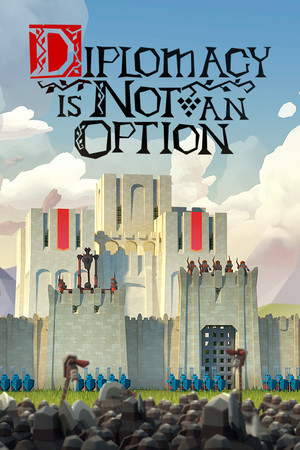
The official store pages describe a single-player medieval fantasy survival strategy game with campaign, Endless, Sandbox, Challenge, achievements, cloud features, and community content. They do not identify a trainer, cracked package, hacked APK, blue crack in ground, or glowing crack as an official access method or game feature.
That distinction matters because search pages often combine genuine screenshots, fan terminology, unofficial files, and credential prompts. A visual effect or map object can be discussed by players without being a secret code or unlock route. Use the in-game menus, official patch notes, and supported store listings as the reliable reference point.
- Use the official PC listings for installation and updates.
- Keep Microsoft Defender or another current security product active.
- Use publisher-supported community features such as Steam Workshop.
- Give account details only to the store or service’s official sign-in page.
| Search label | Safe interpretation | Recommended action |
|---|---|---|
| Trainer | An unsupported third-party utility with unknown behavior | Use built-in modes and settings instead |
| Cracked download | An unofficial package with unclear contents or provenance | Choose Steam, GOG, Epic, or another supported listing |
| Blue crack in ground / glowing crack | An unverified phrase unless confirmed by official game material | Check the map, objective, or patch notes in the official version |
| Hacked APK | A mismatch for the officially listed Windows product | Use the supported PC release and store account |
No official source reviewed for this guide confirms those crack labels as codes, portals, secrets, or supported unlocks. The safest conclusion is that they are unverified search terms.
Risk assessment
What modified files can expose
Unofficial installers and modified archives can carry malware, unwanted software, browser changes, or hidden background activity. Microsoft’s security guidance recommends obtaining software from official vendors or stores and describes counterfeit installers that can establish persistence, add unwanted components, and communicate with attacker-controlled systems.
A trainer can also create practical game problems even when it appears to work. A patch may change executable or save-data behavior, a cloud-synced save may become inconsistent, and support teams may be unable to reproduce problems caused by unsupported changes. Keep important saves backed up through the platform’s normal tools and favor the unmodified release for stable updates.
- Device risk: malware, unwanted applications, privacy loss, or altered security settings.
- Account risk: stolen store credentials, reused passwords, payment exposure, or compromised email recovery.
- Game risk: damaged saves, broken updates, missing achievements, or unstable performance.
- Support risk: official troubleshooting may not apply to altered files.
| Warning sign | Safer response |
|---|---|
| A download asks for a store password or one-time code | Close the page and sign in through the official store application or website |
| A file asks for security exclusions or unusual permissions | Keep protections active and use the official installer |
| A page promises instant resources or unlocks | Use supported modes, map tools, and difficulty choices |
| A community post links to an unknown executable | Use official announcements or Workshop items with normal platform handling |
Use a unique password for each important account, enable multi-factor authentication, review recent sign-ins, and keep recovery email and phone details current.
Safe alternatives
Get more freedom without modified access
The official game already offers several ways to change the pace and challenge. The store description lists Endless Mode, Sandbox Mode, and Challenge Mode, while the developer’s update material documents the Map Editor and Steam Workshop integration. These options support experimentation, custom scenarios, and community-made maps without replacing the game files.
GOG also lists a supported DRM-free edition with an optional offline installer. That provides a legitimate route for players who want offline play while preserving a publisher-supported purchase and installation path. Availability and release details vary by store, so check the current listing before buying or installing.
- Choose Sandbox Mode for experimentation with economy, defenses, and army composition.
- Choose Endless Mode for extended survival outside the campaign.
- Choose Challenge Mode for structured goals and replayable pressure.
- Use the Map Editor and Steam Workshop through the official platform tools.
- Use a supported GOG offline installer when that store version fits your needs.
- Follow official patch notes when a new update changes mechanics or fixes bugs.
| Goal | Supported option |
|---|---|
| Experiment with resources and defenses | Sandbox Mode |
| Play beyond campaign missions | Endless Mode |
| Try focused objectives | Challenge Mode |
| Create or share scenarios | Map Editor and Steam Workshop |
| Play offline through a supported storefront | GOG’s official offline installer |
Install one official version, let its store manage updates, and keep saves in the normal game location. This gives troubleshooting and cloud or offline support the clearest path.
If something already happened
A practical account and device response
If an unfamiliar file has already been downloaded, keep the device protections active and use the operating system’s security tools to scan it. Review installed applications and browser extensions for recent changes, then remove software you do not recognize through normal system settings. A trusted security professional or the platform’s official support channel can help with a deeper review.
If a store, email, or payment account may have been exposed, change its password from the official account page, enable multi-factor authentication, review active sessions, and check purchase and sign-in history. Use official recovery and fraud-reporting channels for any account or payment concern.
- Run a full security scan with current definitions.
- Review recent installs, browser extensions, and sign-in activity.
- Change reused passwords from a known official account page.
- Enable multi-factor authentication on store and email accounts.
- Check payment activity and contact the payment provider through its official channel.
- Reinstall the supported game version from the official store if the installation is unreliable.
Save suspicious filenames, dates, store notifications, and security alerts for the platform or security provider. Avoid sharing passwords, recovery codes, or full payment details while seeking help.
FAQ
Common questions
Is there an official trainer for the game?
The official store and developer materials reviewed here describe supported game modes, updates, the Map Editor, and Workshop integration. They do not identify a first-party trainer. Use the game’s built-in options and official community tools.
Does a blue crack in ground or glowing crack unlock anything?
Those phrases are not confirmed by the official sources reviewed for this guide as codes, unlocks, or access points. Treat them as unverified labels and check the current game build, objective text, map description, or official patch notes.
Is a cracked download safe if antivirus reports nothing?
A clean initial scan does not establish that an unofficial package is trustworthy. Use an official store or publisher-supported installation, keep real-time protection active, and avoid files that request unusual permissions or account details.
Does a hacked APK apply to this game?
The official listings reviewed here identify a Windows release. An APK label therefore does not match the supported platform information. Use the official PC listing for installation and updates.
What can I use instead of a trainer?
Use Sandbox Mode, Endless Mode, Challenge Mode, the Map Editor, and Steam Workshop content. These supported options provide experimentation and replayability without changing the installation.
Sources
What we checked
Official listings establish current availability and product facts. Community pages are used for mechanics and build history, then labeled separately.
- OfficialSteam store listing for Diplomacy is Not an Option
- OfficialGOG store listing and offline-install information
- OfficialDeveloper-published Map Editor and Steam Workshop announcement
- ReferenceMicrosoft guidance on counterfeit installers and cracked software risks
- ReferenceFTC guidance on phishing and multi-factor authentication