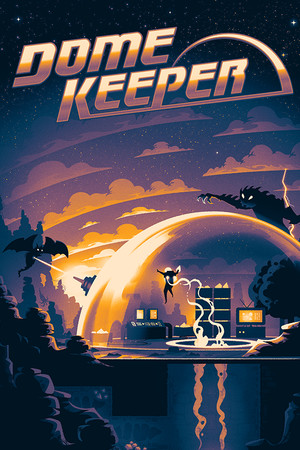
This guide discusses malware, unwanted software, save corruption, and account security. It provides safety guidance only and does not provide modified files, bypasses, or download sources.
Fast answer
The answer before the background
Treat a dome keeper trainer, altered installer, or unofficial mobile package as a device and account risk. Keep Windows, Android, browser, antivirus, SmartScreen, and other built-in protections active. Use the official Steam or Google Play listing, the publisher’s support channels, and supported game features instead. Reject unverified files, requests for platform credentials, and downloads that ask for security exceptions. The official Steam version includes a demo, Steam Cloud, Workshop support, and run modifiers, while the official mobile listing is published by Raw Fury on Google Play.
Direct comparison
What each option means for your device and account
The safest route is an official storefront listing that identifies the publisher and supplies updates through the platform. The Steam page identifies Dome Keeper as a Raw Fury release and lists Steam Cloud, Steam Workshop, achievements, and a downloadable demo. The Google Play listing also identifies Raw Fury as the developer and provides the publisher’s support contact.
A trainer changes how the game runs outside the normal supported experience. Even when a file appears to work, its source, contents, update behavior, and access requests may be unclear. A modified build can also create compatibility problems after a game update or interact badly with save data and cloud synchronization.
Search terms such as dome keeper cracked download and dome keeper hacked apk commonly point users toward unverified distribution pages. A page title, scan result, user comment, or familiar-looking logo does not establish that a file is authentic. Microsoft documents that counterfeit installers and pirated software are common delivery routes for malware, unwanted applications, and deceptive bundles.
- Official store release: publisher identity, platform delivery, updates, support, and clearer ownership records.
- Unofficial trainer: uncertain origin, possible security detections, unstable behavior, and save or update conflicts.
- Altered installer or mobile package: elevated malware, privacy, payment, and account exposure.
- Publisher-supported content: the strongest route for fixes, compatibility, and recovery help.
| Option | Main benefit | Main risk | Safer decision |
|---|---|---|---|
| Official Steam or Google Play listing | Authentic delivery and platform support | Normal purchase or account requirement | Use the official listing and keep updates enabled |
| Trainer or altered executable | May change gameplay behavior | Malware, crashes, save problems, or account exposure | Choose built-in modifiers and difficulty settings |
| Unofficial mobile package | May appear to provide access outside a store | Unknown code, permissions, privacy, and update path | Use the verified Google Play listing |
| Official demo, sale, or supported add-on | Lower-cost or expanded access | Availability can change | Check the current publisher or store page |
A file is trustworthy when its origin, publisher identity, delivery channel, and update path can be verified. File names, comments, and download counters are not evidence of safety.
Why the risk is real
Malware, unwanted software, and lost progress
Security risk begins before the game launches. Microsoft says pirated software sites are frequently used to distribute malware and unwanted software, including intrusive browser extensions and adware. Its current threat reporting also describes counterfeit installers that establish persistence, communicate with attacker-controlled systems, or install additional monetization software.
A compromised file can affect more than the game. It may expose browser sessions, saved passwords, personal files, payment details, or platform login information. A trainer that requests an account password, recovery code, remote access, or a security exception adds an account-takeover pathway rather than a gameplay feature.
Save integrity is another concern. The Steam listing advertises Steam Cloud, and Steam explains that cloud synchronization can store game saves and profile data. An incompatible or modified build can create conflicting files, overwrite progress, or leave a save that the supported version cannot read reliably. Keep your own backups and use the platform’s normal synchronization tools.
- Keep antivirus, SmartScreen, reputation-based protection, and operating-system updates active.
- Use unique platform passwords and multi-factor authentication where available.
- Review unexpected sign-ins, new browser extensions, unfamiliar applications, and unusual account messages.
- Use official support when a save, purchase, or account issue appears.
| Warning sign | What it can indicate | Safe response |
|---|---|---|
| A file asks for platform credentials | Credential theft or impersonation | Reject the request and use the store or publisher account page |
| A download asks for antivirus or browser exceptions | An attempt to bypass protection | Keep protections active and use an official store |
| Unexpected pop-ups, extensions, or applications | Potentially unwanted software | Run a current security scan and review recent installations |
| Cloud-save conflict or missing progress | Synchronization or file-integrity problem | Stop experimenting with altered files and use official recovery guidance |
Keep the device protections active, run a full security scan, update the operating system and security tools, and change important passwords from a known-clean device. Enable multi-factor authentication and contact the relevant platform or publisher support team if account activity looks unusual.
Safer ways to customize play
Use supported features instead of external modifications
Dome Keeper already offers legitimate ways to adjust the experience. The official Google Play description lists run modifiers and difficulty settings, while the Steam listing includes a demo and Workshop support. These options keep the game within the storefront’s normal update and account systems.
For a lower-cost trial, use the official demo when it is available on the Steam page and watch the verified store listing for sales or bundles. For variety, use Workshop content presented through Steam’s own game page and check that the item is intended for the current release. For technical problems, use Raw Fury or Bippinbits support channels rather than downloading a replacement executable.
These choices preserve a clearer path to updates, achievements, cloud saves, refunds where applicable, and troubleshooting. They also remove the need to trust a file host, an anonymous uploader, or a page that requests credentials.
- Start with the official Steam demo before buying the full release.
- Adjust difficulty and available run modifiers inside the game.
- Use Steam Workshop through the official game page for supported community content.
- Check official store discounts, bundles, and publisher announcements.
- Contact publisher or platform support for installation and save problems.
| Goal | Supported route |
|---|---|
| Try before buying | Official Steam demo, when listed |
| Change challenge | In-game difficulty settings and run modifiers |
| Add community content | Steam Workshop through the official listing |
| Solve a save problem | Steam Cloud guidance, local backups, and publisher support |
| Play on Android | The Raw Fury listing on Google Play |
Store catalogs and regional availability change. Confirm the publisher name, current listing, supported platform, and update date directly in the official store before installing.
Practical checklist
A safe installation and account routine
Begin at the platform’s own storefront or the publisher’s verified website. Check the publisher name, game title, platform, support contact, and update information. Keep device protections active throughout the download and installation process.
Use a dedicated platform account with a strong unique password and multi-factor authentication. Keep payment details inside the official platform rather than entering them on a download page. Save important progress through the platform’s supported tools and maintain a separate backup when the platform allows it.
After installation, launch through the platform client and apply updates through that same channel. If an unfamiliar page, installer, or message asks for credentials, payment outside the store, remote access, or a security exception, reject it and return to the official listing or support page.
- Verify the publisher and platform before selecting Install or Buy.
- Keep operating-system and security updates current.
- Keep device protections active during downloads and launches.
- Reject unverified files and credential requests.
- Use official support for purchases, accounts, saves, and technical faults.
A supported feature inside the game or storefront is the safer choice than a separate file that changes the game from outside.
FAQ
Common questions
Is a dome keeper trainer safe if antivirus shows no alert?
A clean scan is not proof of authenticity or future safety. New or obfuscated threats can evade detection, and a trainer may still damage saves or request excessive access. Use built-in settings, official demos, Workshop content, and publisher-supported releases instead.
Is a dome keeper cracked download worth the account risk?
Use the official Steam listing, demo, sale, or bundle instead. Unverified distribution pages can expose devices to malware and unwanted software, while altered files can interfere with updates, saves, and platform support.
Is a dome keeper hacked apk an official Android release?
The verified Android route is the Raw Fury listing on Google Play. Treat packages from other sources as unverified, keep Android protections active, and use the official listing for installation and updates.
Can modified files affect Steam Cloud saves?
They can create incompatible or conflicting save data, especially when the game or platform later synchronizes files. Keep backups, use the supported Steam client, and follow Steam or publisher support guidance for recovery.
What should I use instead of external cheats?
Use the official demo, in-game difficulty settings, run modifiers, Steam Workshop content, verified sales or bundles, and publisher-supported troubleshooting. These options provide customization without adding an unknown executable or package.
Sources
What we checked
Official listings establish current availability and product facts. Community pages are used for mechanics and build history, then labeled separately.
- OfficialDome Keeper on Steam: official store listing, demo, Workshop, and Steam Cloud features
- OfficialDome Keeper on Google Play: official Raw Fury Android listing and support details
- OfficialRaw Fury announcement: publisher and developer information for Dome Keeper
- OfficialSteam Support: Steam Cloud behavior and synchronization guidance
- ReferenceMicrosoft Security: counterfeit installers and current malware delivery risks
- ReferenceMicrosoft Learn: pirated software, malware, and official-download guidance