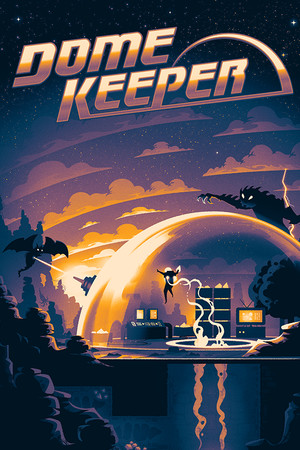
The App Store lists a 9+ age rating with infrequent cartoon or fantasy violence and guns or other weapons.
Fast answer
The answer before the background
To download Dome Keeper iOS, open the official Apple App Store listing for Dome Keeper from Raw Fury AB, confirm that the developer is correct, and select the purchase or download button. It runs on compatible iPhones and iPads. Apple currently lists iOS 17.0 or later for iPhone and iPadOS 17.0 or later for iPad. If the listing does not offer installation, update the device or check whether your Apple account region has a different store result.
Official route
How to get the game from the App Store
The safest way to install the mobile release is through Apple’s own store. Search for “Dome Keeper,” then check the publisher and developer information before buying. The official listing names Raw Fury AB as the seller and identifies bippinbits as the developer in the copyright information.
You can also open the official App Store page from a trusted Apple device or from the store website, then continue the installation on your iPhone or iPad. The game is a paid purchase rather than a free download. The United States listing currently shows a price of $9.99, although Apple may display a different amount in another country.
- Open the App Store on the iPhone or iPad.
- Search for “Dome Keeper.”
- Confirm that the listing is published by Raw Fury AB.
- Check the screenshots, age rating, price, and compatibility section.
- Tap the price or download button and authenticate with your Apple account.
- Wait for the approximately 1.1 GB installation to finish before launching it.
| Check | What the official listing shows |
|---|---|
| Publisher or seller | Raw Fury AB |
| Supported devices | iPhone and iPad |
| Current listed version | 1.0.4 |
| Price in the United States listing | $9.99 |
| Approximate app size | 1.1 GB |
An iPhone or iPad does not need an external installer, APK file, sideloading profile, or download mirror for this release. If a page asks for payment outside Apple’s store or requests a device-management profile, leave it and use the official listing instead.
Compatibility
iPhone and iPad requirements
Apple lists the game for both iPhone and iPad. The iPhone requirement is iOS 17.0 or later, while the iPad requirement is iPadOS 17.0 or later. The store page does not describe every individual compatible model in the summary, so the most reliable check is the compatibility result shown for your own device.
If the App Store says the app is incompatible, first check the operating system version under Settings, then Software Update. A device running an older release may not qualify even if it has enough free storage. Updating is a recommendation, not a guarantee for hardware that cannot install iOS 17 or iPadOS 17.
- For iPhone, use a device that can run iOS 17.0 or later.
- For iPad, use a device that can run iPadOS 17.0 or later.
- Keep more free space than the displayed download size so installation and updates can complete.
- Use Wi-Fi if your mobile data plan is limited.
- Check the App Store compatibility panel on the exact device you intend to use.
| Device type | Minimum software listed by Apple |
|---|---|
| iPhone | iOS 17.0 or later |
| iPad | iPadOS 17.0 or later |
The store page lists the app at about 1.1 GB. Reserve additional space for the operating system, temporary installation files, and future updates. Installing while connected to power can help if the device is older or nearly out of battery.
Troubleshooting
What to do if installation fails
If the page appears but the download button is unavailable, verify that the device meets the operating-system requirement and that you are signed in to the intended Apple account. If the title cannot be found, search by the full game name rather than relying on a third-party result.
A mismatch between the version shown on one device and another can be temporary while the store refreshes. Open the listing directly, check for an Update button, and restart the App Store if necessary. Do not install a similarly named game unless the publisher and product details match the official entry.
The store listing currently reports version 1.0.4 and notes fixes for crashes and freezes, a mobile frame-rate cap intended to reduce battery consumption, a gadget-button issue, and virtual-joystick stuttering. If your installed copy behaves differently, update it before troubleshooting further.
- Check Settings, General, and Software Update.
- Confirm that you have enough free storage.
- Verify your Apple account and payment method if the purchase does not complete.
- Restart the App Store and reopen the listing.
- Install the newest update offered by Apple.
- Contact Apple Support for billing or account problems, and contact the publisher for game-specific technical issues.
The version number and patch notes are taken from the App Store listing checked for this guide. Apple can change the displayed version after a release, and availability or pricing can differ between storefronts.
Practical comparison
Should you choose iPhone or iPad?
Both formats use the same official mobile listing, so the main choice is screen size and portability. An iPhone is convenient for short runs and quick sessions, while an iPad gives the digging areas, upgrade menus, and incoming waves more room on screen.
For either device, use the touch controls shown in the installed build and keep the display at a comfortable brightness. The official listing confirms iPhone and iPad support, but it does not promise that every accessory or controller behaves identically across all models. Treat external-controller support as something to test on your device rather than an assumption.
- Choose iPhone if portability is your priority.
- Choose iPad if you prefer a larger play area and menu text.
- Install on both only after checking how your Apple account handles the purchase and downloads.
- Test controls before committing to a long run.
- Keep the app updated on whichever device you use.
FAQ
Common questions
Is there an official Dome Keeper iPhone version?
Yes. Apple’s official listing supports iPhone devices running iOS 17.0 or later. Search for the title in the App Store and verify that Raw Fury AB is shown as the seller.
Can I play it on an iPad?
Yes. The same listing supports iPad and requires iPadOS 17.0 or later. Apple will show whether the app is compatible with the specific iPad you are using.
Is the mobile version free?
No. The United States App Store listing currently shows the game as a $9.99 paid app. Prices can vary by country, currency, tax rules, or later store changes.
What is the latest listed version?
The App Store listing checked for this guide shows version 1.0.4. Because mobile builds can be updated at any time, use the version history on Apple’s page as the final check before installing or troubleshooting.
What if my device says the app is not compatible?
Check whether the iPhone can run iOS 17.0 or later or the iPad can run iPadOS 17.0 or later. If the operating system is current but the app remains unavailable, check the device-specific compatibility result, available storage, Apple account region, and App Store account status.
Sources
What we checked
Official listings establish current availability and product facts. Community pages are used for mechanics and build history, then labeled separately.