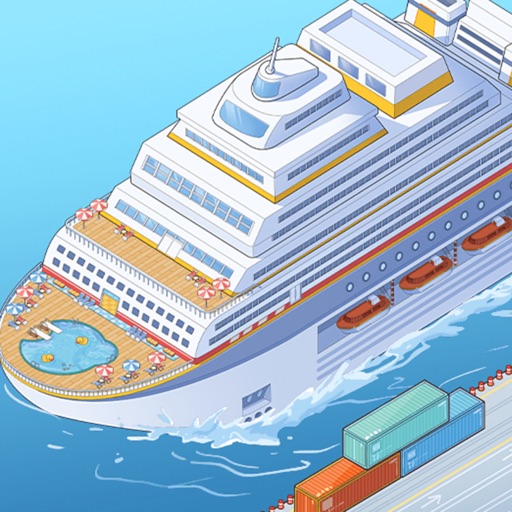
The game contains advertising and optional in-app purchases. Some bonuses or connected features may behave differently when offline.
Fast answer
The answer before the background
Treat the map as two connected layers: your expandable ship and the destinations shown by the current sailing or progression menu. On the ship, establish cabins and essential services first, then add entertainment and dining areas. When a route or destination becomes available, inspect its requirements before spending resources. The developer confirms that passengers can visit different places and disembark, but no official source publishes a universal list of destination names or a permanent route order. If your map differs from a guide or screenshot, follow the labels and unlock conditions shown in your own version.
Verified structure
How the map is organised
This is not a conventional open-world map with roads, regions, and freely selectable checkpoints. It is a cruise-ship management game in which the ship acts as the main playable map. The official description presents progression from ordinary cabins toward a larger luxury vessel, with facilities built and upgraded as the ship develops.
The ship is best understood as a vertical layout. Decks and rooms form the permanent part of your map, while destinations are the temporary route layer. The App Store version history confirms that a third level of the cruise ship was added in a past update, which shows that the available deck structure can change over time rather than remaining fixed forever.
The public listings name several onboard areas: cabins, movie theaters, restaurants, juice bars, and toilets. These are the safest named areas to use when orienting yourself. The official descriptions also refer more generally to entertainment, dining, and passenger facilities, but they do not publish a complete floor plan.
- Ship layer: cabins, services, dining, and entertainment that you build or upgrade.
- Deck layer: additional floors or sections that may unlock through progression or updates.
- Destination layer: places visited during a sailing, where passengers can disembark and new guests can be attracted.
- Management layer: income, reputation, passenger needs, and facility upgrades that determine how quickly the map expands.
| Map layer | What it does | Best way to read it |
|---|---|---|
| Cabin and service areas | Supports passengers and the ship’s basic operation | Prioritise the room or facility connected to the current objective |
| Dining and entertainment | Adds variety and helps satisfy passenger needs | Compare its cost with the next unlock before upgrading |
| Decks and expansion zones | Increase the usable ship area | Unlock only when the current deck is earning consistently |
| Destinations | Change the sailing context and passenger flow | Use the route screen in your own build for names and requirements |
No official page reviewed for this guide publishes a complete world map, a fixed destination list, a universal route order, or exact coordinates. Community screenshots may show older interfaces or event content, so do not treat them as a permanent map.
Practical planning
How to plan a route without wasting resources
Start by checking the destination or sailing panel before making a large purchase. Record the visible destination name, the required level or reputation, and any facility condition shown by the game. This gives you a route plan based on your current version instead of relying on an old list.
Next, separate essential progress from optional decoration. Cabins and passenger services should normally come before cosmetic upgrades because they belong to the ship’s operating loop. Dining and entertainment can follow once the game signals that they are needed for passengers, objectives, or expansion. The official description specifically frames the ship around upgrading cabins, entertainment, dining, and service, so a balanced build is safer than filling the map with one category only.
Before sailing, spend enough to keep the current ship functioning, then reserve resources for the next visible unlock. A route that looks attractive is not automatically the best purchase if it delays a new deck or a required facility. When the game offers several destinations, compare the immediate requirement and the likely effect on your next objective rather than choosing solely by appearance.
Use a simple three-pass routine: inspect the route, improve the bottleneck, then sail or confirm the destination. After returning, check which passengers, income, reputation, or construction requirement changed. This makes the map useful as a progress tracker instead of treating it as a static picture.
- Screenshot or note every newly revealed destination before leaving the route screen.
- Keep a reserve for the next deck, cabin, or required service.
- Upgrade the facility connected to the current passenger problem first.
- Recheck the map after major updates because deck and interface layouts can change.
- Do not assume two destinations have identical requirements just because they look similar.
| Situation | Recommended decision | Reason |
|---|---|---|
| A new destination is visible but locked | Check its exact requirement and save toward that target | The official sources do not confirm a universal unlock order |
| Passengers lack a basic service | Upgrade or add the relevant service before decoration | Service problems can block efficient progression |
| The ship has spare income | Fund the next deck or route requirement first | Expansion usually gives more strategic value than cosmetic spending |
| A guide shows a different map | Compare its version and platform with yours | Updates and regional builds can change labels or menus |
The priority order above is an evidence-led planning recommendation based on the game’s published management loop. It is not an official statement that every account must use the same build order.
Named areas
What to look for on the ship
Cabins are the clearest starting area because the official description presents the game’s progression from ordinary cabins to luxury cabins. Treat them as the accommodation side of the map and check whether the current objective asks for capacity, an upgrade, or a particular passenger type.
Movie theaters, restaurants, and juice bars are explicitly named facility areas. They belong to the ship’s activity and dining network. When planning a compact layout, keep related services easy to revisit and avoid spending heavily on a distant or decorative section until the game identifies it as useful.
Toilets are also explicitly mentioned in the store description. They may seem less important than entertainment, but the developer’s own wording includes them among the facilities that make the ship function as a complete moving city. If a passenger need or task points to a service area, follow that instruction even when the facility is not visually impressive.
Destinations are different from ship areas. The official listings confirm that the vessel travels to different places and that guests can disembark, but they do not provide a reliable public catalogue of names. For that reason, use the exact labels in your route panel as the authoritative named locations for your account.
- Cabins: accommodation and passenger capacity.
- Movie theaters: entertainment area named in the official listing.
- Restaurants: dining area named in the official listing.
- Juice bars: refreshment area named in the official listing.
- Toilets: essential service area named in the official listing.
- Destinations: route locations shown in-game, with no complete official public list.
| Area type | Verified name or label | Planning use |
|---|---|---|
| Accommodation | Cabins | Support passenger capacity and the ship’s basic progression |
| Entertainment | Movie theaters | Use when the game requests entertainment or activity coverage |
| Dining | Restaurants and juice bars | Balance passenger needs with income and upgrade costs |
| Service | Toilets | Do not ignore when a task or need points to basic facilities |
| World route | Destination names shown in-game | Copy the current label and requirement from your own route screen |
A destination name seen in a player video or review may belong to an event, an older build, or a different platform. It is safer to call it an unverified community label unless the same name appears in your current game.
Troubleshooting
If your map or route looks different
First, check the game version and platform. The App Store lists multiple interface, facility, passenger, and deck updates across its version history, including a redesigned room-management interface and later facility-management features. A screenshot from an earlier version may therefore show different buttons or room placement.
Second, distinguish a locked area from a missing area. Some sections may not appear until the relevant deck, reputation, passenger, or tutorial milestone is reached. If the game shows no destination name at all, complete the visible objective and reopen the route panel rather than assuming the map is broken.
Finally, use the current official store listing and the in-game labels together. The developer’s own game page describes the experience at a high level, while the store page supplies the more useful facility and update context. Neither source provides a full map, so unsupported claims about exact routes should be treated cautiously.
- Update the app before comparing your map with a guide.
- Check whether the ship is on the correct deck or management screen.
- Complete the current tutorial or objective before searching for later areas.
- Trust current in-game labels over old screenshots.
- Report a disappearing building or route control through the game’s support option if the issue persists.
The available official material is enough to verify the ship-based map structure and named facility categories, but not enough to reconstruct every destination or route. This guide leaves those gaps explicit rather than filling them with guesses.
FAQ
Common questions
Is there a complete official world map for the game?
Not in the official pages reviewed for this guide. The listings confirm that the ship visits different places and that passengers can disembark, but they do not publish a full destination map or permanent route order.
What are the main named areas on the ship?
The official store description names cabins, movie theaters, restaurants, juice bars, and toilets. It also refers generally to entertainment, dining, and other passenger facilities.
Should I upgrade cabins or entertainment first?
Follow the current objective and passenger need. As a general recommendation, secure basic accommodation and services first, then invest in dining or entertainment when they are required or when the ship has a stable income stream.
Why does my deck layout differ from a screenshot?
The game has received interface, room-management, facility, passenger, and deck updates. Platform, region, account progress, and version can all affect what you see, so compare the screenshot’s date and version with your own build.
Can I use a community destination list as a route guide?
Use it as a lead, not as proof. Confirm every destination name and requirement in your current route screen because public sources do not establish a universal list.
Sources
What we checked
Official listings establish current availability and product facts. Community pages are used for mechanics and build history, then labeled separately.