This guide discusses unofficial APK distribution and remote streaming. It does not recommend piracy, cracked packages, modified clients, or bypassing store protections.
Fast answer
The answer before the background
You cannot currently verify a native Android download from the official game sources. The official listing is on Steam, where The Fox Knocks publishes the Windows version and provides Windows system requirements. For Android play, install the official Steam Link app from Google Play, own the game on Steam, and stream it from a computer that is running Steam. Do not install an APK from a mirror or download site unless The Fox Knocks or an official store later confirms that exact package, developer identity, version, and update path.
Verified status
What the official listings confirm
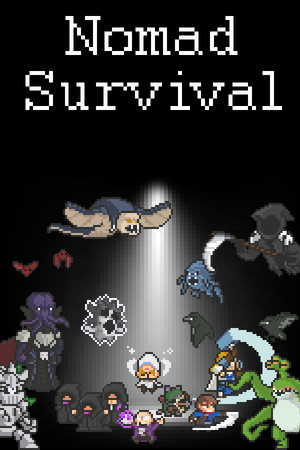
The official Steam page lists Nomad Survival as an action and indie game from The Fox Knocks. It describes the title as a time-based, auto-attacking roguelite and shows the supported purchase route through Steam. The same page gives Windows requirements: Windows 8 or Windows 10, 2 GB of memory, a graphics card with 2 GB of video memory, DirectX 11, and 60 MB of available storage. Those details describe the PC build, not an Android installation.
The important distinction is that Steam Link is an access method, not evidence of a mobile port. Valve’s Remote Play documentation says Steam Link connects an Android device to a computer running Steam and streams the game from that computer. The game remains installed on the host computer, while the phone or tablet receives video and sends controls back.
- Verified official purchase route: Steam.
- Verified developer and publisher: The Fox Knocks.
- Verified native platform information: Windows requirements on the Steam page.
- Not verified: an official Android app, APK, Android package name, native Android version, or Google Play listing for the game itself.
| Option | What you receive | Current confidence |
|---|---|---|
| Steam PC version | A native installation for the listed Windows environment. | Verified official route. |
| Steam Link on Android | Remote access to the PC installation. | Verified official workaround. |
| Standalone game APK | A supposed native mobile package from a third party. | Unverified; avoid unless officially confirmed. |
Do not confuse this title with similarly named raft, desert, or ocean survival apps on Google Play. Matching words in an app title do not prove that the listing is published by The Fox Knocks or that it is the same game.
Recommended route
How to play it on an Android device
The safest current method is to use Steam Link. This requires a Windows computer capable of running the Steam version, a Steam account that owns the game, and an Android phone, tablet, or TV. A Bluetooth controller is recommended because a desktop game may not feel comfortable with touch controls.
First, purchase or install the game through Steam on the host computer. Launch Steam and sign in to the account that owns the game. Next, install Steam Link from Google Play and open it on the Android device. Follow the pairing instructions, select the host computer, and launch the game from the streamed Steam library.
For smoother play, connect the computer to the router with Ethernet when possible and place the Android device on a 5 GHz Wi-Fi network. Keep the device within good range of the router. If the picture stutters, reduce streaming quality, close other network-heavy applications, and test the game locally on the computer before troubleshooting the phone connection.
This route does not make the game playable offline on Android. The computer must be powered on, signed in to Steam, and able to run the game. Remote streaming also adds network delay and uses more data than a normal mobile app.
- Install the game on the Windows computer first.
- Install only the official Steam Link app from Valve Corporation.
- Pair a supported Bluetooth controller if touch controls are uncomfortable.
- Use a wired host connection and 5 GHz Wi-Fi where possible.
- Test the connection at home before relying on mobile data.
| Requirement | Why it matters |
|---|---|
| Windows host computer | The official game listing provides Windows requirements rather than Android requirements. |
| Steam ownership | Steam Link streams games already available in the host computer’s Steam library. |
| Reliable network | Video and audio travel to Android while controls travel back to the computer. |
| Controller or usable input | The game was designed as a PC title, so touch input may be less convenient. |
If you only want to play on a phone and do not have a suitable computer, wait for an official mobile announcement rather than paying an APK site or installing an unknown package.
APK safety
Why third-party downloads are risky
A search result promising a free Android APK is not proof of an official port. An APK can be renamed, modified, bundled with unwanted software, or built from an unrelated game. Even when it launches, it may not match the PC title, may lack updates, or may request permissions that have nothing to do with a small offline-style roguelite.
The current official information does not provide a package name, Android version requirement, checksum, publisher account, or native mobile support page for this game. Without those identifiers, there is no reliable way to authenticate a downloaded file. A website’s claim that an APK is “latest,” “original,” or “100 percent safe” is not an adequate verification method.
Avoid files labeled mod, unlimited money, unlocked, premium, cracked, or repacked. These labels usually indicate altered software and can also create account, privacy, or device-security risks. Do not disable Play Protect or install a file merely because a video, comments section, or download counter recommends it.
- Do not trust a developer name that differs from The Fox Knocks.
- Do not treat a matching icon or screenshots as proof of authenticity.
- Do not enter Steam, Google, or payment credentials into an APK or companion website.
- Do not sideload an APK when the official sources do not publish that package.
- If an official Android release appears later, compare its developer, package identity, version, permissions, and update notes before installing.
| APK check | Safe interpretation |
|---|---|
| Official Google Play developer identity | Useful only if it matches the known developer and the listing is clearly for this game. |
| Version number and update notes | Should be published by the developer, not invented by a mirror. |
| Permissions and data safety | Should be proportionate and disclosed through the official store. |
| Signature or checksum | Helpful only when the developer publishes a value that can be checked independently. |
The absence of a verified Android listing today does not prove that a mobile version can never exist. It means only that this guide found no official native Android release to recommend as of September 9, 2026.
Troubleshooting
Common access problems
If Steam Link cannot find the computer, confirm that Steam is open, both devices are connected to the same network, and the host is not asleep. Steam’s official Android guidance also recommends a 5 GHz wireless router and a computer running Steam.
If the game appears in the library but does not start, launch it directly on the computer first. Check that the host meets the listed Windows requirements and that the Steam client and game are updated. A failed stream does not indicate that an Android APK is required.
If controls do not work correctly, pair the controller before launching the stream and check Steam Input settings. Touch controls may function differently from a dedicated mobile interface, so a controller is the more practical choice for longer sessions.
- No host found: check Steam, network, sleep settings, and firewall prompts.
- Lag or blocky video: improve Wi-Fi, use Ethernet for the computer, or lower stream quality.
- Game will not launch: test it locally and compare the PC against the listed requirements.
- Input problems: reconnect the controller and review Steam Input settings.
FAQ
Common questions
Is there an official Android app for the game?
No native Android app or official APK could be verified in the current check. The official listing confirms the Steam PC release and Windows requirements. Android access is available through Steam Link streaming from a computer, not through a confirmed mobile installation.
Can I download it from Google Play?
You can download Valve’s official Steam Link app from Google Play. That app streams the PC game; it is not the game itself. Search results for similarly named survival apps should not be treated as the same title unless the listing identifies The Fox Knocks and provides matching official information.
Does Steam Link require the game to be installed on Android?
No. Steam Link requires the game to be installed on a connected computer running Steam. The Android device receives the streamed picture and sound and sends input back to the host computer.
Is an APK from a third-party site safe?
It cannot be considered safe merely because it uses the correct title or logo. The current official sources do not publish a native Android package, checksum, or package identity to authenticate such files. Avoid cracked, modded, or repacked downloads.
Can I play without a computer?
Not through the verified Steam Link route. A computer running Steam is required. Cloud-streaming availability may vary by service and region, and no current official source reviewed here confirms a dedicated cloud version for this title.
Sources
What we checked
Official listings establish current availability and product facts. Community pages are used for mechanics and build history, then labeled separately.