This guide focuses on device, account, privacy, and save-file safety. It provides no modified files, access workarounds, download links, or instructions for bypassing platform protections.
Fast answer
The answer before the background
Treat third-party trainers, cracked files, and a “Nomad Survival hacked APK” as high-risk access methods. The official Steam page lists the game as a Windows single-player release from The Fox Knocks, while the developer’s FAQ says development is not currently continuing. Use the official Steam copy, keep Steam and device protections active, and build progress through the game’s own systems. Reject files, launchers, surveys, payment requests, or credential forms that claim to unlock extra content outside the official store.
What the official record shows
Start with the supported release
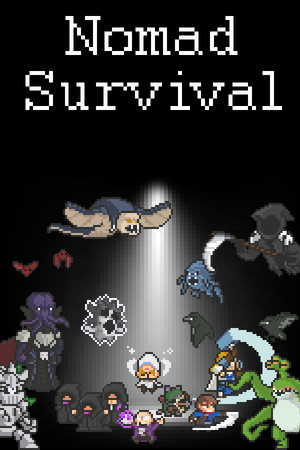
The official Steam page identifies Nomad Survival as a game developed and published by The Fox Knocks. It lists a Windows release, single-player play, Steam Achievements, Family Sharing, partial controller support, and Steam Deck compatibility marked Verified. That listing is the clearest reference point for supported access.
The developer’s pinned FAQ says the game is not currently being developed further and points players toward its Discord for community contact. That information matters because third-party pages may present old claims about updates, compatibility, or unlocks as if they were current. Official store details and developer announcements provide the strongest basis for checking what the game actually supports.
- Use the Steam store page as the product and platform reference.
- Use the developer’s Steam announcements for verified game news and patch history.
- Treat community utilities as separate from publisher-supported features, even when they mention the correct game title.
| Access method | Safety and support position | Recommended action |
|---|---|---|
| Official Steam release | Publisher-listed distribution with Steam account and client support | Use this route for installation and updates |
| Third-party trainer | External software that changes or automates gameplay behavior | Keep device protections active and choose official progression |
| Cracked file | Unverified redistribution with uncertain contents and update status | Reject the file and obtain the official release |
| Modified Android package | No Android edition is established by the reviewed official listing | Reject the package and avoid credential or payment prompts |
The reviewed official pages establish a Windows Steam release. They do not verify an official mobile edition, official trainer, or publisher-approved modified build.
Why the risk is broader than cheating
Protect the device, saves, and account
A trainer is executable software with access to the computer where the game runs. That access can create risks beyond altered gameplay, including unwanted background processes, bundled adware, damaged save files, false update prompts, and password harvesting. A cracked file adds uncertainty about whether the package matches the original game, whether it receives trustworthy updates, and whether it contains extra software.
A hacked APK carries a separate Android risk profile. Google Play Protect checks apps from Google Play and other sources, warns about potentially harmful applications, and can block, disable, or remove apps identified as harmful. Keep Play Protect active and use official stores for Android software. The official sources reviewed do not establish Nomad Survival as an Android title, so a mobile package deserves especially careful scrutiny.
Account exposure often begins with a request that appears unrelated to gameplay: a Steam sign-in page, an email verification form, a payment screen, a wallet-code request, or a demand for broad device permissions. Steam’s agreement places responsibility for account activity on the account holder and explains that Valve may restrict or terminate accounts or subscriptions for conduct involving cheats, tampering, or other breaches. Credential safety therefore matters even in a single-player game.
- Keep Windows Security, browser protections, Steam Guard, and Google Play Protect active.
- Use unique credentials and approve sign-ins only through the official Steam client or official support pages.
- Review file permissions, publisher identity, and store provenance before installing any game-related software.
- Back up valuable saves through supported Steam features or a trusted local backup process.
| Risk area | What can happen | Safer choice |
|---|---|---|
| Device security | Malware, adware, spyware, or unwanted permissions | Use official stores and keep protections active |
| Save data | Corrupted, overwritten, or incompatible saves | Use the official build and maintain a backup |
| Credentials | Fake login forms can capture Steam or email details | Enter credentials only in official clients and sites |
| Platform access | Policy violations can affect accounts or subscriptions | Use publisher-supported methods |
The game’s single-player listing reduces multiplayer fairness concerns, but it does not remove risks from credential theft, malicious software, Steam policy exposure, or damaged local data.
A safer decision process
Check a file or offer before it reaches your device
Use a short verification routine whenever a page, video, forum post, or message promises easier progression. First, compare the claim with the official Steam listing and the developer’s announcements. Next, check whether the offer requires an installer, a password, a browser extension, a payment, or a login outside Steam. Finally, consider whether the promised feature appears in the official game description or patch notes.
Affirmative safety choices are simple: keep protections active, use official stores, follow publisher-supported installation and update paths, and reject unverified files or credential requests. A low price, countdown timer, positive comment section, or “virus-free” label does not establish publisher approval. A familiar game logo also does not confirm that the file came from The Fox Knocks or Valve.
If you already opened a suspicious file, prioritize account and device recovery. Disconnect the affected device from sensitive sessions, run a trusted security scan, change Steam and email passwords from a clean device, review Steam Guard activity and recent account events, and contact official Steam Support when account confidentiality may have been affected. Restore saves from a trusted backup after the system is clean.
- Confirm the platform and publisher through the official store page.
- Keep the Steam client, operating system, and security tools current.
- Reject installers that request credentials, payment details, unusual permissions, or protection changes.
- Use official support for account recovery and store-related questions.
Legitimate ways to keep progressing
Use the game’s own systems
The official listing describes a time-based auto-attacking roguelite built around runs, bosses, characters, skills, and combinations. Those systems provide the intended route to stronger results without external software. Community guides can help with strategy when they explain builds or map choices without distributing files, requesting credentials, or redirecting players to unverified installers.
The developer’s patch history also shows that balance and accessibility were adjusted through official updates, including changes to map difficulty, boss health, gamepad compatibility, and language handling. Checking the Steam update history gives you a supported way to understand changes and troubleshoot behavior.
For access problems, use Steam’s file-verification and update features, check the official system requirements, and contact Steam Support or the developer’s public community channels. These routes preserve the original installation and keep troubleshooting inside recognized support boundaries.
- Experiment with different character, skill, and upgrade combinations.
- Use official patch notes to understand balance and compatibility changes.
- Use Steam’s built-in installation, update, and troubleshooting features.
- Choose a legitimate sale, Family Sharing where eligible, or the official store release for access.
The safest shortcut is a supported installation and a clean account. Official progression, community strategy advice, and Steam’s support tools provide useful help without adding unknown software to the device.
FAQ
Common questions
Is there an official trainer for Nomad Survival?
The official Steam page and developer sources reviewed here establish the game and its updates, but they do not identify a publisher-approved trainer. Treat trainer software as external and keep progression within the official release.
Does the game have an official Android APK?
The reviewed official listing identifies a Windows Steam release and does not establish an Android edition. A package described as a hacked APK therefore lacks verified support in the sources checked and should be rejected.
Can a trainer affect my Steam account?
Steam’s current rules allow Valve to restrict or terminate accounts or subscriptions for cheating, tampering, or other agreement breaches. Credential theft and malicious software create additional account risks, so use the official client and publisher-supported methods.
What should I do after opening a suspicious game file?
Run a trusted security scan, change Steam and email passwords from a clean device, review Steam Guard and recent account activity, and contact official Steam Support if account confidentiality may have been affected. Restore game data from a trusted backup after the device is clean.
Sources
What we checked
Official listings establish current availability and product facts. Community pages are used for mechanics and build history, then labeled separately.