This guide covers modified-access claims and digital-safety precautions. It keeps all recommendations within official stores, the game’s built-in systems, and publisher-supported communication.
Fast answer
The answer before the background
No verified official cheat codes or supported Cheat Engine method appears in the current Scarlet Tower materials reviewed. The dependable alternatives are the built-in unlockable system, achievements, weapon fusions, relics, runes, pets, character passives, night-only vendors, and Endless Mode progression. Community guides can help explain these systems, but treat external files, modified saves, and claims of guaranteed currency or unlocks as unverified. Keep device protections active, use the official Steam version, and use publisher-supported channels for bug reports or account help.
Direct answer
Official codes: none verified
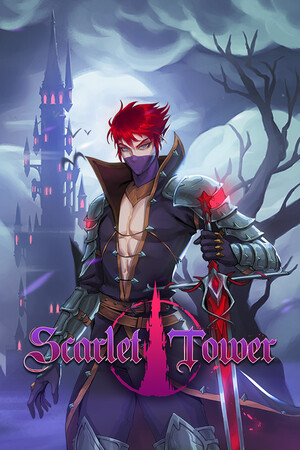
The current official store materials describe Scarlet Tower as a single-player roguelike with heroes, weapons, weapon fusion, passive abilities, racial abilities, pets, runes, achievements, unlockables, bosses, Endless Mode, and long-term progression. They do not publish a code list, developer console, secret password, or supported memory-editing feature.
The official update history also focuses on content, fixes, balance, and community feedback rather than a cheat interface. That means pages promising a guaranteed code should be treated as an unverified claim unless the developer or publisher confirms it through an official channel.
- Check the in-game Unlockables menu before relying on a third-party list.
- Use the official Steam store and the game’s Community Hub for current notices.
- Record the game version when comparing an older guide with your own copy.
| Claim type | Evidence status | Safe response |
|---|---|---|
| Official cheat code | No verified code list found | Use built-in unlocks and achievements |
| Developer-supported Cheat Engine feature | No support confirmed | Use normal progression and official updates |
| Community build or secret | May be useful, but version-sensitive | Cross-check with current gameplay and trusted community posts |
| External file or account request | Unverified and unnecessary | Keep protections active and reject the request |
It means the claim was not confirmed by the official store, publisher information, developer posts, or the current community hub materials reviewed. It does not establish that every player report is fabricated; it establishes that the claim lacks dependable official confirmation.
Real secrets
Use the systems the game actually provides
Scarlet Tower has several mechanics that can feel like cheats because they create large advantages without changing the game files. The store specifically highlights a day-and-night cycle, with relics and vendors that only appear at night. Plan a run around that cycle instead of spending time searching for a code.
The progression layer is another legitimate shortcut. Heroes have unique weapons, abilities, and talents; the game also includes more than 70 weapons, weapon fusion, more than 200 passive abilities, pets, runes, achievements, and thousands of unlockables according to the official listing. These systems reward focused experimentation and make a strong build feel dramatically different from a new save.
Community activity also documents practical discoveries, including achievement routes, fusion references, high-difficulty build advice, and character-specific solutions. For example, the Steam community lists a guide describing Ninn as useful for the underwater breathing challenge in Leviathan’s Lair. That is an in-game character advantage, not a code or file modification.
- Visit night-only vendors and inspect relic opportunities during the correct part of the cycle.
- Open Unlockables and achievements to see the intended requirements for new content.
- Test weapon pairings through the built-in fusion system and keep notes for the characters you use most.
- Use character-specific abilities when a map or environmental challenge favors them.
- Treat community guides as references whose details may change after patches.
| Goal | Legitimate route | Why it works |
|---|---|---|
| More power early | Prioritize talents, relics, and compatible weapon upgrades | The progression systems are designed to compound during a run |
| New characters or weapons | Complete the listed achievements and unlock requirements | The original release notes describe progression through achievements and unlockables |
| Better late-game results | Build around weapon fusion, passives, pets, and runes | These systems provide depth without external tools |
| Map-specific help | Choose a character suited to the challenge | Unique abilities can solve problems that general builds cannot |
A hidden vendor, achievement condition, or character interaction is a real game secret. A downloadable table, altered save, or promise of instant unlocks is an external claim and requires separate verification.
False claims and safety
How to evaluate cheat claims
Common claims include “all unlocks,” unlimited currency, guaranteed drops, instant achievement completion, or a version-specific table that supposedly works for every update. These claims are not supported by the official materials reviewed. They also tend to omit a clear developer source, current version information, or a reliable explanation of how the game itself recognizes the change.
A safer evaluation process is simple. First, look for the same claim in the official store, developer announcements, patch notes, or publisher support. Second, compare the claim with the actual in-game menus. Third, consider whether the proposed method asks for an unusual download, an account sign-in, or a change to device protections. Keep device protections active throughout the process and reject unverified files or credential requests.
Single-player status does not make every external tool harmless. Modified data can corrupt saves, break achievements, create confusing bugs after updates, or expose personal information. A clean installation from the official store gives you the best baseline for troubleshooting.
- Use official stores and publisher-supported methods for installation and updates.
- Keep antivirus, operating-system protections, and account security features active.
- Reject unverified files, credential requests, payment workarounds, and claims without a traceable source.
- Back up important saves through the platform’s supported cloud or local options before troubleshooting.
- Report suspicious listings or misleading claims through the relevant platform tools.
| Warning sign | Better choice |
|---|---|
| No named developer or publisher source | Check official announcements and support channels |
| Universal promise across every version | Confirm the exact build and use normal progression |
| Request for account details | Use platform support without sharing credentials |
| Instructions involving altered game files | Return to the official installation and verify files through Steam |
A safe guide never needs your login details, disables your security software, or replaces the official game installation. Keep protections active and use publisher-supported methods.
Safe alternatives
A practical progression plan
For a strong, clean start, begin with a character whose abilities match your preferred range or movement style. During the first runs, focus on learning the day-and-night timing, identifying vendors, and completing visible achievement goals. The objective is to unlock more options, not to force one perfect build immediately.
As your roster grows, test one weapon-fusion plan at a time. Pair it with passives that support the same damage or survival goal, then add relics, pets, and runes that cover the build’s weakness. Endless Mode is useful for testing how a setup scales after the early game. If a community guide recommends a particular route, compare it with your current patch and treat the result as a starting point rather than a guarantee.
If progression appears broken, use the official Steam file-verification tools, restart the game, check current developer notices, and report reproducible issues through the publisher’s supported community channels. This preserves a trustworthy save and gives you useful evidence for troubleshooting.
- Start with achievements and Unlockables rather than external claims.
- Use night-only content as part of your route planning.
- Build around one fusion concept before adding unrelated upgrades.
- Verify files through Steam when the game behaves unexpectedly.
- Report bugs with your platform, game version, character, map, and reproducible steps.
| Situation | Recommended action |
|---|---|
| A guide mentions an older version | Compare its date and mechanics with the current community hub |
| An unlock is not appearing | Review the in-game requirement and restart through the official client |
| A run feels underpowered | Adjust talents, fusion choices, passives, and character selection |
| A suspicious offer appears | Reject the file or credential request and report the listing |
Use a focused build guide, achievement route, fusion reference, or map-specific strategy. These provide the practical advantage most players want while preserving the intended progression.
FAQ
Common questions
Does Scarlet Tower have official cheat codes?
No verified official code list was found in the current store, update, and community materials reviewed. The game’s intended shortcuts are unlockables, achievements, character abilities, weapon fusion, vendors, relics, pets, and runes.
Is there a developer-supported Cheat Engine mode?
No supported feature was confirmed. Scarlet Tower is listed as a single-player game, but that does not establish support for memory editing or modified files. Use the built-in systems and official installation instead.
What is the closest thing to a real secret?
Night-only relics and vendors, hidden progression knowledge, character-specific advantages, achievement routes, and weapon-fusion combinations are the most reliable examples. Community guides can explain them, subject to version changes.
Can a community guide still be useful?
Yes. Steam community guides can document achievements, fusions, character tricks, and high-difficulty routes. Check the guide date, compare it with your version, and separate gameplay advice from any external download offer.
What should I do if an unlock or run seems bugged?
Use the official Steam client, verify the game files, restart the game, review current developer notices, and report the issue through the publisher-supported Community Hub or support route. Include your platform, version, character, map, and repeatable steps.
Sources
What we checked
Official listings establish current availability and product facts. Community pages are used for mechanics and build history, then labeled separately.