This guide does not provide modified files, bypasses, credential requests, payment workarounds, or instructions that weaken device protection.
Fast answer
The answer before the background
Treat any unofficial Android package as unsafe and unverified. The official listings reviewed are Steam for PC and Nintendo Switch, while Steam Support points players to Pyxeralia and Team17 for help. Keep Play Protect and other device protections active, use an official store, and reject files or messages that request unusual permissions, account credentials, or disabled security checks.
Direct answer
Why a modified download is a poor trade
A modified package is not simply a different shortcut to the same game. It is a repackaged application whose contents, permissions, installer, and update path may differ from the software distributed by the listed publisher. That makes the file’s behavior harder to verify and leaves you without a reliable chain of trust.
Google’s guidance says apps obtained from unknown sources can put a phone and personal information at risk. Possible outcomes include device damage, lost data, hacked personal information, unwanted software, and sensitive permissions being used in harmful ways. Play Protect can warn about, disable, or remove apps it identifies as potentially harmful, but a warning system is not a reason to treat an unknown package as safe.
- Keep Play Protect enabled and leave operating-system security updates active.
- Use official stores and publisher-supported methods for installation and updates.
- Reject any file that asks you to disable scanning, enable broad permissions, or share a password or recovery code.
| Question | Safer answer |
|---|---|
| Is the package verified by the game’s publisher? | Assume it is unverified unless it appears through an official store or a publisher-controlled page. |
| Will it receive dependable updates? | Use the store version, which has a documented distribution and support route. |
| Can it protect your data? | A file from an unknown source can expose the device or personal information, so official distribution is the safer choice. |
A file may install successfully and still be unsafe. Installation proves only that the device accepted the package; it does not verify who built it, what it changes, or what it can access.
Verified availability
Where the supported releases are listed
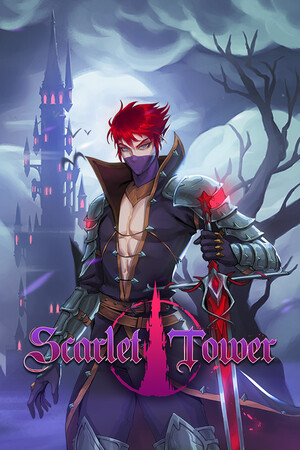
The official Steam listing identifies Pyxeralia LLC as developer and Team17 as publisher. It lists a PC release with Steam features including achievements, Steam Cloud, Family Sharing, and community support. Steam Support also provides a product support route and directs players toward the developer, publisher, forums, and community guides.
Nintendo’s official store page lists a digital Nintendo Switch edition published by Team17 and developed by Pyxeralia. It also records the Switch release date as May 23, 2024, and identifies the game as single-player. These listings give players a dependable place to obtain the software and check platform-specific information.
The sources reviewed did not verify an official Android edition. That matters because an Android package using the game’s name is not automatically an authorized mobile release. Treat the absence of a verified official listing as a reason to use the confirmed PC or Switch options instead of relying on an unverified installer.
- For PC, start with the official Steam store page and Steam’s support page for the title.
- For Switch, use the official Nintendo store listing for your region.
- For technical problems, use the support route connected to the store listing rather than a download site’s contact form.
| Official route | What it provides |
|---|---|
| Steam | A verified PC store listing, platform details, cloud and account-linked features, and Steam Support. |
| Nintendo Switch | A verified digital console listing, supported play information, publisher and developer details, and Nintendo account services. |
| Publisher or developer support | A legitimate route for technical issues, compatibility questions, and product-specific guidance. |
Store availability can vary by country, platform, and date. Confirm the listing shown for your account and region before purchasing.
Risk checklist
Warning signs to recognize before opening a file
Unverified packages often create pressure to act before you can check the source. A page may promise unlocked content, free access, unusual performance, or a special version while steering you away from a store listing. The safety issue is not the promise itself; it is the lack of trustworthy provenance and the extra actions the file or page may demand.
A request for a Google, Steam, Nintendo, email, or payment password is a major warning sign. So is a request to turn off Play Protect, allow installations from an unknown source, grant accessibility or device-administrator access, or install a second helper application. These requests expand what the software can do beyond the game.
Protect your accounts separately from your game files. Use unique passwords, multi-factor authentication where available, and official account-recovery pages. Never paste a one-time code into a download page, chat, form, or installer.
- Verify the developer and publisher in the store listing before installing.
- Check that the product page is on the official store or publisher-controlled domain.
- Pause when a download promises paid content for free or asks for credentials.
- Keep payment details inside the official store checkout rather than entering them into a third-party page.
- If a security tool blocks the file, accept the warning and use the supported release.
| Signal | Safe response |
|---|---|
| Credential request | Close the page and use the official account site if you need to sign in. |
| Security-disable request | Keep protections active and choose the verified store version. |
| Unclear publisher or missing store page | Treat the file as unverified and reject it. |
| Unexpected permissions | Do not grant them for a game installer; use a supported distribution channel. |
A game should not need your account password to install. Unexpected access requests can expose personal data or increase the impact of a compromised package.
Legitimate alternatives
How to get more value without modified access
The official game already offers progression systems intended to provide long-term goals. The store descriptions mention heroes with unique weapons, talents, weapon fusion, passive abilities, pets or familiars, runes, a bestiary, unlockables, bosses, a day-and-night cycle, and endless play. Those systems are safer ways to experiment with builds than replacing the client with an unknown package.
For help with difficult runs, use official community spaces and guides connected to Steam Support. Community-created advice can explain builds, controls, progression, and configuration without asking you to replace the game files. When a guide refers to an old update, compare it with the current store page or update history before relying on it.
If cost is the concern, check the official store for regional pricing or legitimate promotions. If compatibility is the concern, confirm the platform requirements and supported features on the store page. If the game is not available on your device, use a supported platform rather than forcing an unverified mobile installation.
- Learn weapon fusion and talent interactions through normal play and community guides.
- Use the official update history when an older strategy or build behaves differently.
- Check Steam Deck or Switch information on the relevant official listing before buying.
- Contact the listed support route for crashes, missing purchases, or save problems.
| Goal | Supported alternative |
|---|---|
| Faster progression | Use build guides, normal unlocks, and repeated runs. |
| Lower cost | Check official store sales and regional pricing. |
| Better performance | Review platform requirements and official troubleshooting. |
| More information | Use Steam community guides, update history, and publisher support. |
Keep the original client, updates, saves, and account activity inside the platform that distributes the game. That gives you the clearest path to updates and support.
FAQ
Common questions
Is there a verified Android version listed in the sources reviewed?
No official Android release was verified in the current sources reviewed. The confirmed listings are Steam for PC and Nintendo Switch. Use those official routes unless the developer or publisher later announces a supported mobile release.
Can Play Protect make an unofficial package safe?
No. Play Protect can scan for harmful behavior, warn you, disable an app, or remove it. It is an important layer of protection, not a certification that every unknown package is trustworthy.
What should I do if a download asks for my game account password?
Reject the request. Close the page or installer, keep your security protections active, and use the official account or store website for sign-in and recovery. Never share a password or one-time code with a download provider.
Where should I get technical help?
Use Steam Support for the PC release or the support information connected to the official store listing. Steam’s product support page identifies Pyxeralia and Team17 and links players toward official support, forums, and community resources.
Sources
What we checked
Official listings establish current availability and product facts. Community pages are used for mechanics and build history, then labeled separately.