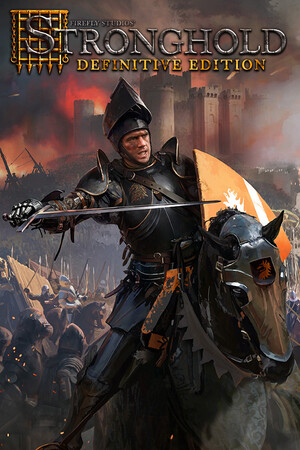
APK files from unofficial mirrors can be modified, bundled with malware, or simply be a different Stronghold game. Treat a download as unverified unless it comes from an official publisher or store listing.
Fast answer
The answer before the background
You cannot currently install the Definitive Edition as a verified native Android game through Google Play. Firefly Studios presents the release as a Windows PC title, and Steam lists Windows 10/11 64-bit as the minimum operating system. Do not use APK sites offering a supposed Android build: no official Android package was found. If you own the PC version, the practical Android option is Steam Link, which streams the game from your Windows computer rather than running it natively on the phone.
Direct answer
Is there an official Android version?
As of September 15, 2026, the evidence points to no official native Android release of the Definitive Edition. Firefly Studios’ official page directs players to the PC release, while the Steam store lists the game for Windows 10/11 64-bit. Firefly’s official Google Play developer page does list mobile products, but they are different games rather than an Android port of this release.
This distinction matters because searches for the series can produce Stronghold Kingdoms or Stronghold Castles. Both are legitimate Firefly mobile games, but neither is the same as the Definitive Edition. They have different gameplay, storefront listings, technical requirements, and online features.
- Verified native route: Windows PC through Steam.
- Verified Android route: Steam Link streaming from a computer that runs Steam.
- Not verified: a native Android APK or Google Play edition of the Definitive Edition.
- Separate official mobile games: Stronghold Kingdoms and Stronghold Castles.
| What you find | What it means |
|---|---|
| The Definitive Edition on Steam | The official PC release. |
| Stronghold Kingdoms on Google Play | An online Stronghold MMO, not the Definitive Edition. |
| Stronghold Castles on Google Play | A mobile-only strategy game, not the Definitive Edition. |
| A random APK labelled with the full PC title | Unverified and potentially unsafe. |
The conclusion is based on the current official store and publisher listings checked on September 15, 2026. A future mobile announcement could change this, so a new Google Play listing from Firefly Studios would be the decisive update.
Official route
How to get the supported version
For the actual Definitive Edition, use the official Steam listing. Sign in to Steam, purchase or redeem the game through the listing, and install it on a compatible Windows computer. The publisher’s own game page also identifies Steam as the supported PC route and highlights Steam multiplayer and Workshop support.
Before buying, compare your computer with the published minimum requirements. The listed baseline is a 64-bit processor and operating system, Windows 10 or Windows 11 64-bit, an Intel Core i3-3220 or equivalent processor, 6 GB of RAM, a graphics card with 2 GB of VRAM for 1080p, DirectX 11, broadband internet, and 4 GB of available storage. These are PC requirements, not Android requirements.
- Open Steam on a Windows 10 or Windows 11 64-bit computer.
- Find the listing published by Firefly Studios.
- Check the hardware requirements before installing.
- Install and launch the game on the computer first.
- Only after the PC version works should you set up Android streaming.
| Requirement | Published minimum |
|---|---|
| Operating system | Windows 10/11 64-bit |
| Processor | Intel Core i3-3220 or equivalent |
| Memory | 6 GB RAM |
| Graphics | 2 GB VRAM for 1080p |
| Graphics API | DirectX 11 |
| Storage | 4 GB available space |
| Network | Broadband internet connection |
If your goal is to play on a phone, buy and test the PC version on the host computer first. Streaming cannot replace the required Windows installation; it only sends the computer’s video and audio to Android.
Android workaround
Use Steam Link instead of an APK
Steam Link is the supported way to view and control a Steam game on Android. Valve says the Android app works on many phones, tablets, and TVs running Android 5.0 or newer. It requires a computer running Steam, and Valve recommends a 5 GHz wireless router for a better experience.
This is streaming, not an Android port. The game remains installed and running on the computer, while Steam Link sends the picture and sound to the Android device and returns your touch or controller input. Performance therefore depends on the host computer, network quality, input device, and distance from the router.
- Install the official Steam Link app from Google Play or Valve’s official distribution route.
- Start Steam on the Windows computer that has the game installed.
- Connect the Android device and computer to the same network for initial setup.
- Pair the device with Steam when prompted.
- Launch the game from the Steam Link library.
- Use a controller where possible; a strategy game designed for mouse and keyboard may be awkward with touch controls.
- Prefer a 5 GHz Wi-Fi connection, or use wired networking for the computer when available.
| Method | Runs the game on Android? | What you need |
|---|---|---|
| Native Google Play app | No verified listing found | Nothing currently confirmed. |
| Unofficial APK | Not trustworthy or supported | Avoid installation. |
| Steam Link | No; it streams from PC | A Windows PC, Steam, the game, and a network. |
| Windows handheld or laptop | Yes, on Windows | The PC version and compatible Windows hardware. |
Steam Link needs the host computer to be powered on, signed in to Steam, and able to run the game. Remote play over the internet may work in suitable conditions, but the most predictable setup is a strong local network.
Safety check
How to evaluate an APK claim
A search result promising a free Android APK is not evidence that the publisher released one. The safest test is to look for a matching Google Play listing whose developer is Firefly Studios and whose title, screenshots, description, and package identity clearly correspond to the game. That listing was not found for the Definitive Edition during this check.
Avoid websites that require a separate downloader, disable Android security protections, request unusual permissions, or claim to provide a paid PC game for free. Even if an APK installs, it may be a repackaged game, an outdated build, a fake login screen, or malware. Installing it can also expose files and account credentials on the device.
- Do not sideload a file merely because its filename contains the game title.
- Do not use modified, cracked, or pre-activated packages.
- Do not enter Steam credentials into an APK or third-party launcher.
- Keep Google Play Protect and Android security updates enabled.
- If you already installed an APK, uninstall it, run a trusted security scan, and change credentials if you entered them.
| Signal | Safer interpretation |
|---|---|
| Publisher is Firefly Studios in Google Play | A useful authenticity signal, though still check the title. |
| Publisher is unknown or hidden | Do not install. |
| The download is an APK from a mirror | Not an official release route for this title. |
| The app asks for unrelated permissions | Stop and investigate before proceeding. |
No verified official APK was identified. Until Firefly Studios announces and publishes an Android build through an official store, treat every supposed native installer as unsafe or incompatible.
FAQ
Common questions
Can I download the Definitive Edition directly from Google Play?
No verified Google Play listing for this specific release was found as of September 15, 2026. Google Play does list other Firefly games, including Stronghold Kingdoms and Stronghold Castles, but those are separate mobile titles.
Can an Android phone run the PC version through an APK?
There is no verified official APK route. The published requirements target Windows 10/11 64-bit and DirectX 11, so an APK claiming to convert the PC release should be treated as unofficial and potentially dangerous.
Can I play it on Android without owning a computer?
Not through a verified native Android release. Steam Link requires a computer running Steam and the game, so it is a streaming solution rather than standalone Android access.
Is Stronghold Kingdoms the same game?
No. Stronghold Kingdoms is Firefly Studios’ online mobile MMO, with different gameplay and progression. It should not be confused with the single-player and multiplayer PC Definitive Edition.
What is the safest Android option?
Install Steam Link from an official Valve route, own the PC game on Steam, and stream it from a compatible Windows computer. If you want a game that runs natively on Android, use an official Firefly mobile listing instead of an APK mirror.
Sources
What we checked
Official listings establish current availability and product facts. Community pages are used for mechanics and build history, then labeled separately.
- OfficialFirefly Studios official Stronghold: Definitive Edition page
- OfficialSteam store listing and PC system requirements
- OfficialFirefly Studios developer page on Google Play
- OfficialStronghold Kingdoms official Google Play listing
- OfficialStronghold Castles official Google Play listing
- OfficialValve Steam Link support for Android