This guide discusses security, privacy, and account risks. It does not provide modified files, cheat instructions, piracy links, payment workarounds, or credential-handling steps.
Fast answer
The answer before the background
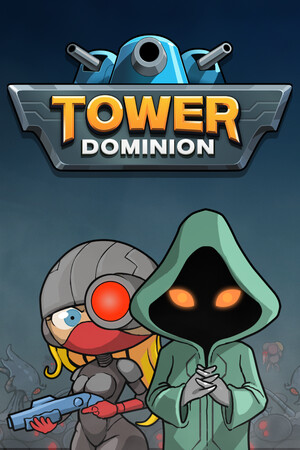
Treat a Tower Dominion trainer, cracked download, or hacked APK as a high-risk shortcut. Modified files can damage device security, expose saved credentials, interfere with updates, corrupt progress, or trigger platform enforcement. The safest route is an official store release, current device protection, and publisher-supported play. Use the game’s factions, heroes, buildings, doctrines, difficulty options, Endless Mode, official patch updates, and community resources to experiment without handing over account details or installing unverified software.
Direct answer
Why modified access carries real risk
A trainer changes how a game behaves through software that the developer or platform may not authorize. A cracked download changes the distribution or licensing path, while a hacked APK is an altered Android package. The label alone does not reveal what else has been added, removed, or changed.
The practical risk is broader than unfair progression. An unknown package may include harmful behavior, excessive permissions, bundled installers, advertising components, or code designed to capture passwords and session information. The Federal Trade Commission explains that malware can steal usernames, passwords, payment details, and other personal information. Google also states that Play Protect checks apps for harmful behavior and may block, deactivate, or remove harmful apps.
- Keep Windows, Android, console software, browsers, and security tools updated.
- Keep Google Play Protect and other built-in device protections active.
- Use official stores and publisher-supported downloads for every edition.
- Reject unverified files, unexpected installers, and requests for account credentials or security codes.
| Shortcut type | Main exposure | Safer choice |
|---|---|---|
| Trainer | Unauthorized process changes, malware, enforcement, or damaged saves | Use official difficulty modes, builds, and strategy resources |
| Cracked download | Untrusted distribution, altered executables, missing updates, and privacy exposure | Use the official Steam or console store listing |
| Hacked APK | Unverified app code, risky permissions, account exposure, and update failure | Use the official mobile store release when available |
A file that promises instant progress while asking for unusual permissions, login details, or security codes deserves a clear safety rejection. Official availability is the reliable test.
Account and platform safety
How access can be affected
Steam’s Subscriber Agreement prohibits unauthorized cheats, hacks, and third-party software that modifies Steam or its content and services. The agreement says Valve may restrict or terminate an account or subscription when conduct breaches those rules. That creates a direct account risk even when the game is single-player, because the software may interact with the platform, files, cloud saves, or account services.
Tower Dominion’s official Steam listing identifies Steam Cloud and achievements, while official announcements describe ongoing balance changes, bug fixes, and progression-related fixes. Modified installations can fall out of step with those updates. That may produce crashes, inconsistent saves, missing achievements, broken cloud synchronization, or support cases that are harder to resolve because the installation no longer matches the supported release.
- Protect the account connected to your store profile, email, and cloud saves.
- Use a unique password and multi-factor authentication on the store account and email account.
- Check the official store page and publisher announcements for legitimate release and update information.
- Contact the platform or publisher through its official support route when progress or access problems appear.
| Risk area | What can happen | Best protection |
|---|---|---|
| Credentials | Login details or session data can be exposed | Use official sign-in pages and refuse credential requests from download pages |
| Progress | Files or cloud data can become inconsistent | Maintain current official builds and supported save locations |
| Access | Platform rules can lead to restrictions | Use authorized software and publisher-supported methods |
| Support | Modified files complicate troubleshooting | Return to the official release and use documented support channels |
A game can be primarily single-player and still connect to a store account, cloud-save service, achievement system, launcher, or update channel. Account and device safety therefore remain relevant.
Safer alternatives
Ways to get more from the official game
Tower Dominion is built around experimentation rather than a single fixed solution. The official store description highlights multiple factions, heroes, buildings, weapons, doctrines, difficulty levels, and Extended Mode. Official patch notes also document balance changes, performance work, new systems, and bug fixes. Those systems provide legitimate ways to test stronger or stranger builds while keeping the installation supported.
For strategic variety, start a run with a different faction or hero, then build around one clear objective such as path control, layered defenses, resource efficiency, or a late-wave setup. Use the game’s available difficulty and Endless options when you want a longer test. The official community spaces are useful for comparing builds, challenge runs, patch effects, and troubleshooting without relying on altered files.
- Read current patch notes before copying an older build, because costs, bonuses, and difficulty pacing can change.
- Use the in-game codex, weapon statistics, doctrines, and upgrade previews where available.
- Compare several official strategies rather than chasing one claimed universal setup.
- Use the pinned official Discord or Steam community support links for questions and bug reports.
- Choose an official sale, bundle, free-play event, or regional store promotion when price is the concern.
| Goal | Supported approach |
|---|---|
| Faster learning | Use the codex, tooltips, weapon statistics, and repeatable short runs |
| More challenge | Raise difficulty or use Endless Mode after learning the core systems |
| Build testing | Compare factions, heroes, doctrines, weapons, and terrain choices |
| Technical help | Check official announcements, community support, and publisher channels |
Official play preserves updates, achievements, cloud-save compatibility, community support, and a clear path to refunds or platform assistance where applicable.
If a risky file is already present
A safe recovery checklist
When an unverified package has already been downloaded or installed, prioritize account and device protection. Keep device security tools active while you review the installation. Use the platform’s normal uninstall and account-security features, then scan with trusted built-in or reputable security tools. Review recent sign-ins and account activity from official account settings.
Change affected passwords from a trusted device, beginning with the email account that can reset other services. Enable multi-factor authentication, review connected sessions, and contact official platform support if store access, purchases, cloud saves, or personal information may be involved. Preserve only personal files that security tools identify as safe, and reinstall the game from its official store listing.
- Keep protection features active during the review.
- Use official account pages to review sessions, purchases, and recovery options.
- Prioritize the email and store accounts linked to the game.
- Use official support when access, payment information, or saved progress is affected.
- Return to a clean official installation before testing the game again.
Security tools and platform support can identify the appropriate next action for a specific device or account. Game communities can help with normal gameplay and supported troubleshooting, but account recovery belongs with the platform or publisher.
FAQ
Common questions
Is a Tower Dominion trainer safe if the game is single-player?
Single-player status does not remove device, credential, save, launcher, cloud, or platform risks. Use official builds and in-game systems for experimentation, and keep device protections active.
What is the risk of a cracked download?
The distribution is untrusted and may contain altered executables, malware, unwanted permissions, missing updates, or damaged save behavior. Use the official store release and supported promotions instead.
Is a hacked APK safer than a trainer?
No. An altered Android package has unverified code and may request sensitive permissions or interfere with updates. Use the official mobile store listing and keep Play Protect active.
Can modified software affect a Steam account?
Yes. Steam’s Subscriber Agreement covers unauthorized cheats and third-party software and allows account or subscription restrictions for rule violations. Use authorized software and official support channels.
How can I get more challenge without modified files?
Use the game’s factions, heroes, doctrines, buildings, difficulty options, Endless Mode, official updates, and community strategy discussions. These systems are designed for repeatable experimentation.
Sources
What we checked
Official listings establish current availability and product facts. Community pages are used for mechanics and build history, then labeled separately.
- OfficialNintendo official Tower Dominion store page
- OfficialTower Dominion official Steam announcements and patch notes
- OfficialTower Dominion official Steam store listing
- OfficialSteam Subscriber Agreement
- OfficialGoogle Play Protect safety guidance
- ReferenceFederal Trade Commission malware guidance