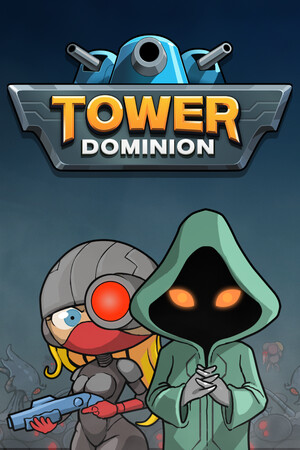
The listing carries a violence rating and includes in-app purchases. It also reports developer-provided data-safety disclosures, including collection or sharing of several data types. Review the current Play details before installing.
Fast answer
The answer before the background
Install Tower Dominion GO from its official Google Play listing. Open Google Play on your Android phone or tablet, search for the exact title, confirm that Nvizzio Creations, Inc. is the developer, and check whether the Install button is available. If Google Play says the app is incompatible, do not force-install a random APK: no verified official APK download page or universal Android compatibility specification was found. Update through Google Play, and contact the listed support address if the store page or installation fails.
Verified route
How to install the mobile edition
The official mobile release is called Tower Dominion GO. The developer’s site links to Google Play, and the game team separately announced that the mobile edition was released through Google Play on December 2, 2025. That makes the store listing the clearest verified route for Android access.
Use these steps:
1. Open the Google Play Store on your Android device.
2. Search for Tower Dominion GO, or open the official listing from the developer’s site.
3. Confirm the developer name is Nvizzio Creations, Inc. and that the package belongs to the game rather than a similarly named app.
4. Read the current device and permissions information shown for your account and region.
5. Tap Install, then launch the game after the download completes.
6. Keep automatic or manual updates enabled through Google Play so later fixes arrive from the publisher’s normal distribution channel.
- The listing currently shows 50K+ downloads and an update date of April 9, 2026.
- The store classifies it as a strategy and tower-defense game for phones and tablets.
- The listing describes the game as single-player and offline.
- The free download includes an in-app purchase that unlocks the full content, according to the store description.
| Check | Verified information | What it means |
|---|---|---|
| Official title | Tower Dominion GO | Use this title when searching on Android. |
| Developer | Nvizzio Creations, Inc. | Check this name before installing. |
| Store status | Available on Google Play | The store is the recommended access route. |
| Online requirement | Listed as offline | You should be able to play the core game without a live connection, although downloads, purchases, or support may still need internet access. |
The Android release is a mobile adaptation with dedicated menus, controls, scoring, leaderboards, and achievements. It is related to the PC game but should not be assumed to contain every PC feature or to share all progression automatically.
Safety first
Why an APK mirror is not the default answer
An APK is an Android installation package, but downloading one from an unofficial mirror changes the trust model. The file may be outdated, repackaged, modified, bundled with unwanted software, or signed by someone other than the publisher. A page that claims to offer a modded, unlocked, premium, or ad-free build is especially risky because the official listing already explains the game’s legitimate purchase model.
For this title, no verified official APK download page was found. The official website points users toward Google Play, and the publisher’s store support information provides a contact route rather than a standalone APK archive. That means a third-party download should not be treated as an equivalent official option.
- Prefer Google Play because the store can check device eligibility and deliver publisher updates.
- Avoid APKs advertised with unlimited purchases, unlocked content, altered files, or removed verification.
- Do not disable Android security protections just to install a file from an unknown source.
- If you already installed a mirror copy, uninstall it, run a device security scan, and reinstall from Google Play.
- Check the developer name and package identity before accepting an installation prompt. The verified Play listing uses the package identifier com.nvizzio.towerdominion.
| Situation | Recommended action |
|---|---|
| Install button is available | Install through Google Play. |
| Play says the device is incompatible | Check Android updates, available storage, and regional availability. Do not jump straight to a random APK. |
| The app is missing from search | Open the listing through the official game site or check whether your Play country differs from the release region. |
| A mirror promises an unlocked version | Avoid it. Treat the file as unverified and potentially modified. |
| The game crashes after installation | Update through Google Play, restart the device, check storage, and contact the support address shown on the listing. |
The developer and Google Play verify the listing and its publisher identity. The advice to avoid mirrors is a safety recommendation based on the absence of a verified official APK channel, not proof that every third-party file is malicious.
Compatibility
What Android users can verify before downloading
Google Play is the most practical compatibility check because it evaluates the app against the device and account viewing the listing. If the page offers Install, the store has accepted that device for the current release. If it shows that the app is unavailable or incompatible, that result may reflect hardware, Android version, region, certification, or other store rules.
The accessible official listing does not state a dependable minimum Android version, required processor, RAM target, or universal storage figure. Do not rely on system requirements copied by APK sites unless the publisher confirms them. Leave additional free storage beyond the download size so Android can install updates and create temporary files.
- Install current Android system updates before troubleshooting compatibility.
- Use a certified device with Google Play services if the store requires them.
- Keep free storage available and avoid installing while the device is nearly full.
- For tablets, rely on the store’s compatibility result rather than assuming every screen size is supported.
- Expect the mobile version and PC version to receive different content or fixes at different times.
| Question | Current answer |
|---|---|
| Is a specific Android version confirmed? | Not from the official information reviewed. |
| Is a specific APK version confirmed? | No reliable public version number was verified in the accessible listing. |
| Does it support tablets? | The Play listing displays phone and tablet device categories, but device-level compatibility still depends on Google Play. |
| Is it offline? | Yes, the listing labels it offline; internet may still be needed for installation, updates, purchases, or support. |
| Will PC progress transfer automatically? | Do not assume it. The store listing and current official material reviewed do not verify cross-device cloud-save transfer. |
Store listings can change independently by country and device. Recheck the listing at installation time instead of relying on a cached APK page or an old compatibility claim.
Troubleshooting
If the official install does not work
First, open the game’s Play page directly and check whether the problem is an unavailable Install button, a pending download, an installation error, or a crash after launch. Those symptoms point to different fixes. A pending download commonly involves Play Store cache, network conditions, storage, or another app update blocking the queue.
For a failed or incomplete install, confirm that the device has stable internet, enough free storage, and an up-to-date Play Store. Restart the device and try again. If the store continues to reject the device, record the exact compatibility message rather than trying several unrelated APK files.
For launch problems, update the app through Google Play, restart Android, and avoid restoring data from an unofficial build. If the problem remains, use the support email listed on the official page: contact@towerdominion.com. Include the device model, Android version, app version shown by Google Play if available, and the exact error message. Do not send passwords or payment details.
- Keep the original Play receipt or transaction record if you purchase the full content.
- Back up important device data before clearing app storage or reinstalling.
- Treat community reports as useful clues, not as confirmation of a universal device requirement.
- If progress matters, ask support about save handling before changing phones or clearing local data.
Current store reviews include user reports about the lack of cross-device or cloud-save transfer, but those are user reports rather than a formal support specification. Assume local progress may not transfer unless the developer confirms otherwise.
Quick answers
Android access FAQs
FAQ
Common questions
Is Tower Dominion available on Android?
Yes. The verified Android release is Tower Dominion GO, and it is listed on Google Play under Nvizzio Creations, Inc.
Where should I download it?
Use the official Google Play listing linked from the game’s website. This route provides the publisher listing, device compatibility check, and normal updates.
Can I safely use an APK instead?
Only use an APK if the publisher provides a verified official file and signature. No such official APK channel was verified for this game, so a Play Store installation is the safer choice.
Why does Google Play say my device is incompatible?
The cause may be Android version, hardware, certification, region, storage, or a store-side restriction. The official material reviewed does not publish a universal minimum specification, so do not bypass the message with an unknown APK.
Does the mobile edition work offline?
Google Play labels it offline and single-player. You may still need internet for the initial download, updates, in-app purchases, or contacting support.
Is this the same as the PC version?
It is a mobile adaptation of the same game concept, with mobile-specific menus, controls, scoring, leaderboards, and achievements. Do not assume feature parity or automatic save transfer.
Sources
What we checked
Official listings establish current availability and product facts. Community pages are used for mechanics and build history, then labeled separately.