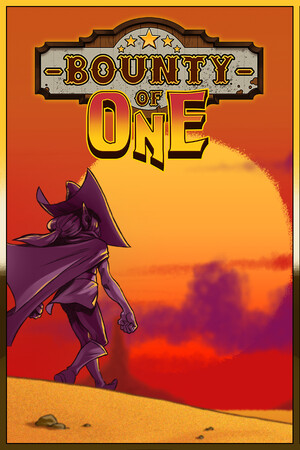
The store rates the game 9+ and notes infrequent cartoon or fantasy violence, contests, and guns or other weapons. The app also contains optional in-app purchases.
Fast answer
The answer before the background
Yes. You can install the mobile edition from the official Apple App Store by searching for “Bounty Of One: Premium” or opening the publisher’s App Store listing. It is compatible with iPhone running iOS 11.0 or later and iPad running iPadOS 11.0 or later. The current listing identifies the game as a paid app and says Endless Mode is live. There is no need to use an IPA file, a third-party installer, or a cloud-gaming workaround for supported Apple devices.
Verified route
How to download it safely
The safest route is the official App Store listing for Bounty Of One: Premium. On an iPhone or iPad, open the App Store and search for the full title rather than relying only on the shorter game name. Check that the listing identifies Erabit Studios as the developer and shows the Bounty of One western bullet-heaven game before purchasing.
If you are reading this guide on the device, use the App Store result supplied by the publisher or developer announcement. If you are searching manually, avoid pages offering an IPA download, a modified app, an unlocked version, or a free premium copy. Those are not the official iOS distribution route and may be unsafe, unavailable, or incompatible with current iOS installation rules.
- Open the App Store on your iPhone or iPad.
- Search for “Bounty Of One: Premium.”
- Confirm the developer, screenshots, age rating, and compatibility details.
- Review the displayed local price and any in-app purchases.
- Tap the price or download control and authenticate with your Apple Account.
- Let the installation finish, then launch the game from the Home Screen.
| Check before installing | What the current listing shows |
|---|---|
| Official title | Bounty Of One: Premium |
| Developer shown | Erabit Studios |
| Device support | iPhone and iPad |
| Minimum operating system | iOS 11.0 or later; iPadOS 11.0 or later |
| Store model | Paid app with optional in-app purchases |
| App size shown | Approximately 595 MB |
App Store titles, prices, ratings, and availability can vary by country or region. Match the app identifier and developer details rather than choosing a similarly named result. If it is missing, check your Apple Account region and search the complete title.
Compatibility
iPhone and iPad requirements
The Apple listing supports iPhone devices that can run iOS 11.0 or later. It also supports iPad devices that can run iPadOS 11.0 or later. In practice, the operating-system requirement is the clearest compatibility test: open Settings, choose General, then Software Update to see whether the device can install a supported system version.
The listing describes the app as designed for iPad, so it is not limited to a phone-sized interface. However, store compatibility does not guarantee identical performance on every supported device. Older hardware may take longer to load, have less free storage, or provide a less comfortable experience during crowded bullet-heavy encounters.
The listed download size is approximately 595 MB, but leave additional free space for installation and future updates. If the App Store reports that the app cannot be installed, first check available storage and the device’s operating-system version. A failed installation does not necessarily mean the game has been removed.
- For iPhone, use iOS 11.0 or newer.
- For iPad, use iPadOS 11.0 or newer.
- Keep more free space than the displayed app size for unpacking and updates.
- Update iOS or iPadOS before troubleshooting the download.
- Use a stable Wi-Fi connection if the download is slow or repeatedly pauses.
| Apple device type | Requirement shown by the listing | Practical advice |
|---|---|---|
| iPhone | iOS 11.0 or later | Check both the installed system and remaining storage. |
| iPad | iPadOS 11.0 or later | The app is marked as designed for iPad; larger screens may be more comfortable. |
| Older Apple hardware | Must still meet the operating-system requirement | Performance and loading times may vary even when installation is allowed. |
The public listing gives the operating-system requirement but does not provide a complete model-by-model performance table. Treat the requirement as the verified minimum and do not assume every compatible device will perform identically.
Current mobile content
Is Endless Mode available on iOS?
Yes. The current App Store listing says Endless Mode is live, and its version history includes that feature in the update notes. This is important because older user reviews still say the mobile release lacked Endless Mode. Those reviews may describe an earlier build and should not override the current version history.
Before judging the feature unavailable, open the App Store and check for an update. If the game is already installed, visit your account’s available updates or open the game’s store page directly. Feature visibility can also depend on the installed build, so compare the version shown on the listing with the version installed on your device.
The developer’s mobile announcement confirms that the game was released for mobile through official Google Play and App Store routes. It does not establish that the iOS and PC versions have identical menus, controls, performance, or content timing. For mobile-specific behavior, use the current iOS listing and in-game update notes as the stronger evidence.
- Endless Mode is listed as live on the current iOS product page.
- Older complaints that mobile lacked the mode may be outdated.
- Update the app before troubleshooting missing content.
- Do not assume PC controls or every PC feature maps exactly to iPhone and iPad.
| Question | Verified answer |
|---|---|
| Can it be downloaded on iPhone? | Yes, through the official App Store listing. |
| Can it be downloaded on iPad? | Yes, with iPadOS 11.0 or later. |
| Is Endless Mode listed for mobile? | Yes, the current store page says it is live. |
| Are iOS and PC versions guaranteed identical? | No. The available sources confirm mobile availability, not complete feature parity. |
If Endless Mode or another update is missing, check the installed version, restart the App Store, and install any pending update before contacting support. Avoid relying on old reviews or third-party version claims.
Troubleshooting
What to do when the download does not work
Start with the simple checks: confirm that the device meets the operating-system requirement, free enough storage, and has a reliable connection. If the store shows a price instead of a download button, the app is not free; authenticate the purchase with the Apple Account used for the device.
If the listing cannot be found, search the full title and check the account’s country or region. Regional storefronts can display different prices or availability. If the game was previously purchased, open the App Store account page and review the purchased apps associated with the same Apple Account.
Do not install a replacement IPA from a download site. Apart from security concerns, unofficial packages may be outdated, altered, unsigned, or unable to receive normal App Store updates. The official listing is the appropriate route for installation and ongoing updates.
- Check Settings, General, Software Update.
- Check Settings, General, iPhone or iPad Storage.
- Confirm the Apple Account region and payment method if prompted.
- Retry over Wi-Fi and keep the App Store open until the download starts.
- If a crash or missing feature persists after updating, use the support contact shown on the store listing.
The listing is a paid app and also displays optional in-app purchases. The price and purchase availability may differ by storefront, tax rules, or later store changes.
FAQ
Common questions
Is there an official iOS version?
Yes. The official mobile release is listed on Apple’s App Store as Bounty Of One: Premium. Use that listing rather than an IPA site or an unofficial mirror.
Can I play it on an iPad?
Yes. The listing supports iPad and requires iPadOS 11.0 or later. It is marked as designed for iPad, although performance can vary by device age and available storage.
What iPhone software is required?
The current listing states that iPhone requires iOS 11.0 or later. Apple’s compatibility result is the best first check, but the store does not publish a complete performance table for every model.
Does the mobile version have Endless Mode?
The current App Store page says Endless Mode is live. Older reviews saying it was absent may refer to an earlier build, so update the app before concluding that the mode is unavailable.
Is the download free?
No. The current listing presents the game as a paid app and also shows optional in-app purchases. Check the price displayed in your own App Store region before confirming.
Sources
What we checked
Official listings establish current availability and product facts. Community pages are used for mechanics and build history, then labeled separately.