This guide includes spoilers for unlocks, bosses, achievements, and Early Access systems. It does not provide modified files, trainer instructions, cracks, credential requests, or methods that weaken device protection.
Fast answer
The answer before the background
I could not verify an official redeemable code, built-in cheat menu, or supported console command for Death Must Die. The genuine secrets are progression-based: unlock heroes, defeat special bosses, reach locations such as The Darkmoor, complete character-specific challenges, and pursue hidden-style achievements. Cheat Engine tables and trainers are community-made, unsupported, and tied to particular PC builds. For a safe shortcut, use official updates, normal unlock conditions, lower Darkness settings, and achievement or build guides rather than downloading modified files.
Direct answer
No verified official codes are available
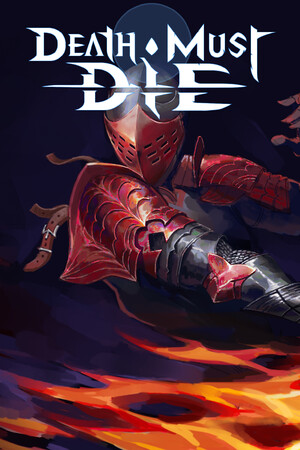
The official Steam store and developer announcement pages describe Death Must Die as an Early Access roguelite focused on heroes, blessings, items, achievements, and evolving chapters. I could not find a developer-published list of redeemable codes, a supported cheat console, or a code-entry screen in the official sources checked.
That means pages promising a secret password, unlimited currency code, instant unlock command, or guaranteed item generator should be treated as unverified. A claim is not confirmed merely because it appears in a search result or because a video shows a modified run. Check the in-game menus and official announcements first.
- Do not enter your Steam password, recovery code, or payment details to unlock a supposed cheat.
- Keep Windows Defender, browser warnings, and Steam security features active.
- Use the official Steam installation and let the game update normally before judging whether a feature exists.
| Claim | Verification status | Safe conclusion |
|---|---|---|
| Official redeemable codes | Not verified in official sources checked | Do not rely on code lists or generators. |
| Built-in console commands | Not verified in official sources checked | Do not assume a launch option or keyboard shortcut is supported. |
| Community trainer or table | Exists in third-party communities | Unsupported, build-sensitive, and not an official secret. |
| In-game secrets and unlocks | Verified through achievements and official game content | Use normal progression and documented objectives. |
Death Must Die is still in Early Access, and the developer has announced major changes to maps, blessings, skills, and future acts. A later patch could add a supported mode or change an unlock, so recheck official announcements after major updates.
Verified secrets
What counts as a real secret
The safest secrets are activities the game itself tracks. Steam’s achievement list confirms character-specific challenges, boss victories, location progression, and unusual run conditions. These are legitimate objectives rather than external cheats.
Examples include reaching The Darkmoor, defeating the Djinn, Lady, Baron, or Insect Queen, winning with a specified talent or blessing, and completing unusual conditions such as winning without taking damage. The achievement list also confirms character-focused goals for Avoron, Merris, Nixi, Skadi, Kront, Lorien, and Leaf.
- Use the in-game character, talent, blessing, and achievement information to identify the required hero before starting a run.
- For location or boss objectives, explore normally and raise difficulty only when your build is ready.
- When an achievement names a talent or blessing, build around that requirement instead of trying to force an external unlock.
- Check current patch notes because locations, item availability, and progression can change during Early Access.
| Type of secret | Verified example | Legitimate approach |
|---|---|---|
| Character challenge | Win using a named talent, blessing, or form | Select the required hero and build toward the listed condition. |
| Boss objective | Defeat the Baron, Djinn, Lady, or Insect Queen | Learn the encounter and use normal run preparation. |
| Exploration objective | Enter The Darkmoor or travel through locations | Explore the available map and follow the current progression. |
| Mastery objective | Win without damage or complete a special run rule | Use defensive blessings, movement, and a suitable Darkness setting. |
If you want discovery without a full solution, read only the achievement names first. They reveal many genuine secrets while leaving the build and route for you to solve.
Third-party tools
Cheat Engine tables and trainers are unsupported
Community pages do document trainers and Cheat Engine tables for the PC version, including options that alter health, dashes, damage, gold, experience, timers, or level values. Those listings demonstrate that modified access exists in the community; they do not make it official, safe, current, or compatible with every build.
A cheat table is normally tied to memory addresses and game behavior from a particular version. Death Must Die’s developer has announced substantial system and environment changes, so an old table may fail, corrupt a run, behave unpredictably, or produce misleading results after an update. The same warning applies to trainers that claim automatic version support.
For this reason, this guide does not provide download instructions or modified-file links. Keep device protections active, use official stores and publisher-supported methods, and reject unverified executables, archives, scripts, and pages that ask you to disable security tools or supply credentials.
- Back up important saves through the platform’s supported tools before experimenting with any third-party software.
- Do not use modified saves or memory tools in online or shared environments, even if a page claims there is no risk.
- If a file triggers a security warning, leave it blocked and remove it rather than creating an exception.
- Prefer a normal run, a lower Darkness setting, or a build guide when the goal is to test an item or achievement.
| Goal | Safer alternative |
|---|---|
| Unlimited health | Use defensive blessings, movement, and a lower Darkness setting. |
| More gold or items | Play shop-focused runs and use current official progression changes. |
| Instant hero unlock | Follow the normal unlock route and complete runs with the available roster. |
| Testing a build | Use a low-risk run and record the blessings, talents, and item combinations. |
| Skipping repetition | Target the achievement or boss directly with a focused build. |
A community tool can be popular and still be unsupported. Popularity, antivirus scans, comments, or a recent upload date do not prove that a file is harmless or compatible with your current installation.
False claims
How to spot misleading cheat pages
False claims often combine a real game name with generic promises such as unlimited gems, one-click unlocks, guaranteed mythic drops, or a universal console code. They may copy old patch information, confuse Death Must Die with another survivors game, or use a fake download button to collect software installations or account details.
Treat a claim as unverified when it has no developer announcement, no reproducible in-game evidence, no current version reference, or no explanation of where the supposed command appears. Screenshots can be edited, and a trainer listing can remain online long after the corresponding build has changed.
- Search the official Steam announcements and store page before trusting a code list.
- Compare the claimed feature with the current menus and achievement descriptions.
- Reject pages that demand surveys, browser extensions, account sign-in, or security exceptions.
- Do not pay for a supposed code, item generator, or payment workaround.
| Warning sign | What it usually means |
|---|---|
| A universal code with no official source | The claim is not independently verified. |
| A download hidden behind several buttons | The page may be monetizing misleading or unsafe downloads. |
| A request for Steam credentials | The request is unrelated to legitimate in-game progression. |
| A tool promising every future patch will work | The claim ignores version-sensitive game changes. |
Do not run it or provide credentials. Delete the file, scan the device with active security tools, change any reused password from a clean device, and use official platform support if you entered account information.
FAQ
Common questions
Does Death Must Die have cheat codes?
No official redeemable code or supported cheat console could be verified in the official sources checked through September 28, 2026. Use normal progression, achievements, and current patch-supported systems instead.
Is there an official Cheat Engine table?
No. Cheat Engine tables found in community forums are third-party modifications. They can be outdated, unsupported, and unsafe to download, so this guide does not recommend or provide them.
What are the real secrets in the game?
The reliable secrets are tracked progression goals such as hero unlocks, special bosses, locations, character-specific talents and blessings, unusual win conditions, and hidden-style achievements.
Can a trainer unlock achievements safely?
A trainer may alter game memory, but that does not make achievement behavior reliable or officially supported. It can also damage progression or become incompatible after an update. Earn the objective through the current game build instead.
What should I do if a cheat site asks for my Steam login?
Close the page and provide no credentials. Keep device protections active, change any reused password from a clean device if you submitted it, and use Steam’s official account-security and support processes.
Sources
What we checked
Official listings establish current availability and product facts. Community pages are used for mechanics and build history, then labeled separately.
- OfficialOfficial Steam community page and developer announcements
- OfficialOfficial Death Must Die achievement list
- OfficialOfficial Patch 0.8.4 announcement
- CommunityCommunity Cheat Engine table listing used to verify third-party availability
- CommunityThird-party trainer listing used to distinguish unsupported tools from official features