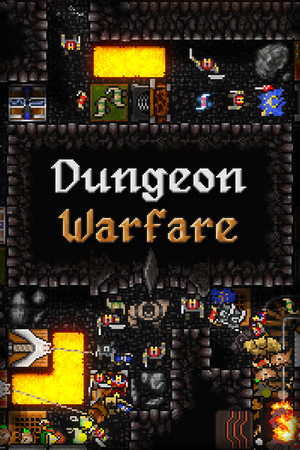
The game has a Teen content rating on Google Play with violence and blood. The third game has an Everyone 10+ rating with fantasy violence and mild blood.
Fast answer
The answer before the background
Use Google Play rather than a third-party APK site. Open the listing for Dungeon Warfare by Valsar, confirm that the developer name and package identify the original game, then select the displayed price or install option. The listing currently shows a $2.99 purchase in the United States, offline play, and phone, tablet, and Chromebook support. No official standalone APK download was verified, and the store page does not state one universal minimum Android version. If Google Play says the app is unavailable for your device, do not force-install a random APK; check your Android version, Play Protect certification, storage, and the developer’s support contact instead.
Official route
How to install the first game from Google Play
The original release is listed on Google Play under the developer name Valsar. It is a paid, single-player tower-defense game rather than a free download, and the United States listing shows a $2.99 purchase price. Play Pass availability may also appear for eligible subscribers, but that can vary by account and region.
On an Android phone or tablet, open the Google Play Store and search for the exact title. Check that the developer is Valsar before paying or installing. You can also open the listing in a browser while signed in to the Google account used on your device; Google Play will then show whether the selected device is compatible.
- Open Google Play and search for the game title.
- Select the listing published by Valsar, not a similarly named application.
- Review the price, content rating, update date, and device compatibility message.
- Tap the price or Install, complete the Google Play purchase if required, and wait for the store to finish downloading.
- Launch the game once, then install future updates through Google Play.
| Store listing detail | Verified status |
|---|---|
| Developer | Valsar |
| Price shown in the United States listing | $2.99 |
| Game type | Single-player tower defense |
| Offline label | Yes |
| Latest listed update for the first game | October 30, 2025 |
| Supported device categories shown | Phone, tablet, and Chromebook |
The store page describes the latest update as an update for new-device and operating-system compatibility. That is useful evidence that the developer has addressed compatibility, but it is not the same as publishing a guaranteed minimum Android version for every device.
Safety check
Why an APK mirror is not the recommended option
No official APK download page for the first game was verified in the developer or store information reviewed for this guide. That matters because an APK obtained from an unrelated site may be modified, repackaged, outdated, or bundled with unwanted software. A page using the game’s name or icon is not proof that the file came from Valsar.
Google explains that Play Protect checks apps installed through Google Play and can also scan applications installed from other sources. It may warn about, disable, or remove an application identified as potentially harmful. That protection is valuable, but it is not a reason to prefer sideloading when an official store listing is available.
- Prefer the Google Play listing over APK websites, file-hosting pages, and download buttons embedded in advertisements.
- Do not install a modified, “free,” “unlocked,” or “premium” build of a paid game.
- Do not disable Play Protect to complete an installation.
- Treat a request for unusual permissions, a separate installer, or a second download as a warning sign.
- If you already installed a mirror copy, uninstall it, run a Play Protect scan, and change important passwords if you entered them into an untrusted app.
| Situation | Recommended action |
|---|---|
| The official listing is visible and compatible. | Install from Google Play. |
| The listing is visible but says unavailable for your device. | Check device and account compatibility; do not force an APK. |
| A site offers a free or modified copy. | Avoid it. |
| You have a legitimate APK from a directly verified developer source. | Check its signature and provenance before installing, but use Google Play if available. |
Android uses APK files as installable application packages, while app bundles are publishing formats that stores process into device-specific APKs. A random APK may therefore be incomplete or mismatched for your hardware, language, or Android version.
Compatibility
What to check when installation is blocked
The store listing does not provide a single minimum Android version that can be safely quoted for every device. Compatibility is determined by Google Play using the app’s published requirements and the device associated with your account. The most reliable test is to open the listing on the exact phone or tablet you plan to use.
First, install pending Android and Google Play system updates and make sure you have enough free storage. Then confirm that the device is Play Protect certified in Google Play under Profile, Settings, and About. Google notes that uncertified or modified devices may have problems with app installation, updates, backups, or normal app behavior.
If the game installs but opens to a black screen or crashes, restart the device, update the game, and check the developer’s support contact shown on the store page. Avoid deleting app data unless you understand whether local progress could be lost. Because the game is labeled offline, an internet connection should not normally be needed for ordinary play after installation, although the store and updates still require connectivity.
- Check the Android version in Settings, then install available system updates.
- Confirm Play Protect certification in the Play Store settings.
- Use the exact device profile shown in Google Play rather than relying on a generic APK compatibility claim.
- Keep free storage available for the installation and future updates.
- Contact the listed developer support address if a current store installation still fails.
| Symptom | Best next step |
|---|---|
| Install button is missing or disabled. | Review the Play Store compatibility message and account region. |
| Download stops or fails. | Check Wi-Fi, storage, Play Store updates, and Google Play services. |
| The game crashes at launch. | Restart, update the app and Android, then contact support if the issue continues. |
| Black screen after a phone upgrade. | Check for the latest store update before considering any reinstall. |
Third-party APK pages often list an Android requirement, but that number was not verified against the current official listing. Use the device-specific result in Google Play instead of relying on an unconfirmed specification.
Series status
Is the third game available on Android?
Yes. The third game has its own Google Play listing under Excidium Games, separate from the Valsar listing for the first game. The store page shows a $6.99 purchase price in the United States, phone support, and a June 23, 2026 update that fixed bugs, improved memory handling, and addressed graphics issues on Pixel 10 series devices.
An official developer announcement on Steam states that the mobile version became available on iOS and Android in a post dated May 14, 2026. That confirms an Android release, but it does not establish that every Android device is supported. Check the store listing from the target device before buying.
- For the first game, look for Valsar as the developer.
- For the third game, look for Excidium Games as the developer.
- Do not assume a listing for one entry is the Android version of another.
- Compare the package, developer, price, update date, and screenshots before installing.
| Entry | Android status verified here |
|---|---|
| Dungeon Warfare | Available through Google Play from Valsar. |
| Dungeon Warfare 2 | A separate Google Play listing exists, but this page focuses on the first game. |
| Dungeon Warfare 3 | Available through Google Play from Excidium Games; mobile release announcement dated May 14, 2026. |
If you are searching for a dungeon warfare 3 android release date, the strongest verified date is May 14, 2026, from the developer’s mobile-release announcement. The later June 23, 2026 date on Google Play is an update date, not the original mobile-release date.
FAQ
Common questions
Is the first game free on Android?
No. The United States Google Play listing shows a $2.99 purchase price, although Play Pass availability may apply to eligible subscribers and regions.
Can I download an official APK instead of using Google Play?
No official standalone APK download was verified for the first game. Google Play is the recommended and confirmed route. Avoid mirrors that advertise modified, unlocked, or free copies.
Why does Google Play say the game is incompatible?
The store may be applying device, Android-version, region, account, or certification requirements. Check the exact device listing, update Android and Google Play services, verify Play Protect certification, and contact the developer if the result appears incorrect.
Does the first game require an internet connection?
The Google Play listing labels it as offline. You still need internet access for the initial Google Play purchase or download and for later updates.
Is Dungeon Warfare 3 on Android now?
Yes. It has a separate Google Play listing from Excidium Games. The developer’s official mobile-release announcement is dated May 14, 2026, and the store page records a June 23, 2026 update.
Sources
What we checked
Official listings establish current availability and product facts. Community pages are used for mechanics and build history, then labeled separately.
- OfficialGoogle Play listing for Dungeon Warfare by Valsar
- OfficialGoogle Play listing for Dungeon Warfare 3 by Excidium Games
- OfficialOfficial Dungeon Warfare 3 mobile release announcement
- OfficialGoogle Play Protect safety guidance
- OfficialAndroid APK and App Bundle documentation
- OfficialGoogle Play Protect certification guidance