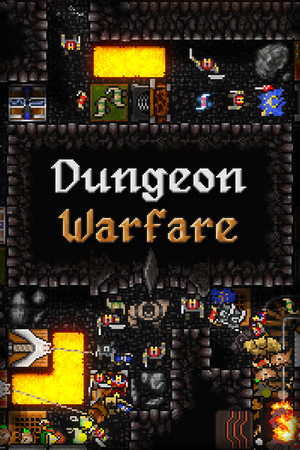
This is a safety explainer. It focuses on verified game features, community-documented secrets, and protective steps for keeping your account, device, and save data secure.
Fast answer
The answer before the background
There is no verified official code list for the original Dungeon Warfare, and no current source confirms a built-in cheat console. The dependable secrets are legitimate game systems: unlock stronger traps through normal dungeon progression, earn Endless mode by obtaining the Infinity rune, and investigate the hidden Crumble Zone stage using the Steam Community guide. Steam also supports Workshop content and a level editor. For lost progress, use the developer’s suggested backup save data path and keep device protections active. Reject unverified files or credential requests, and use official stores and publisher-supported methods.
Direct answer
Are there official codes?
No official redeemable code, secret password, or developer-supported console command is verified for the original game in the sources checked for this guide. The official Steam listing presents progression through traps, upgrades, runes, levels, achievements, Endless mode, Steam Workshop, and the level editor rather than a code system.
Search results that promise instant gems, every trap, automatic achievements, or a universal command should be treated as an unverified claim. A page using the game’s name does not establish that its method is genuine, current, or safe. The strongest evidence remains the Steam store listing, the game’s Steam Community hub, and statements from the developer.
- Use the in-game progression loop: clear dungeons, gain experience, and improve traps.
- Use the official Steam installation and supported game features.
- Check the game’s Steam Community hub for current discussions and guides.
- Keep device protections active while researching or installing any game-related content.
| Claim | Evidence status | Safer conclusion |
|---|---|---|
| Official code list | Not verified | Use normal progression and built-in systems. |
| Built-in cheat console | Not verified | Do not treat a copied command as official. |
| Hidden stage | Community-documented | Use the Steam guide for Cr umble Zone as a reference. |
| Third-party trainer | Not an official game feature | Prefer publisher-supported options and official Workshop content. |
A community guide can document a real discovery, but it is not the same as a publisher announcement. This guide labels community findings separately and avoids presenting unverified claims as facts.
False claims
How to assess cheat-engine claims
Searches for “dungeon warfare cheat engine” often mix the original title with later games, generic trainer pages, or unsupported promises. One prominent trainer directory currently states that it has no cheats available for this game. That does not prove that every external claim is false, but it does show why a download page should not be treated as confirmation.
A trustworthy claim should identify the exact game, platform, version, feature, and evidence. It should also match the game’s actual menus and progression. Claims that promise every achievement, unlimited currency, or a permanent account upgrade without a corresponding official feature are not verified by the sources used here.
Keep your account and device safe by using official stores and publisher-supported methods. Reject unverified files or credential requests. Never give a game-related page more access than its official platform requires, and keep your security software and operating-system protections active.
- Check whether the claim names the original game rather than Dungeon Warfare 2 or Dungeon Warfare 3.
- Confirm that the source is the official store, a developer post, or a clearly labeled community guide.
- Treat missing version details, copied screenshots, and vague promises as signs of weak evidence.
- Keep payment and login activity inside the official store or publisher account system.
- Preserve your original save before experimenting with supported Workshop or editor content.
| Claim pattern | What the evidence shows | Recommended response |
|---|---|---|
| “One code unlocks everything” | No official code list was verified | Use normal progression. |
| “Universal tool works on every version” | No version-specific proof | Reject the unverified file. |
| “Send account details for activation” | Not a publisher-supported method | Reject the credential request. |
| “Save editing is officially supported” | Developer discussion says manual editing is unavailable | Use available backup save data instead. |
Modified-access tools can affect save integrity, achievements, account security, and device stability. A short-term shortcut is not worth losing a legitimate save or exposing account information.
Safe recovery
What to do when progress is lost
In a Steam discussion dated August 4, 2022, a player asked about editing a lost save. A developer account identified as SINGLECOREGAMES replied that manual save editing was unavailable and pointed to backup save data in the installed game folder. That is the clearest publisher-side guidance located for recovery.
Start with the official Steam installation, verify the game files through Steam’s supported tools, and inspect only the backup data that the developer identified. Preserve copies before replacing anything. If the backup is absent or damaged, use Steam Support and the game’s Steam Community discussions for platform-specific help.
The official store also lists Steam Cloud. Cloud synchronization can help preserve progress, but it should be handled through Steam’s own interface and checked before choosing between local and cloud data. Keep device protections active throughout recovery and use only official account channels.
- Close the game before handling any save-recovery process.
- Preserve the current save and any backup copy before making changes.
- Use Steam’s official file-verification and cloud-management features.
- Ask for help through Steam Support or the game’s Community hub.
- Resume progression through traps, runes, achievements, and Endless mode if recovery is unavailable.
| Need | Supported option | Evidence level |
|---|---|---|
| Recover lost progress | Check the developer-mentioned backup save data | Developer discussion |
| Check installation health | Use Steam’s built-in file verification | Official platform feature |
| Protect synchronized data | Review Steam Cloud through Steam | Official store feature |
| Continue without shortcuts | Replay levels and upgrade traps | Official game design |
For most players, the safest replacement for a shortcut is a focused progression plan: replay a reliable level, invest experience into a trap combination that fits the map, and use runes only when the added challenge is worthwhile.
FAQ
Common questions
Is there a working official code for the original game?
No official redeemable code or developer console command was verified for the original Dungeon Warfare in the sources checked for this guide. Use the game’s progression systems instead.
How do I find the real secret stage?
Search the original game’s Steam Community guides for “How To Unlock Hidden Stage,” which identifies Crumble Zone. A separate guide reports a 500-gem clear reward. Follow the guide on Steam and confirm that its instructions match your platform and version.
Does a trainer directory prove that cheats exist?
No. The checked trainer page currently says that cheats are unavailable for this game. A listing, screenshot, or video is not official verification by itself.
Can I edit my save to restore lost progress?
The developer stated in a Steam discussion that manual save editing was unavailable and pointed players toward backup save data in the installed folder. Preserve existing data and use official Steam recovery and support tools.
What is the safest alternative to a shortcut?
Use official progression: clear dungeons, gain experience, upgrade traps, earn runes, unlock Endless mode through the Infinity rune, and use the official level editor or Steam Workshop for supported extra content.
Sources
What we checked
Official listings establish current availability and product facts. Community pages are used for mechanics and build history, then labeled separately.
- OfficialOfficial Steam store page for Dungeon Warfare
- OfficialDungeon Warfare Steam Community hub
- OfficialDeveloper discussion about save recovery
- CommunitySteam Community guide listing for the hidden Crumble Zone stage
- CommunitySteam Community guide listing for clearing the secret level
- ReferenceTrainer availability reference