This is a safety guide. It does not provide modified files, piracy links, cheat instructions, payment workarounds, credential requests, or steps for weakening device protection.
Fast answer
The answer before the background
Do not install a Ratropolis trainer, cracked download, or hacked APK. The official sources checked do not verify any modified-access tool, and third-party files may contain malware, credential theft, unwanted software, or save corruption. Steam also warns that cheats, tampering, and unauthorized software can create account or access problems. Play through an official store or publisher-supported release, keep Windows Security or Google Play Protect active, and use the game’s own cards, leaders, advisers, difficulty, and repeatable runs for progression.
Bottom line
Why unofficial files are a poor trade
A trainer is an external program that changes how a game runs. A cracked build modifies or redistributes the game, while a hacked APK is an altered Android package. None of these categories is automatically trustworthy, even when a page claims that a file is clean, updated, or tested.
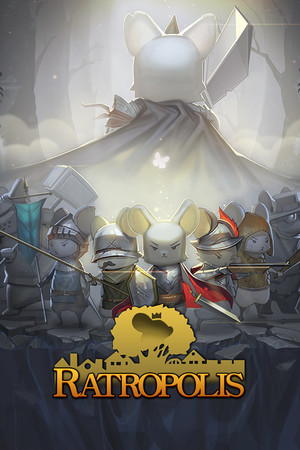
The official Ratropolis listing identifies Cassel Games as both developer and publisher and presents the supported game through Steam. Publisher materials also describe official Windows, Mac, Android, and iOS releases, but they do not endorse a trainer or altered package. That distinction matters: an official release has a known distribution path, while an unofficial file can be repackaged by an unknown party.
Security software may identify these downloads as malware or potentially unwanted applications. Microsoft explains that unwanted software can show intrusive behavior, install other software, use a device for cryptomining, or attempt to steal personal information. Google likewise warns that apps from unknown sources can put a phone and personal data at risk.
- Treat claims such as “undetected,” “unlimited resources,” and “one-click activation” as warning signs rather than proof of safety.
- Reject files that request administrator access, accessibility access, antivirus exclusions, browser extensions, or account credentials.
- Keep device protections active instead of bypassing a warning to make a file run.
| File type | Main concern | Safer choice |
|---|---|---|
| Trainer | May tamper with the game process or bundle unwanted software. | Use official gameplay systems and supported updates. |
| Cracked download | May be repackaged, outdated, incomplete, or malicious. | Obtain the game from its official store listing. |
| Hacked APK | Can request excessive permissions or expose mobile data. | Use an official mobile storefront or publisher-supported release. |
The checked official pages establish supported distribution and game features, not a safe third-party cheat tool. When a trainer’s safety cannot be verified by the developer or platform, the responsible conclusion is to avoid it.
Account protection
How account and save risks develop
A modified file does not need to steal your Steam password directly to cause trouble. It can install a keylogger, spyware, or a fake sign-in page. Steam Support says malicious code can steal account names and passwords and advises scanning the computer before resetting an account password if compromise is suspected.
Credential requests are especially serious. A page or launcher that asks for a Steam password, mobile authentication code, recovery code, email password, or payment details is not a normal requirement for playing a single-player title. Steam says to enter credentials only on official Steam websites and never share your password with people claiming to be support.
There is also a platform-risk question. Steam’s agreement prohibits unauthorized tampering and says accounts or subscriptions may be restricted or terminated for conduct that breaches its rules. Ratropolis is listed as single-player, but that does not make every external process safe or permitted. Achievements, Steam Cloud data, installations, and community access can still be affected by malware, corrupted files, or account theft.
- Use a unique password for Steam and its associated email account.
- Enable Steam Guard and review recent account activity through official Steam support pages.
- Do not approve an unexpected mobile login or enter a code into a third-party page.
- If a file changes browser behavior, launches unknown processes, or triggers security warnings, stop using it and begin device recovery.
If you already installed one
Safe response steps
If you downloaded but did not open an unverified file, delete it and empty the recycle bin. Keep Windows Security, browser protections, or Google Play Protect enabled and run a full device scan. Do not add an exclusion merely because the file claims that security software is blocking a false positive.
If you opened or installed it, disconnect the device from sensitive account sessions while you investigate. Run a full malware scan, remove software you do not recognize, and install pending operating-system and browser updates. On Android, review recently installed apps and permissions, then remove anything unfamiliar after Play Protect has checked the device.
Only after the device is clean should you change the Steam password and the password for its associated email account. Use official Steam recovery or support pages if you see unauthorized activity. If payment details may have been exposed, contact the payment provider through its official contact method and monitor statements.
- Do not reuse a password that may have been entered after installing the file.
- Do not accept help from a stranger who asks for credentials, gift cards, remote access, or authentication codes.
- If the device remains unstable after scanning, use the operating system’s trusted recovery options or a qualified local technician.
Scan first, secure accounts second. Changing passwords on an infected device can expose the new passwords as well.
Legitimate options
Progress without modified access
Ratropolis is designed around repeated runs and strategic adaptation. The official Steam description highlights more than 500 cards across economy, building, military, and skill categories, along with leaders, advisers, upgrades, and city defense. Those systems provide a supported way to experiment with stronger decks and different approaches without replacing game files.
Use the official installation, let the platform deliver updates, and check the publisher’s official posts for supported changes. If a run ends, treat the next attempt as part of the progression loop: improve card choices, balance economy with defense, and select advisers that match the plan for that run.
For technical problems, prefer file verification, reinstalling from the official store, checking Steam Cloud behavior, or contacting platform support. A legitimate troubleshooting step should repair the supported installation, not ask you to download an executable from an unknown host.
- Experiment with economy, building, military, and skill card combinations.
- Use leaders and advisers to change the shape of a run instead of seeking an external boost.
- Check official announcements for fixes, save-related changes, and supported releases.
- Use a legitimate refund or purchase-support route when the game is not working as expected.
FAQ
Common questions
Is there an official Ratropolis trainer?
No official trainer is verified by the Cassel Games or Steam sources checked for this guide. A third-party page claiming to offer one should be treated as unverified, especially if it requests a login, security-code entry, antivirus exception, or administrator access.
Is a cracked download safer because Ratropolis is single-player?
No. Single-player status does not remove malware, spyware, credential-theft, privacy, or save-corruption risks. It also does not make unauthorized tampering acceptable under platform rules.
What should I do if a hacked APK asks for unusual permissions?
Reject the installation. Keep Google Play Protect active, use an official mobile storefront or publisher-supported release, and avoid granting accessibility, device-administrator, SMS, contacts, or storage access to an unverified game package.
Can I use community advice to fix a broken save?
Community discussions can provide ideas, but verify risky steps before using them. Prefer Steam Cloud controls, official installation repair, backups, and platform support. Never download a replacement executable or share account credentials as part of a save fix.
What is the safest alternative to cheating?
Use the game’s supported deck-building systems, leaders, advisers, upgrades, and repeatable runs. For technical issues, repair or reinstall the official build and check publisher or platform announcements.
Sources
What we checked
Official listings establish current availability and product facts. Community pages are used for mechanics and build history, then labeled separately.
- OfficialRatropolis on Steam
- OfficialCassel Games Ratropolis press kit
- OfficialSteam Support: Account Stolen
- OfficialSteam Subscriber Agreement
- OfficialMicrosoft Support: Protect your PC from unwanted software
- OfficialGoogle Play Help: Play Protect