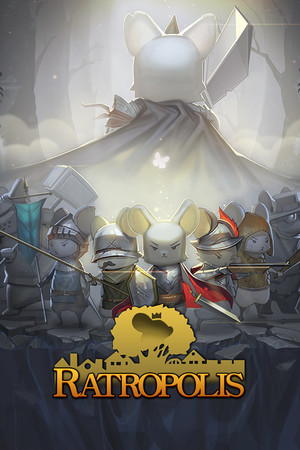
The game has an age rating of 13+ and includes infrequent cartoon or fantasy violence, horror or fear themes, and references to alcohol, tobacco, or drugs.
Fast answer
The answer before the background
To get Ratropolis on an Apple device, open the official App Store listing for the game, confirm that the developer is Cassel Games, and select Get. The listing supports iPhone and iPad, with Apple showing iOS 10.0 or later for iPhone and iPadOS 10.0 or later for iPad. It is free to download with optional in-app purchases. Because the app is large and the published version history is old, use a stable Wi-Fi connection and check the listing on your device before installing.
Official route
How to download it on iPhone or iPad
The safest way to install the game is through Apple’s App Store rather than a third-party download site. Search for “Ratropolis” in the App Store, or open the official product page from a trusted Apple device. Check that the developer name is Cassel Games before downloading. This helps avoid similarly named apps and unofficial files.
On the product page, tap Get and authenticate with Face ID, Touch ID, or your Apple Account password if requested. The download is free, although the listing includes optional in-app purchases. After installation, launch the game from the Home Screen and allow the initial files to finish loading before starting a run.
If the game does not appear in App Store search, use the direct product page from the sources below. Apple storefronts are region-specific, so a listing may be unavailable or displayed differently in some countries. Do not rely on random download pages claiming to provide an iOS file; standard iPhone and iPad installations should use the App Store.
- Open the App Store on the iPhone or iPad.
- Search for Ratropolis and verify that Cassel Games is the developer.
- Review the requirements, size, rating, and purchase information.
- Tap Get, authenticate, and wait for the download to complete.
- Start the app only after the installation indicator has finished.
| Device | Published minimum requirement | Practical check |
|---|---|---|
| iPhone | iOS 10.0 or later | Update iOS if Apple offers a compatible system update, then check available storage. |
| iPad | iPadOS 10.0 or later | Confirm that the model can run the required iPadOS release and has enough free space. |
| Mac with Apple silicon | macOS 11.0 or later, according to the listing | This is a separate compatibility case; use the Mac App Store presentation shown for your account. |
The Apple listing identifies Cassel Games as the developer and presents the app as free with in-app purchases. The developer’s press-kit information also lists iOS among the supported platforms.
Compatibility
What iPhone and iPad support means
Apple’s listing states that the app supports iPhone with iOS 10.0 or later and iPad with iPadOS 10.0 or later. That is the published operating-system requirement, not a promise that every old device will deliver the same performance. The game uses real-time deck-building and defense systems, so loading speed, memory pressure, and crashes can still vary between models.
The store page describes the app as designed for iPad and lists both iPhone and iPad compatibility. If you are installing it on an older device, check the exact model in Settings before downloading. On iPhone, open Settings, choose General, and select About to see the model name and current software. On iPad, the same General and About screens provide the model information.
The listed app size is approximately 1.4 GB. Leave additional free storage beyond the displayed download size because iOS may need temporary room to download, unpack, and install the app. A nearly full device can fail during installation even when the stated app size appears available.
- Meet the operating-system requirement shown on the App Store page.
- Keep more free storage than the displayed app size.
- Prefer a recent backup before installing on an older device.
- Use Wi-Fi if your mobile data plan has a download limit.
- Update the app through the App Store if a later listing version becomes available.
The minimum iOS or iPadOS version is the clearest verified requirement, but it does not confirm smooth play on every model. Older App Store reviews report loading and crashing problems on some devices, so treat performance on older hardware as uncertain rather than guaranteed.
Troubleshooting
If the download or first launch fails
First, return to the App Store page and confirm that the app still shows Cassel Games as the developer. If the Get button is missing, the issue may relate to account restrictions, regional availability, device compatibility, or an App Store connection problem rather than the game itself.
If the download stops, check free storage and restart the download. A stable Wi-Fi connection is preferable because the listing shows a large installation. Restarting the device can also clear a stalled App Store session. If iOS reports that the app requires a newer system, install the latest update supported by the device or use a newer iPhone or iPad.
For crashes during loading, close other applications, restart the device, and install any available App Store update. If the problem continues, reinstalling may help, but only do so after considering whether local progress could be lost. The public store information does not verify cloud-save support, cross-device transfer, or guaranteed recovery after deletion, so do not assume those features exist.
Because the publicly visible iOS version history is dated, some current behavior may not be documented on the store page. If the listing gives a different requirement or version on your device, follow the live Apple page over older references.
- Check storage, network access, and the Apple Account currently in use.
- Restart the device before trying another installation.
- Update iOS or iPadOS only if the device supports the update.
- Check for an App Store update before reinstalling.
- Contact the developer through the support route shown on the store page if crashes persist.
The available sources do not establish a current universal performance guarantee, cross-save behavior between mobile and PC, or a complete list of supported device models. Those details may depend on the live store listing and the device used.
FAQ
Common questions
Is the iOS version free to download?
Yes. The App Store listing presents the game as free with optional in-app purchases. The listing also shows purchasable content, so some features or leaders may use separate purchases.
Can I play it on an iPad?
Yes. Apple lists the app as designed for iPad and states that iPad devices require iPadOS 10.0 or later. Check your exact model and available storage before installing.
What iPhone software is required?
The published App Store requirement is iOS 10.0 or later for iPhone. This is the operating-system minimum, not a guarantee that every older iPhone will run the game without loading or stability issues.
Why can I not find it in the App Store?
Search results can differ by country, Apple Account region, device compatibility, and storefront status. Use the official product page, verify the developer is Cassel Games, and follow the live availability shown by Apple.
Does the iOS version match the PC version?
The developer identifies iOS and PC as supported platforms, but the available store information does not verify identical content, controls, saves, or feature parity. Treat the mobile release as its own version unless the developer confirms a specific shared feature.
Sources
What we checked
Official listings establish current availability and product facts. Community pages are used for mechanics and build history, then labeled separately.