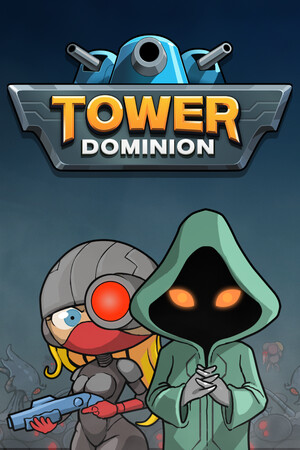
This guide covers modified-access safety. It does not provide altered files, credential requests, payment workarounds, piracy links, or instructions that weaken device protection.
Fast answer
The answer before the background
No verified public code, developer console command, or official unlock-all shortcut is documented for this game. The legitimate route is to earn heroes through achievements, discover buildings and Codex entries during play, and complete commander-specific or doctrine-related objectives. Keep device protections active, use the official store and publisher-supported channels, and reject unverified files or credential requests. Community guides can help identify objectives, but treat version-specific claims as provisional until the current game confirms them.
Verified status
Official codes: none confirmed
The official website and Steam store describe a roguelike progression system rather than a code-entry system. The store specifically identifies achievements, discovered building upgrades, and Codex secrets as the routes to additional content. The official announcements reviewed contain patch notes, events, balance changes, and platform news, but no active redemption-code list.
That means a page promising a current currency code, a universal hero code, or an unlock-all command is not verified by the sources checked here. Codes can be added in a future update, but a claim should carry an official announcement or an in-game redemption screen before it is treated as genuine.
- Check the title screen, settings, and official announcements for a clearly labeled redemption feature.
- Use the exact platform version when checking a claim, because PC, console, and mobile editions may not share every feature.
- Record the patch number and date when testing a community-discovered behavior.
| Claim type | Evidence status | Safe conclusion |
|---|---|---|
| Public redemption codes | No official list located | Treat code lists as unverified until published by the developer or publisher. |
| Developer unlock-all command | No official documentation located | Use achievement and progression routes instead. |
| Free currency or premium rewards | No verified official offer located | Use official store events and publisher announcements only. |
A screenshot, search result, or social post is not enough to establish an active code. Prefer an official announcement, an in-game message, or a current store-linked feature.
Real secrets
What can actually unlock content
The store description confirms that heroes are earned through achievements, building upgrades are discovered, and the Codex contains secrets. Those are the game’s documented secret systems, not hidden passwords. The official site also explains that each faction has its own biome, towers, and ten heroes, so a single commander or faction is unlikely to reveal every unlock.
The community wiki records tech as a limited resource used for powerful building upgrades. It also lists commander-linked sources of tech and upgrade positions. These details are useful for planning, but the wiki is a reference rather than a publisher guarantee, so check the current Codex and patch behavior before treating a requirement as permanent.
A Steam Community building guide adds a practical discovery: some buildings are commander-specific, and advanced building doctrines depend on completing expertise-related progression. It is a player guide, so use it as a route-planning aid rather than as an official promise about every version.
- Rotate through commanders and factions instead of repeating one favorite run.
- Read every achievement description and note which unlocks appear tied to a specific commander.
- Use the Codex to identify missing buildings, doctrines, and entries before starting a targeted run.
- Save screenshots of unusual unlock conditions so you can compare them after updates.
- Spend tech deliberately because the reference material describes it as limited during a run.
| Goal | Legitimate route | Practical approach |
|---|---|---|
| New hero | Achievement progression | Choose a run that directly supports the achievement condition. |
| Building discovery | Normal play and Codex progression | Play varied commanders and inspect new reinforcement choices. |
| Advanced doctrine | Building expertise progression | Complete the required building and doctrine steps within eligible runs. |
| Codex secret | Exploration and repeated runs | Track missing entries and test one condition at a time. |
The exact names, costs, draw chances, and requirements can change. Confirm them in the current Codex, current patch notes, or a recently maintained community guide.
False claims and risk
How to assess Cheat Engine and unlock-all claims
Searches for a tower dominion cheat engine or tower dominion cheat engine table may lead to files described as trainers, save editors, or unlock tools. The existence of a download page does not establish that a file works, is current, or is safe. A table can be outdated after a patch, fail to match a platform build, or include unwanted software.
The same standard applies to tower dominion cheats reddit discussions. Reddit and Steam Community posts can reveal player experiences, but they are user-generated and may contain old version details, incomplete tests, or unsafe file references. Use community discussion to identify a question, then verify the answer through the game, official announcements, or a reputable reference page.
An alleged tower dominion unlock all cheat is especially easy to misrepresent because the game stores several kinds of progression: achievements, Codex entries, buildings, commanders, and doctrines. A file that changes one visible value may leave other progression incomplete or damage the save.
- Keep device protections active and scan every downloaded file with your operating system’s security tools.
- Use official stores and publisher-supported methods for installation, updates, support, and purchases.
- Reject files that request account passwords, payment details, remote access, security exclusions, or unusual permissions.
- Back up legitimate saves through supported cloud or local options before troubleshooting progression problems.
- Report suspicious offers to the hosting platform instead of testing them on your main installation.
| Signal | What it means | Safer response |
|---|---|---|
| No patch number or build compatibility | The claim may be obsolete | Check the current version before relying on it. |
| Credential or payment request | The offer is not a normal game unlock process | Reject it and use official support. |
| Security exclusion or disabled protection request | The file requires weakened device defenses | Keep protections active and leave the file unused. |
| Promise of every unlock instantly | The claim lacks a documented game route | Use achievement, Codex, and commander progression. |
Community reports describe progression-reset questions and warn that save manipulation can cause permanent loss. Use supported troubleshooting and contact the developer through official channels when a save behaves unexpectedly.
Safe alternatives
Fast legitimate progression plan
Start by choosing one clear objective, such as an achievement, a missing building, or a Codex entry. Build the run around that objective rather than trying to force every unlock at once. The game’s design gives you limited rewards after waves, so a focused route usually produces more reliable progress than repeatedly restarting for a perfect opening.
For building-related discoveries, play several commanders and inspect the reinforcement pool after each wave. For doctrine-related goals, prioritize the required building and its upgrades, then record whether the advanced option appears in a later run. For achievement goals, use the lowest difficulty that still permits the condition unless the objective itself requires a harder setting.
If a patch changes behavior, compare the official announcement with a recently updated Steam Community guide or community-wiki page. Keep your installation current through the official store and use publisher-supported reporting for bugs, missing unlocks, or corrupted progress.
- Create a short checklist for the achievement or Codex entry you are pursuing.
- Use different factions to expose faction-specific heroes, buildings, and terrain options.
- Review patch notes before repeating a route that previously worked.
- Prefer reproducible in-game tests over claims based on one unusual run.
- Keep a clean save and avoid mixing troubleshooting experiments with your primary progression.
| If you want... | Use this alternative |
|---|---|
| More resources | Improve pathing, choke points, terrain height, and tower placement. |
| More unlock chances | Play longer eligible runs and vary commanders and factions. |
| A fresh progression route | Use a separate supported profile or platform feature when available. |
| Help with a bug | Check official announcements, Steam Support, and publisher channels. |
The reliable shortcut is better route planning, not an unverified download. The game explicitly rewards achievements, discovery, and repeated adaptation, so those systems are the safest way to reach the full content.
FAQ
Common questions
Are there any working official codes?
No verified public code list was found in the official website, Steam store materials, or official announcements reviewed. Check the game and publisher channels for future additions rather than relying on code pages without official evidence.
Can Cheat Engine unlock every hero and building safely?
There is no publisher-supported unlock-all method documented in the sources checked. Modified-access tools can be outdated or unsafe and can affect saves or installation stability. Use achievements, commander-specific runs, Codex discovery, and doctrine progression instead.
Are tower dominion cheats reddit posts reliable?
They can provide useful leads, especially for unusual unlock conditions, but they are community reports rather than universal proof. Check the post date, game version, comments, and current Codex behavior before relying on a claim.
What is the safest way to unlock hidden content?
Rotate commanders and factions, pursue achievement conditions, inspect Codex entries, and complete building or doctrine objectives during normal runs. Keep the game updated through the official store and preserve legitimate saves.
What should I do if an unlock disappears after an update?
Record the platform, game version, affected unlock, and the steps that preceded the problem. Keep device protections active, verify the official installation, check current patch notes, and contact publisher-supported support rather than editing files or changing system protections.
Sources
What we checked
Official listings establish current availability and product facts. Community pages are used for mechanics and build history, then labeled separately.
- OfficialOfficial Tower Dominion website
- OfficialTower Dominion on Steam
- OfficialOfficial Steam announcements and patch notes
- CommunityTower Dominion community wiki: Tech
- CommunityTower Dominion community wiki: Doctrines
- CommunitySteam Community building unlock guide
- CommunitySteam Community progress-reset discussion