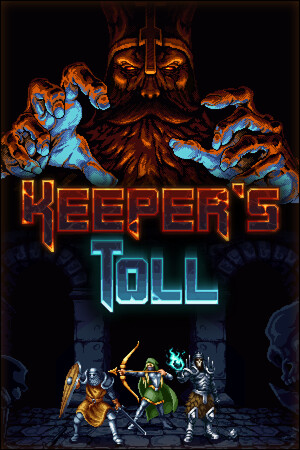
The game contains fantasy violence, blood, and dark-fantasy themes. Unofficial APK files also carry security, privacy, compatibility, and data-loss risks.
Fast answer
The answer before the background
As of September 4, 2026, I could not verify an official Android edition of Keeper’s Toll on Google Play or through the developer’s current website. The official platform list names Steam, Nintendo Switch, PlayStation 4 and 5, Xbox One, Xbox Series X|S, and Microsoft Store for Windows, but not Android. Do not download an APK from a third-party mirror simply because it uses the game’s name. If a mobile version is announced later, use a Google Play listing whose developer identity matches Stingbot Games or a direct announcement from the developer, then check the listed Android requirements before installing.
Verified status
What the official information shows
The developer’s current game page says that the title is available on Steam, Nintendo Switch, PlayStation 4 and 5, Xbox One, Xbox Series X|S, and Microsoft Store for Windows. Android is not included in that list. The official Nintendo page likewise identifies a Switch edition, while the official Xbox listing identifies Xbox and PC-related access rather than a mobile build.
I also checked Google Play searches for the exact title and did not find a verifiable listing published by Stingbot Games or its known publishing partners. That is not proof that an unindexed regional test build can never exist, but it means there is no confirmed public Android download route to recommend now.
The practical conclusion is simple: treat the game as unavailable on Android unless the developer publishes a new announcement, official store page, or support article that specifically confirms mobile support.
- Verified: the official platform list excludes Android.
- Verified: the PC version has Windows system requirements on Steam, not Android requirements.
- Unverified: any APK claiming to be the official mobile edition.
- Unverified: Android performance, controller support, cloud saves, touch controls, and mobile patch compatibility.
| Access route | Status | What to do |
|---|---|---|
| Google Play | No official listing verified | Search the exact title and confirm the developer before installing. |
| Developer website | No Android download identified | Use it for announcements and platform updates. |
| Third-party APK mirror | Not verified | Avoid unless the developer directly confirms the file and its signature. |
| Official PC or console stores | Verified platforms | Use the store matching your supported device. |
A page that offers an APK is not evidence of an official port. A familiar icon, copied screenshots, or a package name containing the game title can be fabricated.
Official route
How to check Google Play safely
If a mobile release appears in the future, start in the Google Play Store app rather than downloading a file from a search result. Search for the full game title, open the listing, and inspect the developer name, description, screenshots, update history, reviews, permissions, and supported-device information.
Google Play normally shows whether an app is compatible with the Android device associated with your account. If the Install button is missing or the store says that the app is unavailable for your device, do not work around that warning by installing a random APK. Compatibility can depend on Android version, processor architecture, graphics support, region, screen configuration, and the developer’s device filters.
Before paying or installing, compare the listing with the developer’s official site. The safest match is a store page reached from an official announcement or a developer-controlled link. If the publisher name, artwork, contact address, or package details do not match, stop and verify it first.
If an official listing eventually becomes available, record its version number and update date before installing. That creates a useful baseline when troubleshooting crashes, missing saves, controller problems, or an update that changes performance.
- Open Google Play directly and search for the exact title.
- Confirm the developer identity and official website details.
- Read the device-compatibility message before installing.
- Check the update date and version information.
- Keep Play Protect enabled and install Android security updates.
| Store check | Good sign | Warning sign |
|---|---|---|
| Developer | Matches the known developer or publisher | Unknown company, copied branding, or no clear identity |
| Listing history | Consistent updates and genuine reviews | New listing with inflated reviews or no history |
| Compatibility | Your device is listed as supported | Install blocked or requirements are missing |
| Support | Official support contact and privacy information | Only a file-hosting page or messaging-app link |
Google Play availability can vary by country and device. If you are outside the United States, a regional difference is possible, but it should still be confirmed through the official developer or a genuine Google Play listing.
Safety first
APK risks and what to do if you find one
An APK is Android’s installable application package. Sideloading can be legitimate for some software, but an unknown game APK may be modified, bundled with malware, designed to steal account information, or unable to update correctly. A file can also install successfully and still be a counterfeit build.
Google says that apps from unknown sources can put the device and personal information at risk. Play Protect scans apps installed from Google Play and other sources, but a clean scan is not the same as proof that the file came from the game’s developer. Do not disable Play Protect merely to force an installation.
If you already downloaded a file, do not open it yet. Delete it if the source cannot be tied to an official announcement. If you installed it, uninstall it, run a Play Protect scan, review recently granted permissions, check for unfamiliar accessibility or device-administrator access, and change important passwords from a separate trusted device if you entered them while the app was running.
Never trust claims such as “unlocked,” “free full version,” “latest mobile port,” or “required verification.” These are common reasons to push modified packages, extra installers, surveys, or credential-stealing pages.
- Do not disable security tools to install an unknown package.
- Do not enter Google, Steam, console, or payment credentials into an APK’s login screen.
- Do not install a second package or “verification app” offered by the download page.
- If the file is split into multiple packages, do not assume that makes it official.
- Keep a backup of important Android data before testing software from outside Play.
Verify the download page, publisher identity, release version, file hash or signing information if supplied, and stated Android requirements. Prefer an official store release because updates, billing, device filtering, and malware checks are handled more consistently.
Compatibility
What can and cannot be confirmed today
There is no verified Android build from which to derive a minimum Android version, required RAM, storage size, GPU support, touch-control layout, or controller compatibility. Do not copy the Windows minimum requirements from Steam and treat them as Android specifications; they apply to the PC edition.
The same caution applies to connectivity. The title is presented on official store pages as a single-player game, but that does not establish whether a hypothetical Android version would work offline, require an account, use cloud saves, or download additional data. Those details must come from a mobile-specific listing or developer support statement.
For an actual Android game that is officially released later, check storage space, Android version, processor architecture, controller support, offline requirements, save synchronization, and whether purchases carry across platforms. Install the game from a supported device profile and update it through the same store used for the original installation.
- No Android minimum version is verified.
- No Android APK size or storage requirement is verified.
- No touch-control or gamepad support is verified.
- No mobile connectivity or cloud-save behavior is verified.
- Do not assume PC or console ownership grants an Android copy.
At present, the safe answer is to wait for an official Android announcement rather than sideloading an unverified package. The supported alternatives are the PC and console editions listed by the developer.
FAQ
Common questions
Is there an official Google Play download for the game?
I could not verify one as of September 4, 2026. The developer’s current platform list does not include Android, so there is no confirmed Google Play route to recommend.
Can I install a third-party APK instead?
You may be able to install some APK files, but that does not make them official, safe, or compatible. Avoid any package that is not linked from a verifiable developer announcement, and never disable Play Protect to bypass a warning.
Why does an APK website say that a mobile version exists?
APK sites can use game names, screenshots, and copied descriptions without authorization. Their claims should be treated as unverified until the developer confirms the package through an official channel.
Will the PC version run directly on Android?
No supported Android method is documented by the official sources checked here. The Steam requirements are for Windows, and they should not be treated as Android compatibility information.
What should I do if an official mobile listing appears later?
Open it in Google Play, confirm the developer identity, read the Android requirements, check the version and update date, and install only if your device is shown as supported. Keep Play Protect enabled.
Sources
What we checked
Official listings establish current availability and product facts. Community pages are used for mechanics and build history, then labeled separately.
- OfficialStingbot Games official Keeper’s Toll page and platform list
- OfficialOfficial Steam store page and Windows system requirements
- OfficialOfficial Nintendo Switch product page
- OfficialGoogle Android Help: downloading apps and unknown-source risks
- OfficialGoogle Account Help: Play Protect and harmful-app scanning