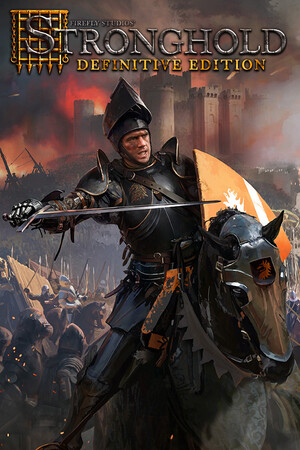
Cheats change progression and disable achievements for the active session. Unofficial cheat tables and modified files add compatibility and account-security risks, so use the built-in menu, official Workshop, and the map editor instead.
Fast answer
The answer before the background
Yes. Stronghold: Definitive Edition has supported cheats. Open Game Options and select the Chicken menu. From the main menu, it can unlock campaigns; during a game, it provides options such as free buildings and extra gold. The v1.1 update also restored the original cheat keys: Alt+X gives 100 gold and 100 popularity, and Alt+K makes buildings free after the re-enable-cheat-keys option is switched on. Cheats disable achievements for that session, so use a separate save or a separate play session. Keep device protections active, use official stores and publisher-supported tools, and reject unverified files or credential requests.
Cheat keys
The two verified keyboard codes
The v1.1 update documents an option to re-enable the original cheat keys. Once that option is active, the two confirmed keys are straightforward: Alt+X adds 100 gold and 100 popularity, while Alt+K makes all buildings free.
These are the only keyboard effects directly confirmed by the patch documentation used for this guide. Older Stronghold guides often list a much larger set of commands, but those lists may belong to Stronghold HD, an earlier build, or another game in the series. Use the in-game Chicken menu when a result is not shown in the current documentation.
- Alt+X: adds 100 gold and 100 popularity.
- Alt+K: makes buildings free.
- Enable the official re-enable-cheat-keys option before testing either shortcut.
- Use the current game build and keyboard layout when checking the result.
| Shortcut | Confirmed effect | Best use |
|---|---|---|
| Alt+X | Adds 100 gold and 100 popularity | Recover a test settlement or try a costly build |
| Alt+K | Makes buildings free | Experiment with layouts and defenses |
| Unverified legacy lists | Not confirmed for this edition | Use the Chicken menu or official documentation instead |
Stronghold: Definitive Edition, Stronghold HD, and Stronghold Crusader: Definitive Edition do not share every code or menu. A code copied from another edition is not evidence that it works here.
Secrets and alternatives
Real features worth using instead of external tools
The most useful hidden-style feature is the Chicken menu itself, but the Definitive Edition also includes legitimate ways to explore the game without modifying its files. The official game site highlights the extra Jewel Campaign, Castle Trail scenarios, Steam multiplayer, and Steam Workshop support.
For construction experiments, use Free Build or the built-in map editor. The editor supports Siege, Invasion, Economic, Free Build, and Multiplayer maps, and Workshop lets you share or download community maps through Steam. These options preserve the normal installation and give you repeatable test environments.
- Use Free Build to test economy layouts, walls, traps, and defenses.
- Use the map editor to create a controlled resource or siege scenario.
- Use official Steam Workshop maps for new challenges and experiments.
- Play the Jewel Campaign and Castle Trail as legitimate additional content.
- Lower the difficulty or replay a mission from an earlier save when learning a difficult objective.
| Goal | Safe method | Why it helps |
|---|---|---|
| Test a castle design | Free Build or map editor | Fast experimentation without external files |
| Try a new scenario | Official Steam Workshop | Uses Steam distribution and community maps |
| Unlock story access | Chicken menu campaign option | Publisher-supported and easy to reverse by restarting |
| Earn achievements | Fresh session with cheats unused | Preserves achievement eligibility for that session |
Install updates through the official store, keep device protections active, and use only publisher-supported tools or Steam Workshop content. Reject downloads that request account credentials or ask you to weaken security settings.
Claims check
False claims and modified-access safety
A common claim is that every classic Stronghold cheat list works unchanged in the Definitive Edition. The verified evidence supports the Chicken menu plus Alt+X and Alt+K after the relevant option is enabled; it does not establish every legacy shortcut found on third-party pages.
Another claim is that a Cheat Engine table is required to add gold, skip progression, or unlock every feature. It is not required. The built-in menu already covers the publisher-documented functions, while external tables are version-sensitive and outside Firefly Studios’ supported troubleshooting path.
If a guide promises a universal table, modified executable, generator, or account-related workaround, treat it as an unverified file offer. Keep protections active, use the official installation, and contact publisher or Steam support for technical problems.
- Trust Firefly Studios support and official patch notes first.
- Check whether a code is documented for this exact edition.
- Prefer the Chicken menu, Free Build, map editor, and Workshop.
- Back up important saves through normal Steam-supported methods.
- Reject unverified files, credential requests, and instructions that weaken device protection.
| Claim | Evidence-led verdict | Recommended response |
|---|---|---|
| Every old cheat key works | Unverified and often edition-specific | Use only the two documented keys or the Chicken menu |
| A Cheat Engine table is required | False as a requirement | Use built-in features and official tools |
| Cheats preserve achievements | False for the active session | Restart in a clean session before achievement attempts |
| Workshop requires modified files | False | Use Steam’s official Workshop workflow |
Prefer the current in-game menu and publisher documentation. If a shortcut behaves differently after an update, record the game build, verify the option is enabled, and use Firefly Studios support rather than downloading an unofficial replacement.
FAQ
Common questions
Do cheats disable achievements permanently?
No. Firefly Studios describes the effect as applying to the session in which cheats are used. Restart the game and begin a clean session without cheats when you want achievements to count.
Where is the Chicken menu?
Open Game Options. From the main menu it is used for campaign-unlocking options; during a game it exposes supported gameplay cheats such as free buildings and extra gold.
What does Alt+X do?
After the official option to re-enable the original cheat keys is active, Alt+X adds 100 gold and 100 popularity.
What does Alt+K do?
After the restored cheat-key option is enabled, Alt+K makes buildings free. It is useful for testing layouts without spending resources.
Is Cheat Engine safe or required?
It is neither required nor publisher-supported for the documented features. Use the Chicken menu, Free Build, the map editor, and official Steam Workshop content instead, while keeping device protections active.
Sources
What we checked
Official listings establish current availability and product facts. Community pages are used for mechanics and build history, then labeled separately.